My requirement: I am trying to create a simple gutenberg block which will have a textarea and a dropdown. Once a user has provided the details I want to save it as a shortcode in DB, but when the user come to edit the block it should show the content in textarea and selected item in dropdown.
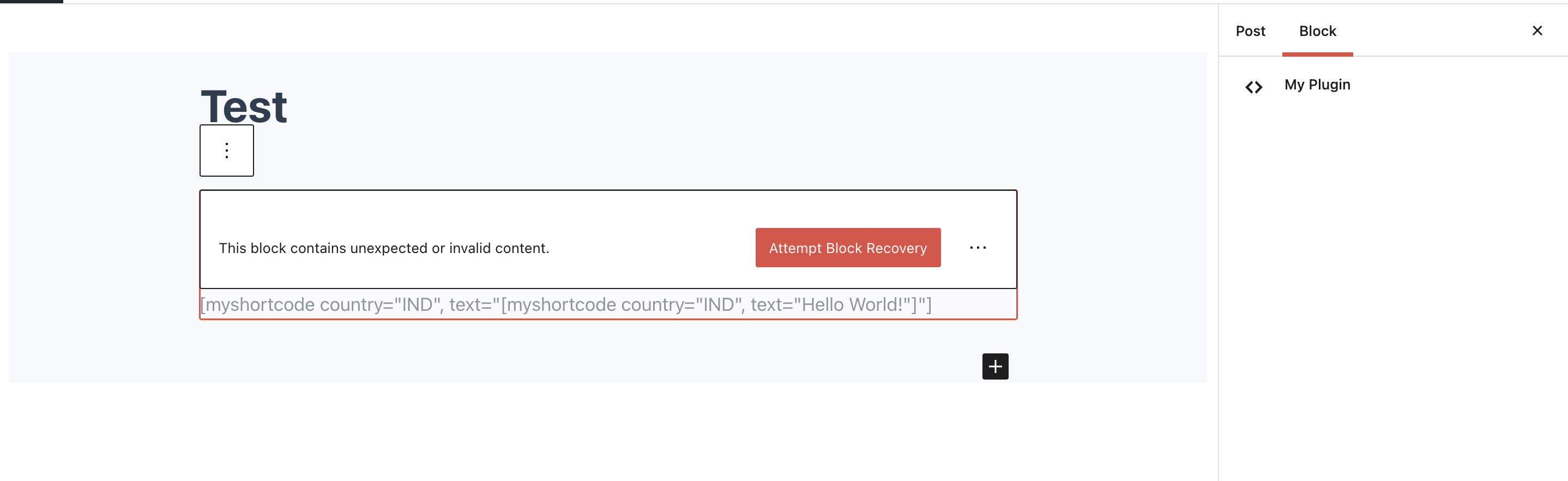
The issue that I am getting, on create everything is working as expected, but when I come to edit screen the content is getting messed up. Also the dropdown is not showing for existing block.
Here is the code that I have written with the help of this & this article.
const {__} = wp.i18n;
const {RawHTML} = wp.element;
const {registerBlockType} = wp.blocks;
const {PanelBody, SelectControl, TextareaControl} = wp.components;
const {InspectorControls} = wp.editor;

const blockStyle = {
    backgroundColor: '#900',
    color: '#fff',
    padding: '20px',
};
const countries = [
    {label: __('Select a countries', 'txtdomain'), value: ''},
    {label: 'India', value: 'IND'},
    {label: 'United States of America', value: 'USA'},
    {label: 'Sri Lanka', value: 'LKA'}
];

registerBlockType('myplugin/example-01-block', {
    title: 'My Plugin',
    icon: 'editor-code',
    category: 'common',
    attributes: {
        content: {
            type: "string",
            source: "text",
            default: '// Place your text here!',
        },
        country: {
            type: "string",
            default: ""
        },
    },
    example: {},

    edit: (props) => {
        const {
            attributes: {content},
            setAttributes,
            className,
            country
        } = props;

        return (
                <div className={ className }>
                    <InspectorControls>
                        <PanelBody
                            title={ __('My Plugin Settings', 'txtdomain') }
                            >
                            <SelectControl
                                label={ __('Country', 'txtdomain') }
                                value={ country }
                                options={ countries }
                                onChange={ value => setAttributes({country: value}) }
                                />
                        </PanelBody>
                    </InspectorControls>

                    <TextareaControl
                        value={ content }
                        onChange={ value => setAttributes({content: value}) }
                        />
                </div>
                );
    },
    save: (props) => {
        const {
            attributes: {content, country}
        } = props;
        var myShortcode = '[myshortcode country="' + country + '", text="' + content + '"]';
        return (
                <div>
                    <RawHTML>{ myShortcode }</RawHTML>
                </div>
                );
    }
})
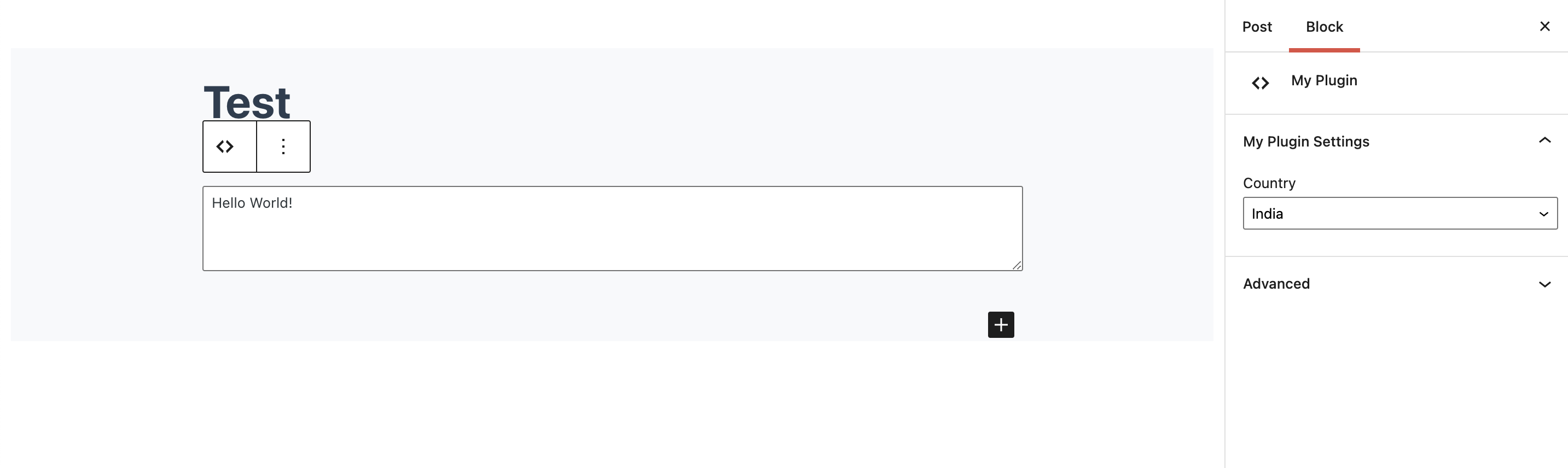
On Create for first time
When editing the created block in next time.
Thank you in advance!
Answers:
Thank you for visiting the Q&A section on Magenaut. Please note that all the answers may not help you solve the issue immediately. So please treat them as advisements. If you found the post helpful (or not), leave a comment & I’ll get back to you as soon as possible.
Method 1
The main issue in your code is the following part, whereby you set the attribute source to text which means (after the block/post is saved) the editor will read the value from the inner text of the div returned by your save function:
attributes: {
    content: {
        type: "string",
        source: "text", // this shouldn't be "text"
        default: '// Place your text here!',
    },
So if the save function returned an element with the HTML <div>[myshortcode country="IND", text="Hello World!"]</div>, then with the above attribute settings, the content value would be [myshortcode country="IND", text="Hello World!"] which explains why this happened:
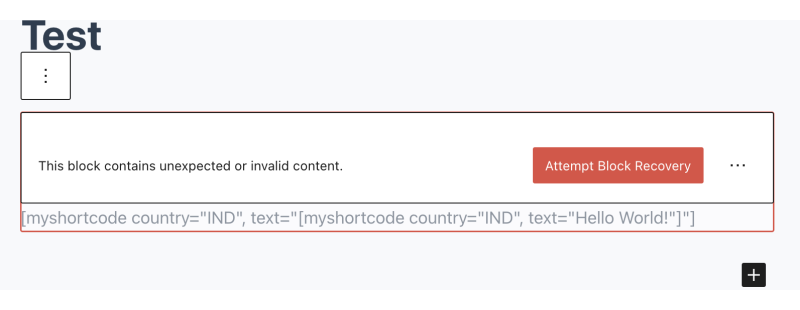
So you should just omit the source property there, i.e. do not specify the attribute source, and just let the editor stores the attribute value in the block comment delimiter.
Other Issues in your code
-
wp.editor.InspectorControlsis deprecated and usewp.blockEditor.InspectorControlsinstead. So useconst { InspectorControls } = wp.blockEditor;. -
In your
editfunction,countryshould be part of theattributeslike so:const { attributes: {content, country}, // "country" belongs here setAttributes, className, country // NOT HERE, so remove this. } = props; -
There’s an unwanted
,(comma) in your shortcode ([myshortcode country="' + country + '", text=...), so you should remove that comma.
All methods was sourced from stackoverflow.com or stackexchange.com, is licensed under cc by-sa 2.5, cc by-sa 3.0 and cc by-sa 4.0