I’m writing a function to allow only some custom blocks – essentially I want to register all the blocks, then based on a database table of ‘selected’ blocks disallow any other custom block.
I can use allowed_block_types to make an array of allowed blocks, but it wipes all the core ones, is there a way to either get a reliable list of core blocks, or only add a filter for plugin/theme registered blocks? Or possibly, allow all block
categories then my own block category is filtered?
Answers:
Thank you for visiting the Q&A section on Magenaut. Please note that all the answers may not help you solve the issue immediately. So please treat them as advisements. If you found the post helpful (or not), leave a comment & I’ll get back to you as soon as possible.
Method 1
AFAIK there is only one way to remove blocks from Gutenberg – you have to use allowed_block_types filter.
Unfortunately Gutenberg developers are not very familiar with WordPress hooks and filters, so they created a little monster with this one. So instead of passing a list of core blocks in there, they pass true to enable all blocks. That way you’re unable to obtain the list of all blocks registered.
So if you want to disable just one block, then you have to get all blocks bu yourself…
Here’s the list of core blocks:
- core/shortcode
- core/image
- core/gallery
- core/heading
- core/quote
- core/embed
- core/list
- core/separator
- core/more
- core/button
- core/pullquote
- core/table
- core/preformatted
- core/code
- core/html
- core/freeform
- core/latest-posts
- core/categories
- core/cover (previously
core/cover-image) - core/text-columns
- core/verse
- core/video
- core/audio
- core/block
- core/paragraph
- core-embed/twitter
- core-embed/youtube
- core-embed/facebook
- core-embed/instagram
- core-embed/wordpress
- core-embed/soundcloud
- core-embed/spotify
- core-embed/flickr
- core-embed/vimeo
- core-embed/animoto
- core-embed/cloudup
- core-embed/collegehumor
- core-embed/dailymotion
- core-embed/funnyordie
- core-embed/hulu
- core-embed/imgur
- core-embed/issuu
- core-embed/kickstarter
- core-embed/meetup-com
- core-embed/mixcloud
- core-embed/photobucket
- core-embed/polldaddy
- core-embed/reddit
- core-embed/reverbnation
- core-embed/screencast
- core-embed/scribd
- core-embed/slideshare
- core-embed/smugmug
- core-embed/speaker
- core-embed/ted
- core-embed/tumblr
- core-embed/videopress
- core-embed/wordpress-tv
On the other hand…
It’s a lot easier to unregister given block in JS… In there you can use:
wp.blocks.unregisterBlockType( 'core/verse' );
Method 2
There’s a whitelist blocks removal example from the Gutenberg Handbook:
var allowedBlocks = [
    'core/paragraph',
    'core/image',
    'core/html',
    'core/freeform'
];

wp.blocks.getBlockTypes().forEach( function( blockType ) {
    if ( allowedBlocks.indexOf( blockType.name ) === -1 ) {
        wp.blocks.unregisterBlockType( blockType.name );
    }
} );
One might try to modify it to remove blocks that do not start with core and are not part of allowedExtraBlocks (untested):
var allowedExtraBlocks = [
    'my-plugin/block-example-1',
    'my-plugin/block-example-2'
];

wp.blocks.getBlockTypes().forEach( function( blockType ) {
    if ( ! blockType.name.startsWith( 'core' )
         && allowedExtraBlocks.indexOf( blockType.name ) === -1
    ) {
        wp.blocks.unregisterBlockType( blockType.name );
    }
} );
One could adjust this further to match block names that start with core/ or core-embed/ instead of core to be more precise.
The blacklist example wraps it with:
wp.domReady( function() {
    // ...
} );
so this might be needed for the whitelist example too.
Here’s a quick way to see available blocks on the editing page, in the browser’s console:
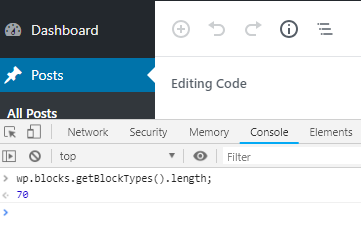
In the 5.1 version there are 70 core blocks available, according to
wp.blocks.getBlockTypes().length;
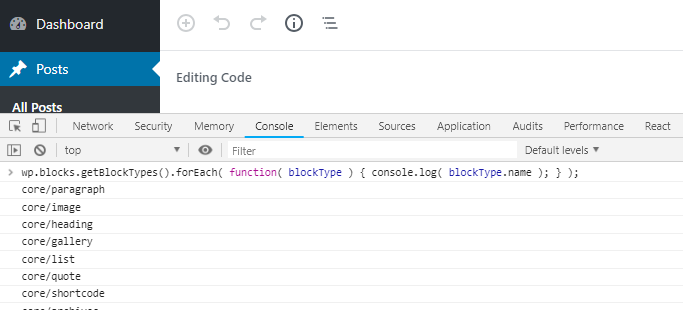
The list of available block names:
wp.blocks.getBlockTypes().forEach( function( blockType ){ console.log( blockType.name ); });
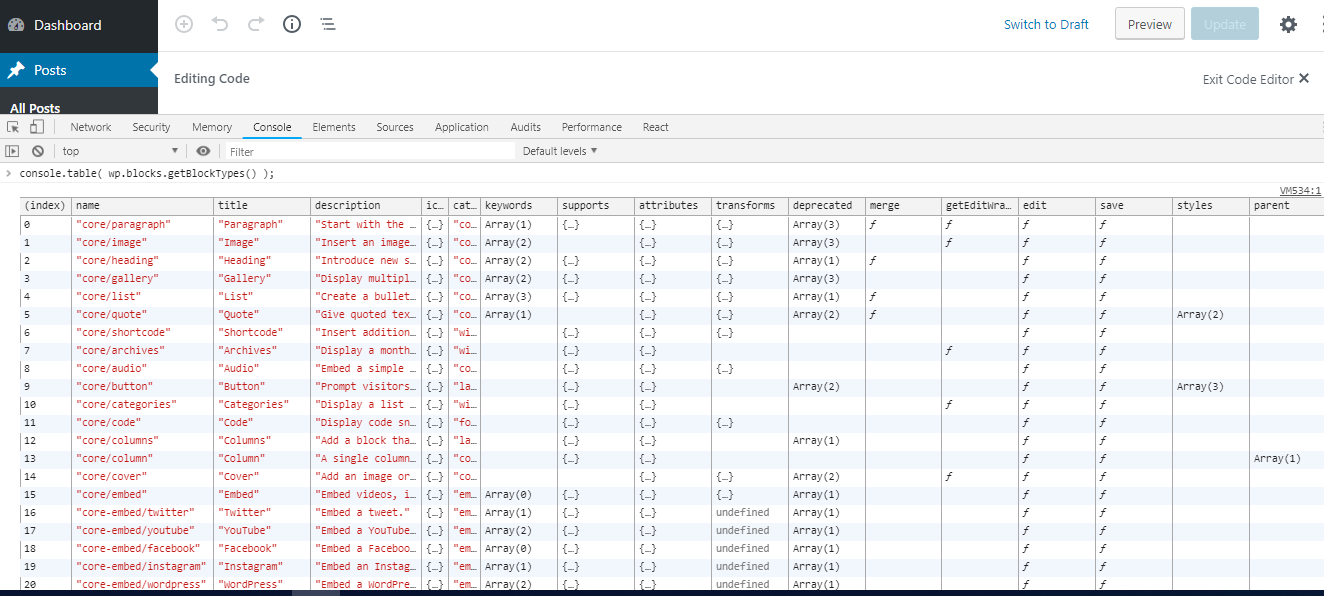
Here’s a table of available blocks:
console.table( wp.blocks.getBlockTypes() );
Method 3
@birgire ‘s answer is very good.
https://wordpress.stackexchange.com/a/326969/198298
Some information might be missing though.
As @birgire guesses, it really is necessary to wrap the code inside a
wp.domReady( function() {
    // ...
} );
even if the script is loaded with the dependencies array( 'wp-blocks', 'wp-dom-ready', 'wp-edit-post' ) like it is recommended in the block filters guide.
Speaking of loading: If you’re no plugin developer (like me) but only want to remove some block types for the users of your (company’s) blog, you should load
the js file for this in your child-theme’s functions.php like that:
/** Allow js-side adjustments to block editor (aka Gutenberg), i.e. remove certain block types. */
function my_childtheme_enqueue_block_editor_adj() {
    wp_enqueue_script(
        'block-editor-adjustments',
        get_stylesheet_directory_uri() . '/js/block-editor-adjustments.js',
        array( 'wp-blocks', 'wp-dom-ready', 'wp-edit-post' ),
    );
}
add_action( 'enqueue_block_editor_assets', 'my_childtheme_enqueue_block_editor_adj' );
My js file looks like this:
wp.domReady(function () {
    /**
     * Remove some blocks from the block editor.
     * This is not possible in php unfortunately.
     */
    wp.blocks.unregisterBlockType('core/embed');

    var allowedEmbedBlocks = [
        'core-embed/twitter',
        'core-embed/youtube',
        'core-embed/facebook',
        'core-embed/instagram',
        'core-embed/wordpress',
        'core-embed/flickr',
        'core-embed/vimeo',
    ];

    wp.blocks.getBlockTypes().forEach(function (blockType) {
        if (blockType.name.startsWith('core-embed')
            && allowedEmbedBlocks.indexOf(blockType.name) === -1
        ) {
            wp.blocks.unregisterBlockType(blockType.name);
        }
    });
});
This way I can now focus on the embed options in allowedEmbedBlocks regarding the Usercentrics data privacy settings.
Method 4
core-embed does no longer exist in the latest version of the Gutenberg editor. All embeds now seem to be block variations of core/embed. So you cannot unregister the default core/embed block, because if you do, you will automatically unregister all its variations. However, you can unregister any variations with wp.blocks.unregisterBlockVariation(blockName, variationName).
Example: only allow the YouTube embed block:
wp.domReady( function() {
    const allowedEmbedBlocks = [
        'youtube',
    ];

    wp.blocks.getBlockType( 'core/embed' ).variations.forEach( function( blockVariation ) {
        if (
            allowedEmbedBlocks.indexOf( blockVariation.name ) === -1
        ) {
            wp.blocks.unregisterBlockVariation( 'core/embed', blockVariation.name );
        }
    } );
} );
(Sadly you will still be able to use the regular embed block as well. I’m not sure yet how this can be removed.)
All methods was sourced from stackoverflow.com or stackexchange.com, is licensed under cc by-sa 2.5, cc by-sa 3.0 and cc by-sa 4.0