I have plotted my data with factorplot in seaborn and get facetgrid object, but still cannot understand how the following attributes could be set in such a plot:
- Legend size: when I plot lots of variables, I get very small legends, with small fonts.
- Font sizes of y and x labels (a similar problem as above)
Answers:
Thank you for visiting the Q&A section on Magenaut. Please note that all the answers may not help you solve the issue immediately. So please treat them as advisements. If you found the post helpful (or not), leave a comment & I’ll get back to you as soon as possible.
Method 1
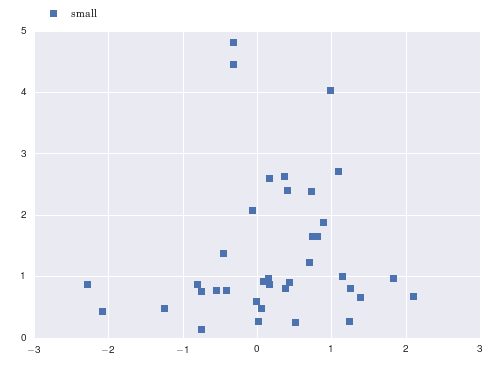
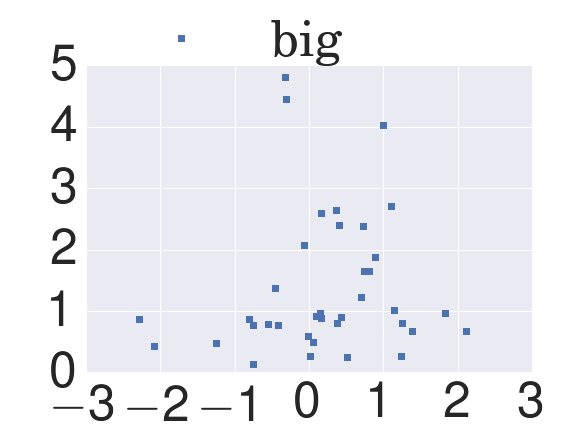
You can scale up the fonts in your call to sns.set().
import numpy as np
import matplotlib.pyplot as plt
import seaborn as sns
x = np.random.normal(size=37)
y = np.random.lognormal(size=37)

# defaults
sns.set()
fig, ax = plt.subplots()
ax.plot(x, y, marker='s', linestyle='none', label='small')
ax.legend(loc='upper left', bbox_to_anchor=(0, 1.1))
sns.set(font_scale=5)  # crazy big
fig, ax = plt.subplots()
ax.plot(x, y, marker='s', linestyle='none', label='big')
ax.legend(loc='upper left', bbox_to_anchor=(0, 1.3))
Method 2
The FacetGrid plot does produce pretty small labels. While @paul-h has described the use of sns.set as a way to the change the font scaling, it may not be the optimal solution since it will change the font_scale setting for all plots.
You could use the seaborn.plotting_context to change the settings for just the current plot:
with sns.plotting_context(font_scale=1.5):
    sns.factorplot(x, y ...)
Method 3
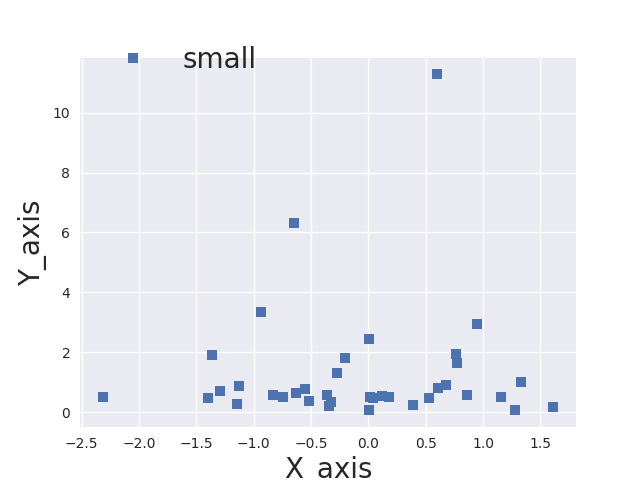
I’ve made small modifications to @paul-H code, such that you can set the font size for the x/y axes and legend independently. Hope it helps:
import numpy as np
import matplotlib.pyplot as plt
import seaborn as sns
x = np.random.normal(size=37)
y = np.random.lognormal(size=37)

# defaults
sns.set()
fig, ax = plt.subplots()
ax.plot(x, y, marker='s', linestyle='none', label='small')
ax.legend(loc='upper left', fontsize=20,bbox_to_anchor=(0, 1.1))
ax.set_xlabel('X_axi',fontsize=20);
ax.set_ylabel('Y_axis',fontsize=20);

plt.show()
This is the output:
Method 4
For the legend, you can use this
plt.setp(g._legend.get_title(), fontsize=20)
Where g is your facetgrid object returned after you call the function making it.
All methods was sourced from stackoverflow.com or stackexchange.com, is licensed under cc by-sa 2.5, cc by-sa 3.0 and cc by-sa 4.0