How can I create multiple Step objects in a form and when I click the “Create” button these are sent to the controller’s POST method?
I don’t know what I use to display the array of Step objects that I create in terms of a @Html helper, I suppose, to then eventually be sent to the controller on “Create”.
Additionally, I will need to think about editing and deleting a Step as depicted by the image below.
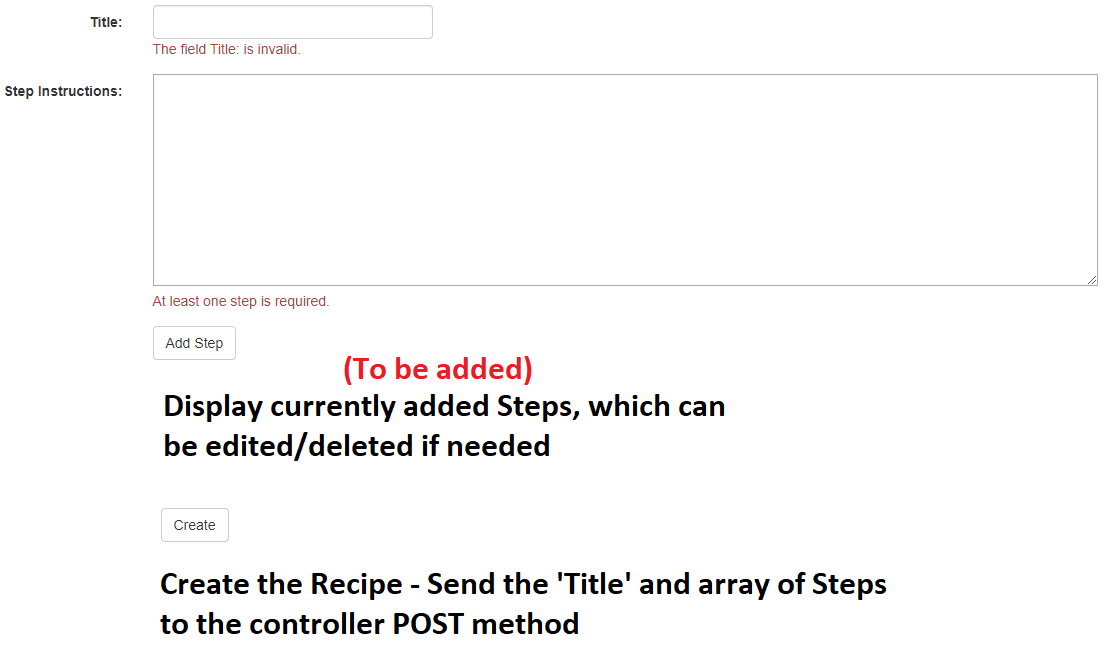
The Recipe Model
    public class Recipe
    {
        public int RecipeId { get; set; }

        [RequiredIfButtonClicked("CreateRecipe")]
        [StringLength(50, ErrorMessage = "Title cannot be longer than 50 characters.")]
        [Display(Name = "Title:")]
        [RegularExpression(@"^[A-Z]+[a-zA-Z""'s-]*$", ErrorMessage = "Must start with a capital letter, only alphabetic characters and no spaces allowed.")]
        public string Name { get; set; }

        // Used to create a single Step for a Recipe
        public Step Step { get; set; }

        // A Recipe has many steps
        public Step[] Steps { get; set; }
    }
The Step Model
    public class Step
    {
        public int StepId { get; set; }

        [RequiredIfButtonClicked("CreateRecipe", ErrorMessage = "At least one step is required.")]
        [StringLength(500, ErrorMessage = "Instructions cannot be longer than 500 characters.")]
        [Display(Name = "Step Instructions:")]
        public string Instruction { get; set; }

    }
Answers:
Thank you for visiting the Q&A section on Magenaut. Please note that all the answers may not help you solve the issue immediately. So please treat them as advisements. If you found the post helpful (or not), leave a comment & I’ll get back to you as soon as possible.
Method 1
In your case, I suggest to use jQuery to send an Ajax request to controller with FormData.
I imagine that you’ve already defined some event for Add Step button to collect data using JavaScript.
And the data looks like:
var steps = ['step_1', 'step_2'];
In your model, because Step class requires Instruction property, you can make a loop with that array to create a new model:
var model = {};
model.Steps = [];

for (var step of steps) {
  model.Steps.push({ Instruction: step });
}
You can also use this model to add more properties like Name or Step object:
model.Name = $('.Title').val();
model.Step = {
  Instruction: steps[0]
};
Then, compress data to FormData before sending:
var data = new FormData();
data.append('Name', model.Name);
data.append('Step', model.Step);
data.append('Steps', model.Steps);

$.ajax({
  url: '/your_controller',
  type: 'your_request_type',
  data: data
}).done(function (response) {
  console.log('Responsed data from server:', response);
}).fail(function (error) {
  // If there is some error: path not found or invalid request format...
  // the error can be logged here
  console.error(error);
});
All methods was sourced from stackoverflow.com or stackexchange.com, is licensed under cc by-sa 2.5, cc by-sa 3.0 and cc by-sa 4.0