I have two different sets of data with a common index, and I want to represent the first one as a barplot and the second one as a lineplot in the same graph. My current approach is similar to the following.
ax = pt.a.plot(alpha = .75, kind = 'bar')
ax2 = ax.twinx()
ax2.plot(ax.get_xticks(), pt.b.values, alpha = .75, color = 'r')
And the result is similar to this
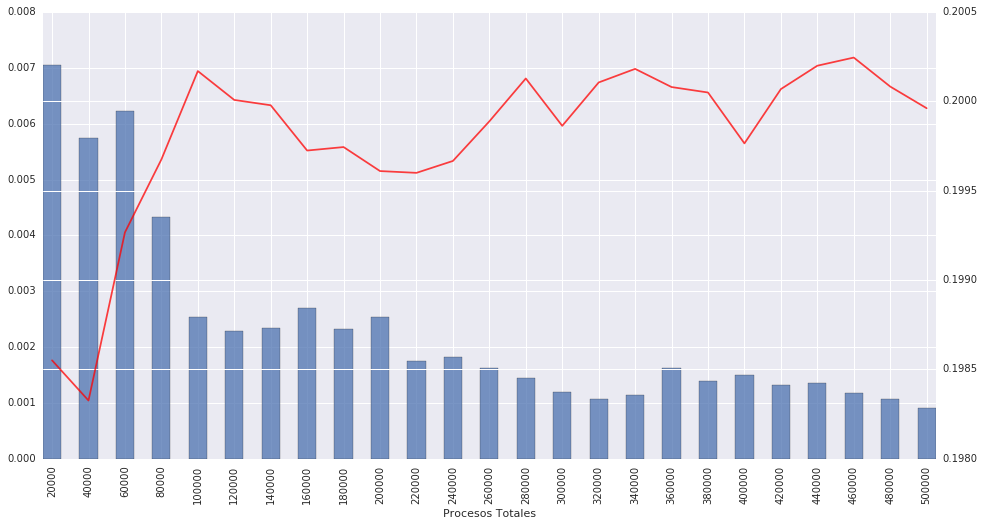
This image is really nice and almost right. My only problem is that ax.twinx() seems to create a new canvas on top of the previous one, and the white lines are clearly seen on top of the barplot.
Is there any way to plot this without including the white lines?
Answers:
Thank you for visiting the Q&A section on Magenaut. Please note that all the answers may not help you solve the issue immediately. So please treat them as advisements. If you found the post helpful (or not), leave a comment & I’ll get back to you as soon as possible.
Method 1
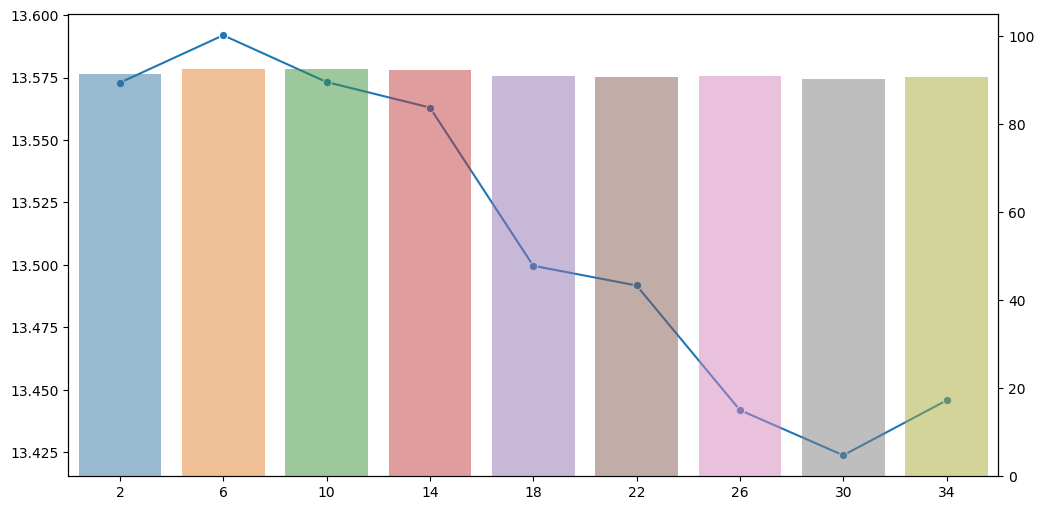
You can use twinx() method along with seaborn to create a seperate y-axis, one for the lineplot and the other for the barplot. To control the style of the plot (default style of seaborn is darkgrid), you can use set_style method and specify the preferred theme. If you set style=None it resets to white background without the gridlines. You can also try whitegrid. If you want to further customize the gridlines, you can do it on the axis level using the ax2.grid(False).
import matplotlib
import matplotlib.pyplot as plt
import seaborn as sns

matplotlib.rc_file_defaults()
ax1 = sns.set_style(style=None, rc=None )

fig, ax1 = plt.subplots(figsize=(12,6))

sns.lineplot(data = df['y_var_1'], marker='o', sort = False, ax=ax1)
ax2 = ax1.twinx()

sns.barplot(data = df, x='x_var', y='y_var_2', alpha=0.5, ax=ax2)
Method 2
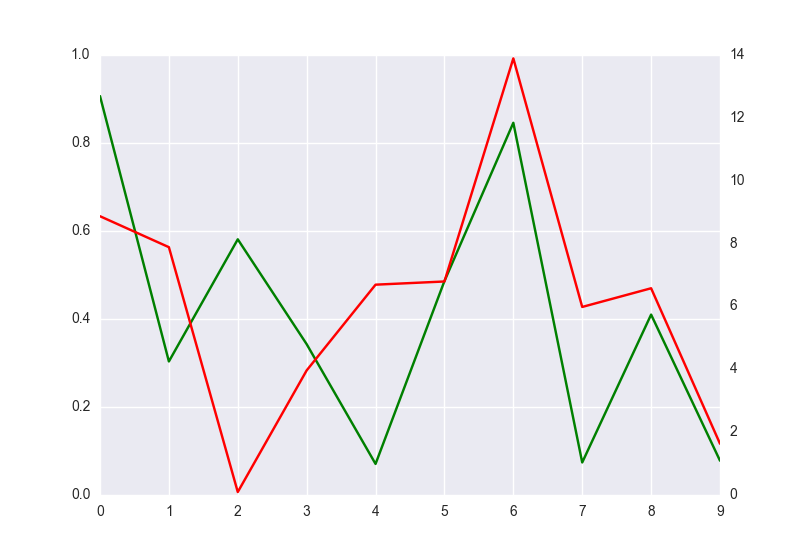
You have to remove grid lines of the second axis. Add to the code ax2.grid(False). However y-ticks of the second axis will be not align to y-ticks of the first y-axis, like here:
import matplotlib.pyplot as plt
import seaborn as sns
import numpy as np
import pandas as pd

fig = plt.figure()
ax1 = fig.add_subplot(111)
ax1.plot(pd.Series(np.random.uniform(0,1,size=10)), color='g')
ax2 = ax1.twinx()
ax2.plot(pd.Series(np.random.uniform(0,17,size=10)), color='r')
ax2.grid(False)
plt.show()
All methods was sourced from stackoverflow.com or stackexchange.com, is licensed under cc by-sa 2.5, cc by-sa 3.0 and cc by-sa 4.0