I’d like to make a scatter plot where each point is colored by the spatial density of nearby points.
I’ve come across a very similar question, which shows an example of this using R:
R Scatter Plot: symbol color represents number of overlapping points
What’s the best way to accomplish something similar in python using matplotlib?
Answers:
Thank you for visiting the Q&A section on Magenaut. Please note that all the answers may not help you solve the issue immediately. So please treat them as advisements. If you found the post helpful (or not), leave a comment & I’ll get back to you as soon as possible.
Method 1
In addition to hist2d or hexbin as @askewchan suggested, you can use the same method that the accepted answer in the question you linked to uses.
If you want to do that:
import numpy as np
import matplotlib.pyplot as plt
from scipy.stats import gaussian_kde

# Generate fake data
x = np.random.normal(size=1000)
y = x * 3 + np.random.normal(size=1000)

# Calculate the point density
xy = np.vstack([x,y])
z = gaussian_kde(xy)(xy)

fig, ax = plt.subplots()
ax.scatter(x, y, c=z, s=100)
plt.show()
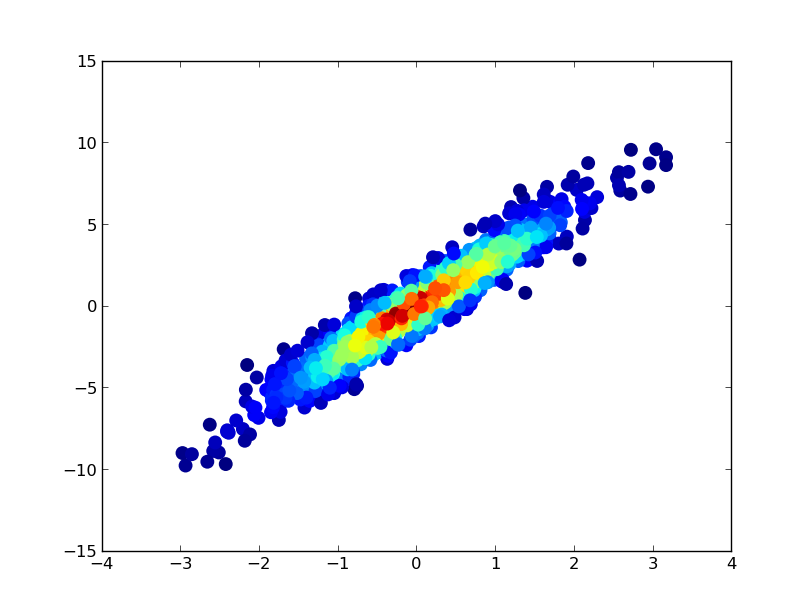
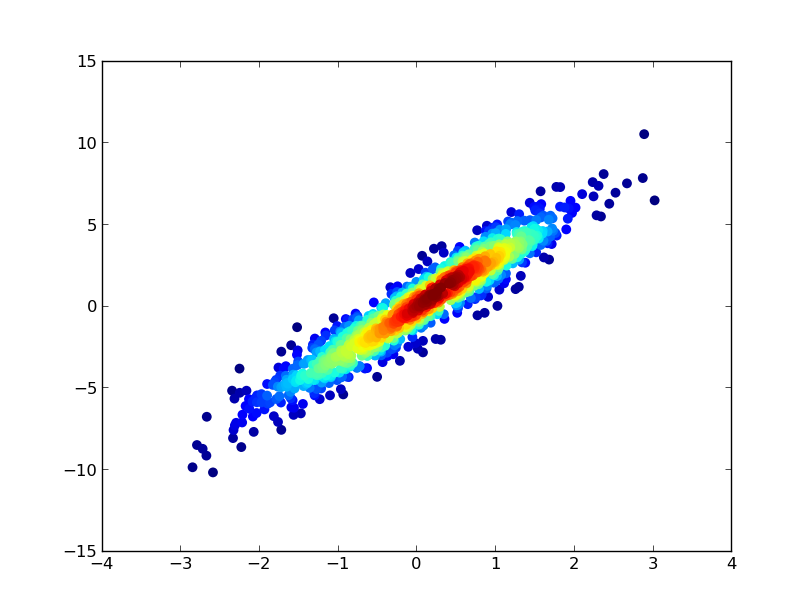
If you’d like the points to be plotted in order of density so that the densest points are always on top (similar to the linked example), just sort them by the z-values. I’m also going to use a smaller marker size here as it looks a bit better:
import numpy as np
import matplotlib.pyplot as plt
from scipy.stats import gaussian_kde

# Generate fake data
x = np.random.normal(size=1000)
y = x * 3 + np.random.normal(size=1000)

# Calculate the point density
xy = np.vstack([x,y])
z = gaussian_kde(xy)(xy)

# Sort the points by density, so that the densest points are plotted last
idx = z.argsort()
x, y, z = x[idx], y[idx], z[idx]

fig, ax = plt.subplots()
ax.scatter(x, y, c=z, s=50)
plt.show()
Method 2
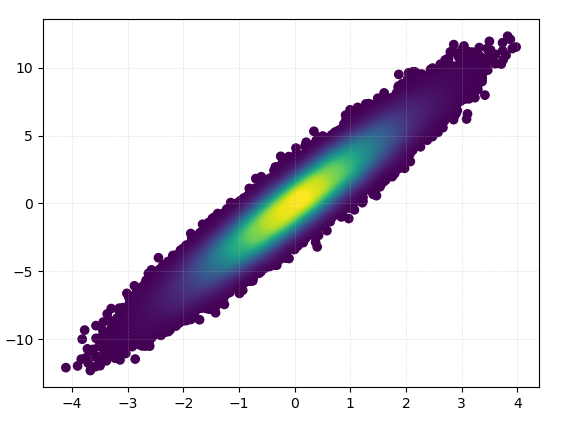
Also, if the number of point makes KDE calculation too slow, color can be interpolated in np.histogram2d [Update in response to comments: If you wish to show the colorbar, use plt.scatter() instead of ax.scatter() followed by plt.colorbar()]:
import numpy as np
import matplotlib.pyplot as plt
from matplotlib import cm
from matplotlib.colors import Normalize
from scipy.interpolate import interpn

def density_scatter( x , y, ax = None, sort = True, bins = 20, **kwargs )   :
    """
    Scatter plot colored by 2d histogram
    """
    if ax is None :
        fig , ax = plt.subplots()
    data , x_e, y_e = np.histogram2d( x, y, bins = bins, density = True )
    z = interpn( ( 0.5*(x_e[1:] + x_e[:-1]) , 0.5*(y_e[1:]+y_e[:-1]) ) , data , np.vstack([x,y]).T , method = "splinef2d", bounds_error = False)

    #To be sure to plot all data
    z[np.where(np.isnan(z))] = 0.0

    # Sort the points by density, so that the densest points are plotted last
    if sort :
        idx = z.argsort()
        x, y, z = x[idx], y[idx], z[idx]

    ax.scatter( x, y, c=z, **kwargs )

    norm = Normalize(vmin = np.min(z), vmax = np.max(z))
    cbar = fig.colorbar(cm.ScalarMappable(norm = norm), ax=ax)
    cbar.ax.set_ylabel('Density')

    return ax


if "__main__" == __name__ :

    x = np.random.normal(size=100000)
    y = x * 3 + np.random.normal(size=100000)
    density_scatter( x, y, bins = [30,30] )
Method 3
Plotting >100k data points?
The accepted answer, using gaussian_kde() will take a lot of time. On my machine, 100k rows took about 11 minutes. Here I will add two alternative methods (mpl-scatter-density and datashader) and compare the given answers with same dataset.
In the following, I used a test data set of 100k rows:
import matplotlib.pyplot as plt
import numpy as np

# Fake data for testing
x = np.random.normal(size=100000)
y = x * 3 + np.random.normal(size=100000)
Output & computation time comparison
Below is a comparison of different methods.
1: mpl-scatter-density
Installation
pip install mpl-scatter-density
Example code
import mpl_scatter_density # adds projection='scatter_density'
from matplotlib.colors import LinearSegmentedColormap

# "Viridis-like" colormap with white background
white_viridis = LinearSegmentedColormap.from_list('white_viridis', [
    (0, '#ffffff'),
    (1e-20, '#440053'),
    (0.2, '#404388'),
    (0.4, '#2a788e'),
    (0.6, '#21a784'),
    (0.8, '#78d151'),
    (1, '#fde624'),
], N=256)

def using_mpl_scatter_density(fig, x, y):
    ax = fig.add_subplot(1, 1, 1, projection='scatter_density')
    density = ax.scatter_density(x, y, cmap=white_viridis)
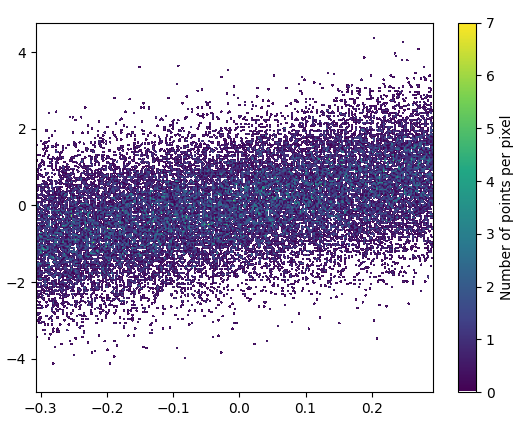
    fig.colorbar(density, label='Number of points per pixel')

fig = plt.figure()
using_mpl_scatter_density(fig, x, y)
plt.show()
Drawing this took 0.05 seconds:
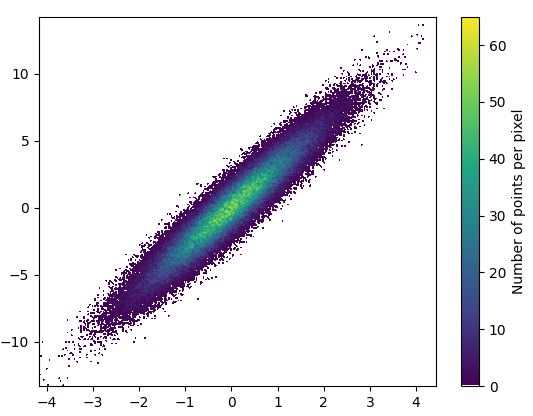
And the zoom-in looks quite nice:
2: datashader
- Datashader is an interesting project. It has added support for matplotlib in datashader 0.12.
Installation
pip install datashader
Code (source & parameterer listing for dsshow):
import datashader as ds
from datashader.mpl_ext import dsshow
import pandas as pd


def using_datashader(ax, x, y):

    df = pd.DataFrame(dict(x=x, y=y))
    dsartist = dsshow(
        df,
        ds.Point("x", "y"),
        ds.count(),
        vmin=0,
        vmax=35,
        norm="linear",
        aspect="auto",
        ax=ax,
    )

    plt.colorbar(dsartist)


fig, ax = plt.subplots()
using_datashader(ax, x, y)
plt.show()
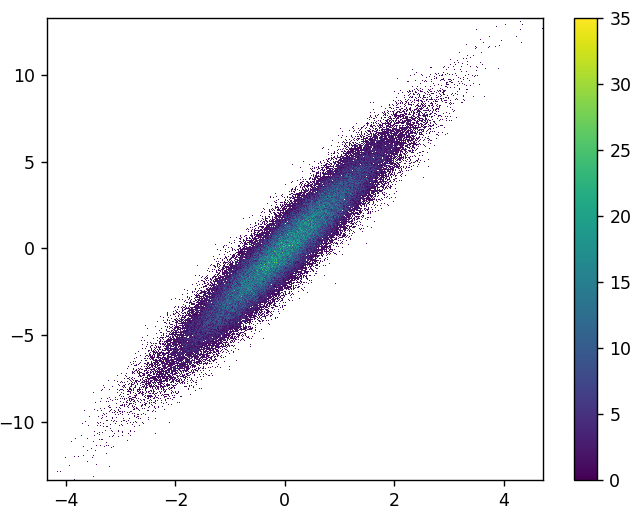
- It took 0.83 s to draw this:
- There is also possibility to colorize by third variable. The third parameter for
dsshowcontrols the coloring. See more examples here and the source for dsshow here.
3: scatter_with_gaussian_kde
def scatter_with_gaussian_kde(ax, x, y):
    # https://stackoverflow.com/a/20107592/3015186
    # Answer by Joel Kington

    xy = np.vstack([x, y])
    z = gaussian_kde(xy)(xy)

    ax.scatter(x, y, c=z, s=100, edgecolor='')
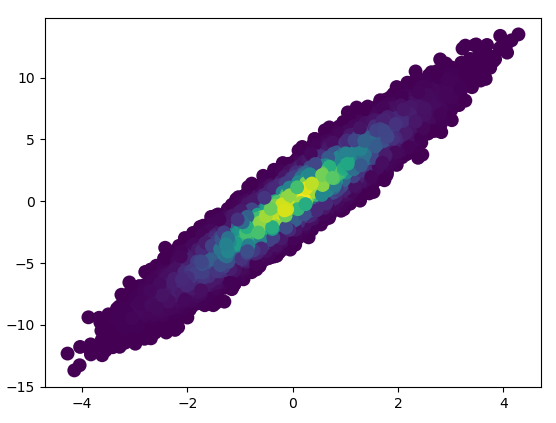
- It took 11 minutes to draw this:
4: using_hist2d
import matplotlib.pyplot as plt
def using_hist2d(ax, x, y, bins=(50, 50)):
    # https://stackoverflow.com/a/20105673/3015186
    # Answer by askewchan
    ax.hist2d(x, y, bins, cmap=plt.cm.jet)
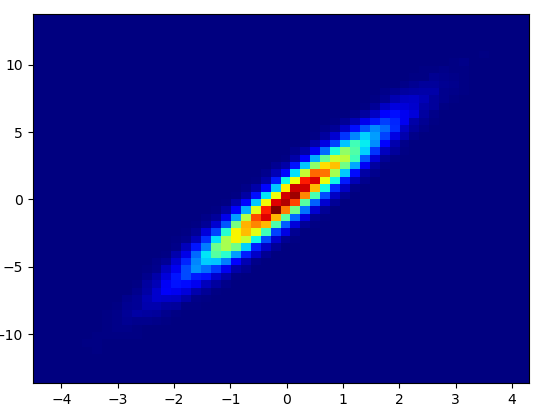
- It took 0.021 s to draw this bins=(50,50):
- It took 0.173 s to draw this bins=(1000,1000):
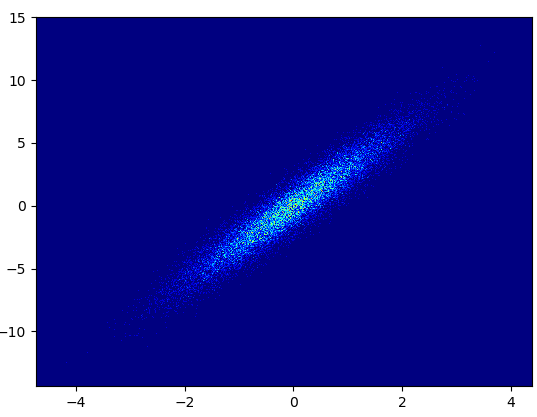
- Cons: The zoomed-in data does not look as good as in with mpl-scatter-density or datashader. Also you have to determine the number of bins yourself.
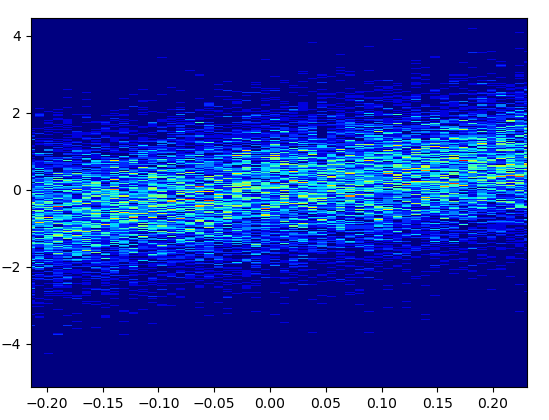
5: density_scatter
- The code is as in the answer by Guillaume.
- It took 0.073 s to draw this with bins=(50,50):
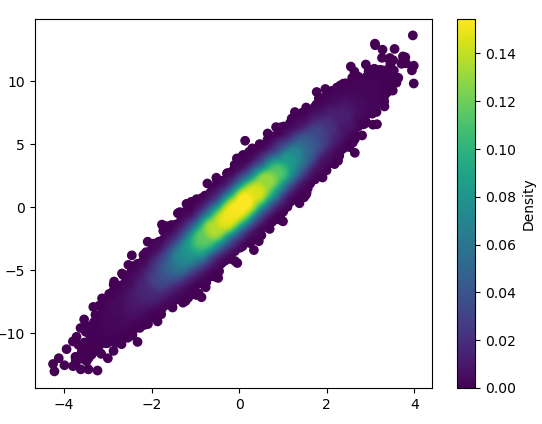
- It took 0.368 s to draw this with bins=(1000,1000):

Method 4
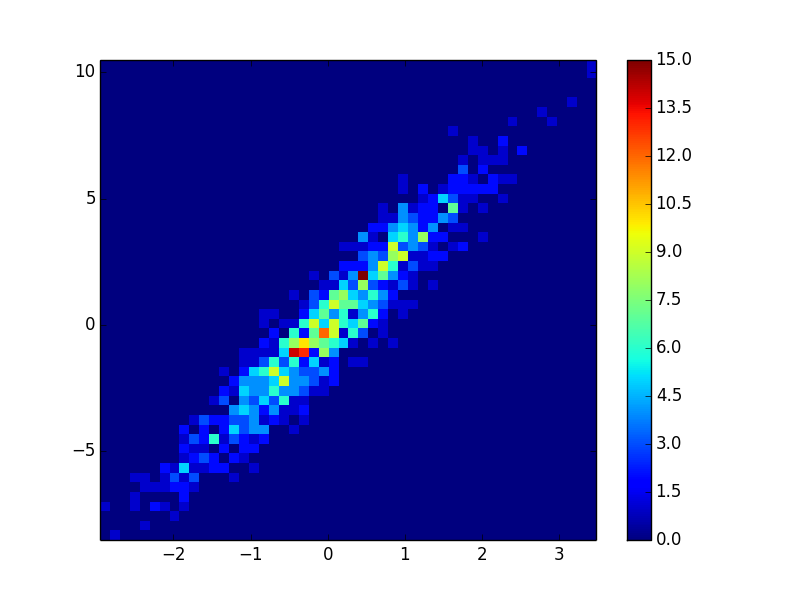
You could make a histogram:
import numpy as np
import matplotlib.pyplot as plt

# fake data:
a = np.random.normal(size=1000)
b = a*3 + np.random.normal(size=1000)

plt.hist2d(a, b, (50, 50), cmap=plt.cm.jet)
plt.colorbar()
All methods was sourced from stackoverflow.com or stackexchange.com, is licensed under cc by-sa 2.5, cc by-sa 3.0 and cc by-sa 4.0