How can I change the format of the numbers in the x-axis to be like 10,000 instead of 10000?
Ideally, I would just like to do something like this:
x = format((10000.21, 22000.32, 10120.54), "#,###")
Here is the code:
import matplotlib.pyplot as plt

# create figure instance
fig1 = plt.figure(1)
fig1.set_figheight(15)
fig1.set_figwidth(20)

ax = fig1.add_subplot(2,1,1)

x = 10000.21, 22000.32, 10120.54

y = 1, 4, 15
ax.plot(x, y)

ax2 = fig1.add_subplot(2,1,2)

x2 = 10434, 24444, 31234
y2 = 1, 4, 9
ax2.plot(x2, y2)

fig1.show()
Answers:
Thank you for visiting the Q&A section on Magenaut. Please note that all the answers may not help you solve the issue immediately. So please treat them as advisements. If you found the post helpful (or not), leave a comment & I’ll get back to you as soon as possible.
Method 1
Use , as format specifier:
>>> format(10000.21, ',')
'10,000.21'
Alternatively you can also use str.format instead of format:
>>> '{:,}'.format(10000.21)
'10,000.21'
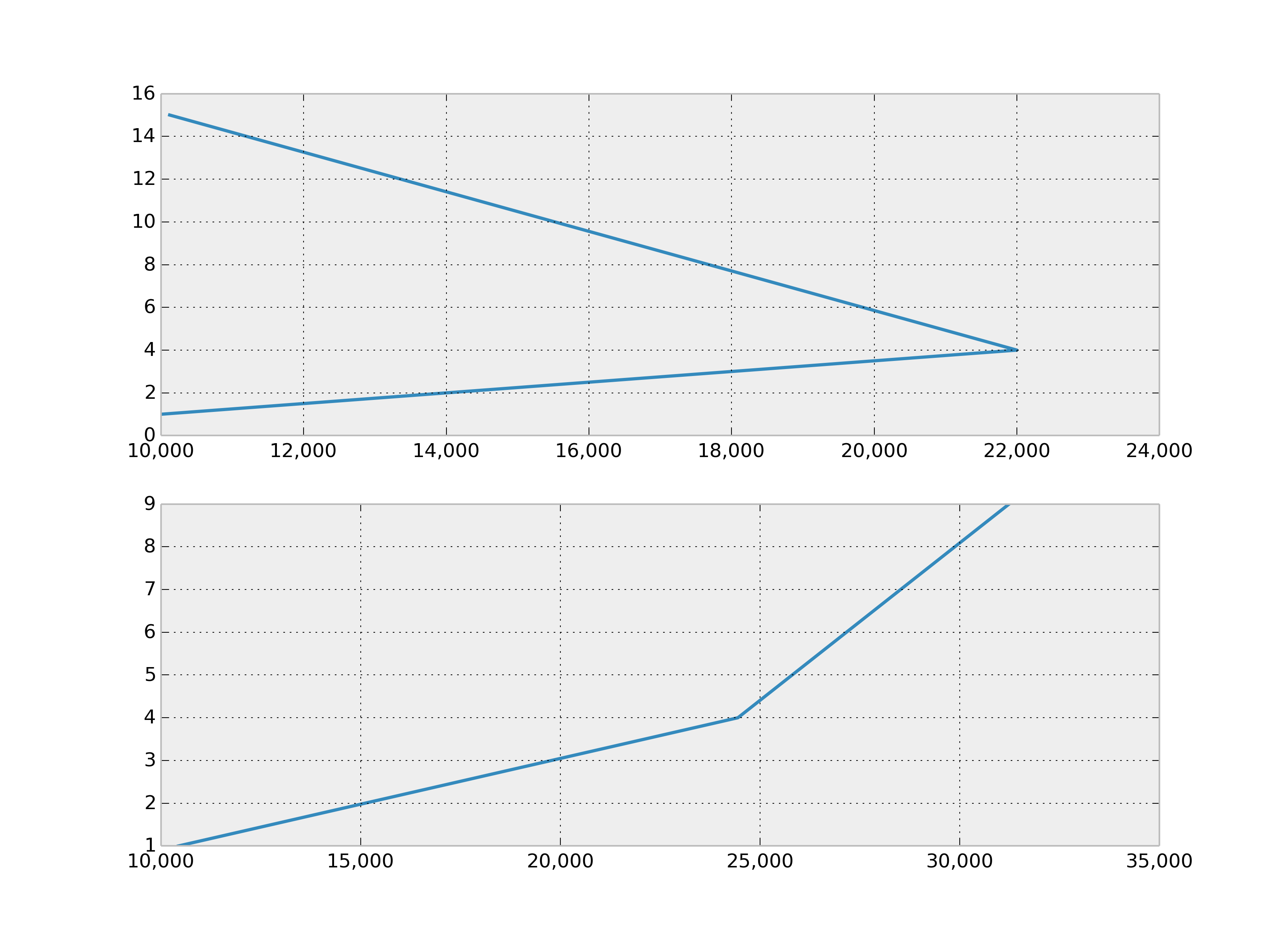
With matplotlib.ticker.FuncFormatter:
...
ax.get_xaxis().set_major_formatter(
    matplotlib.ticker.FuncFormatter(lambda x, p: format(int(x), ',')))
ax2.get_xaxis().set_major_formatter(
    matplotlib.ticker.FuncFormatter(lambda x, p: format(int(x), ',')))
fig1.show()
Method 2
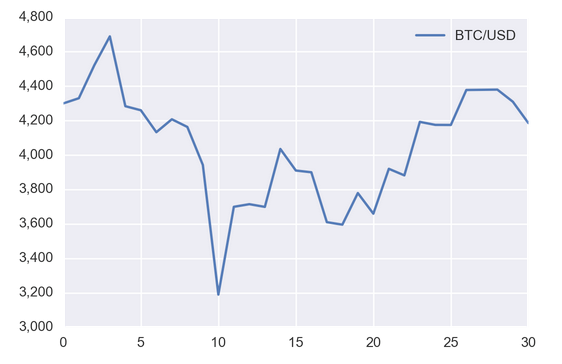
The best way I’ve found to do this is with StrMethodFormatter:
import matplotlib as mpl
ax.yaxis.set_major_formatter(mpl.ticker.StrMethodFormatter('{x:,.0f}'))
For example:
import pandas as pd
import requests
import matplotlib.pyplot as plt
import matplotlib as mpl

url = 'https://min-api.cryptocompare.com/data/histoday?fsym=BTC&tsym=USDT&aggregate=1'
df = pd.DataFrame({'BTC/USD': [d['close'] for d in requests.get(url).json()['Data']]})

ax = df.plot()
ax.yaxis.set_major_formatter(mpl.ticker.StrMethodFormatter('{x:,.0f}'))
plt.show()
Method 3
I always find myself on this same page everytime I try to do this. Sure, the other answers get the job done, but aren’t easy to remember for next time! ex: import ticker and use lambda, custom def, etc.
Here’s a simple solution if you have an axes named ax:
ax.set_yticklabels(['{:,}'.format(int(x)) for x in ax.get_yticks().tolist()])
Method 4
Short answer without importing matplotlib as mpl
plt.gca().yaxis.set_major_formatter(plt.matplotlib.ticker.StrMethodFormatter('{x:,.0f}'))
Modified from @AlexG’s answer
Method 5
If you like it hacky and short you can also just update the labels
def update_xlabels(ax):
    xlabels = [format(label, ',.0f') for label in ax.get_xticks()]
    ax.set_xticklabels(xlabels)

update_xlabels(ax)
update_xlabels(ax2)
Method 6
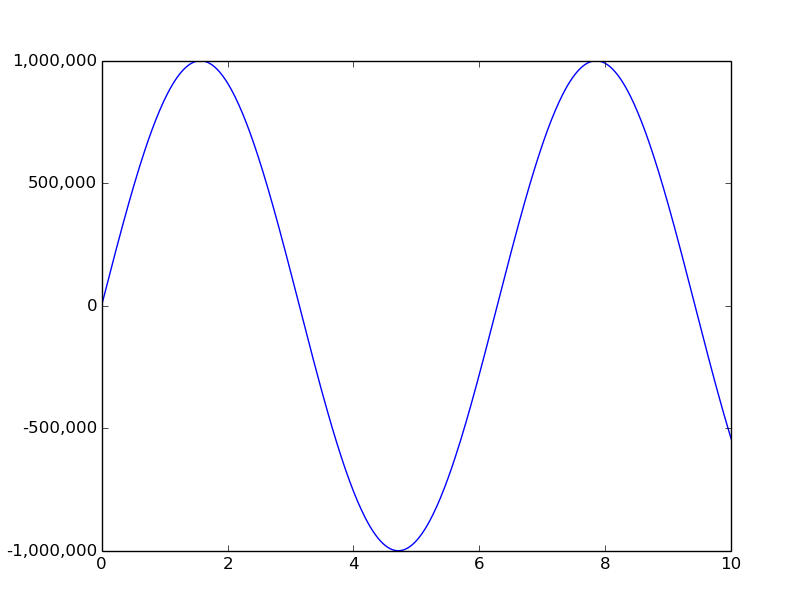
You can use matplotlib.ticker.funcformatter
import numpy as np
import matplotlib.pyplot as plt
import matplotlib.ticker as tkr


def func(x, pos):  # formatter function takes tick label and tick position
    s = '%d' % x
    groups = []
    while s and s[-1].isdigit():
        groups.append(s[-3:])
        s = s[:-3]
    return s + ','.join(reversed(groups))

y_format = tkr.FuncFormatter(func)  # make formatter

x = np.linspace(0,10,501)
y = 1000000*np.sin(x)
ax = plt.subplot(111)
ax.plot(x,y)
ax.yaxis.set_major_formatter(y_format)  # set formatter to needed axis

plt.show()
Method 7
x = [10000.21, 22000.32, 10120.54]
You could use a list comprehension to make a list of labels, and then pass them the plt.xticks.
xlabels = [f'{label:,}' for label in x]
plt.xticks(x, xlabels)
Method 8
If you want original values to appear in ticks, use
plt.xticks(ticks=plt.xticks()[0], labels=plt.xticks()[0])
This will prevent abbreviations like from 3000000 to 1.3 e5 etc. and will show 3000000 (the exact value) in ticks.
Method 9
Easiest way in my opinion:
current_values = plt.gca().get_yticks()
plt.gca().set_yticklabels(['{:,.0f}'.format(x) for x in current_values])
From:
https://queirozf.com/entries/matplotlib-examples-number-formatting-for-axes-labels
All methods was sourced from stackoverflow.com or stackexchange.com, is licensed under cc by-sa 2.5, cc by-sa 3.0 and cc by-sa 4.0