Is it possible to draw only a table with matplotlib? If I uncomment the line
plt.bar(index, data<div class="su-row"></div>, bar_width, bottom=y_offset, color=colors<div class="su-row"></div>)
of this example code, the plot is still visible. I want to have a table on top of my (PyQt) window and underneath a plot (with some space in between).
Answers:
Thank you for visiting the Q&A section on Magenaut. Please note that all the answers may not help you solve the issue immediately. So please treat them as advisements. If you found the post helpful (or not), leave a comment & I’ll get back to you as soon as possible.
Method 1
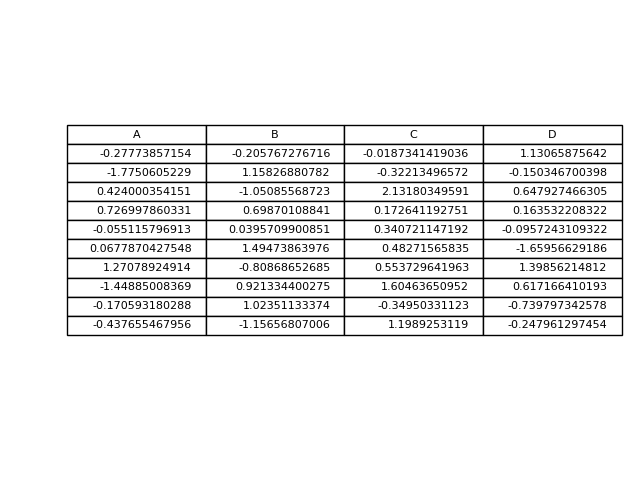
This is another option to write a pandas dataframe directly into a matplotlib table:
import numpy as np
import pandas as pd
import matplotlib.pyplot as plt

fig, ax = plt.subplots()

# hide axes
fig.patch.set_visible(False)
ax.axis('off')
ax.axis('tight')

df = pd.DataFrame(np.random.randn(10, 4), columns=list('ABCD'))

ax.table(cellText=df.values, colLabels=df.columns, loc='center')

fig.tight_layout()

plt.show()
Method 2
If you just wanted to change the example and put the table at the top, then loc='top' in the table declaration is what you need,
the_table = ax.table(cellText=cell_text,
                      rowLabels=rows,
                      rowColours=colors,
                      colLabels=columns,
                      loc='top')
Then adjusting the plot with,
plt.subplots_adjust(left=0.2, top=0.8)
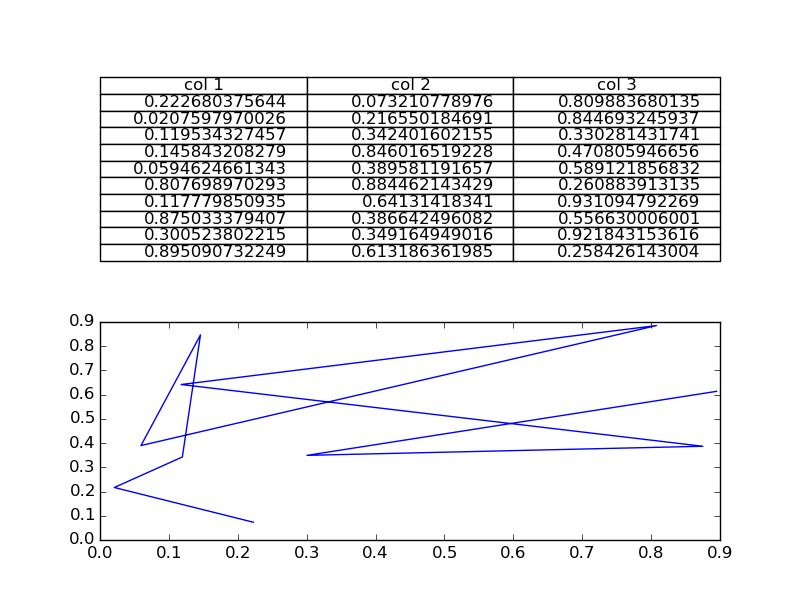
A more flexible option is to put the table in its own axis using subplots,
import numpy as np
import matplotlib.pyplot as plt


fig, axs =plt.subplots(2,1)
clust_data = np.random.random((10,3))
collabel=("col 1", "col 2", "col 3")
axs[0].axis('tight')
axs[0].axis('off')
the_table = axs[0].table(cellText=clust_data,colLabels=collabel,loc='center')

axs[1].plot(clust_data[:,0],clust_data[:,1])
plt.show()
which looks like this,
You are then free to adjust the locations of the axis as required.
Method 3
Not sure if this is already answered, but if you want only a table in a figure window, then you can hide the axes:
fig, ax = plt.subplots()

# Hide axes
ax.xaxis.set_visible(False)
ax.yaxis.set_visible(False)

# Table from Ed Smith answer
clust_data = np.random.random((10,3))
collabel=("col 1", "col 2", "col 3")
ax.table(cellText=clust_data,colLabels=collabel,loc='center')
Method 4
You can di this:
#axs[1].plot(clust_data[:,0],clust_data[:,1]) # Remove this if you don't need it
axs[1].axis("off")  # This will leave the table alone in the window
All methods was sourced from stackoverflow.com or stackexchange.com, is licensed under cc by-sa 2.5, cc by-sa 3.0 and cc by-sa 4.0