I have one figure which contains many subplots.
fig = plt.figure(num=None, figsize=(26, 12), dpi=80, facecolor='w', edgecolor='k')
fig.canvas.set_window_title('Window Title')

# Returns the Axes instance
ax = fig.add_subplot(311)
ax2 = fig.add_subplot(312)
ax3 = fig.add_subplot(313)
How do I add titles to the subplots?
fig.suptitle adds a title to all graphs and although ax.set_title() exists, the latter does not add any title to my subplots.
Thank you for your help.
Edit:
Corrected typo about set_title(). Thanks Rutger Kassies
Answers:
Thank you for visiting the Q&A section on Magenaut. Please note that all the answers may not help you solve the issue immediately. So please treat them as advisements. If you found the post helpful (or not), leave a comment & I’ll get back to you as soon as possible.
Method 1
ax.title.set_text('My Plot Title') seems to work too.
fig = plt.figure()
ax1 = fig.add_subplot(221)
ax2 = fig.add_subplot(222)
ax3 = fig.add_subplot(223)
ax4 = fig.add_subplot(224)
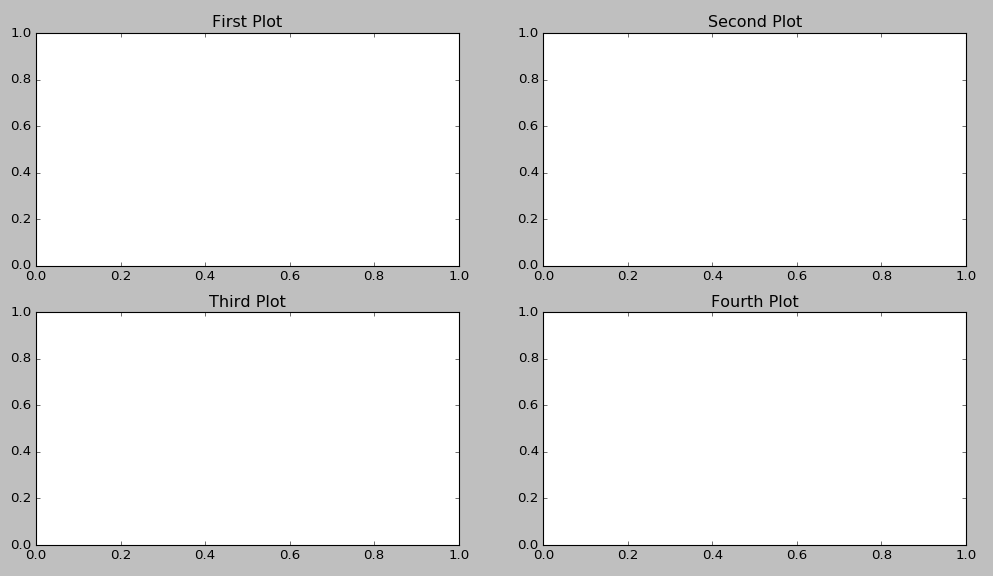
ax1.title.set_text('First Plot')
ax2.title.set_text('Second Plot')
ax3.title.set_text('Third Plot')
ax4.title.set_text('Fourth Plot')
plt.show()
Method 2
ax.set_title() should set the titles for separate subplots:
import matplotlib.pyplot as plt

if __name__ == "__main__":
    data = [1, 2, 3, 4, 5]

    fig = plt.figure()
    fig.suptitle("Title for whole figure", fontsize=16)
    ax = plt.subplot("211")
    ax.set_title("Title for first plot")
    ax.plot(data)

    ax = plt.subplot("212")
    ax.set_title("Title for second plot")
    ax.plot(data)

    plt.show()
Can you check if this code works for you? Maybe something overwrites them later?
Method 3
A shorthand answer assuming
import matplotlib.pyplot as plt:
plt.gca().set_title('title')
as in:
plt.subplot(221)
plt.gca().set_title('title')
plt.subplot(222)
etc...
Then there is no need for superfluous variables.
Method 4
If you want to make it shorter, you could write :
import matplotlib.pyplot as plt
for i in range(4):
    plt.subplot(2,2,i+1).set_title(f'Subplot n°{i+1}')
plt.show()
It makes it maybe less clear but you don’t need more lines or variables
Method 5
A solution I tend to use more and more is this one:
import matplotlib.pyplot as plt

fig, axs = plt.subplots(2, 2)  # 1
for i, ax in enumerate(axs.ravel()): # 2
    ax.set_title("Plot #{}".format(i)) # 3
- Create your arbitrary number of axes
- axs.ravel() converts your 2-dim object to a 1-dim vector in row-major style
- assigns the title to the current axis-object
Method 6
In case you have multiple images and you want to loop though them and show them 1 by 1 along with titles – this is what you can do. No need to explicitly define ax1, ax2, etc.
- The catch is you can define dynamic axes(ax) as in Line 1 of code
and you can set its title inside a loop. - The rows of 2D array is length (len) of axis(ax)
- Each row has 2 items i.e. It is list within a list (Point No.2)
- set_title can be used to set title, once the proper axes(ax) or subplot is selected.
import matplotlib.pyplot as plt
fig, ax = plt.subplots(2, 2, figsize=(6, 8))
for i in range(len(ax)):
    for j in range(len(ax[i])):
        ## ax[i,j].imshow(test_images_gr[0].reshape(28,28))
        ax[i,j].set_title('Title-' + str(i) + str(j))
Method 7
You are able to give every graph a different title and label by Iteration only.
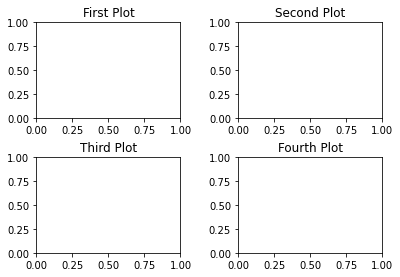
titles = {221: 'First Plot', 222: 'Second Plot', 223: 'Third Plot', 224: 'Fourth Plot'}
fig = plt.figure()
for x in range(221,225):
  ax = fig.add_subplot(x)
  ax.title.set_text(titles.get(x))

plt.subplots_adjust(left=0.1,
                    bottom=0.1,
                    right=0.9,
                    top=0.9,
                    wspace=0.4,
                    hspace=0.4)
plt.show()
Output:
Method 8
fig, (ax1, ax2, ax3, ax4) = plt.subplots(nrows=1, ncols=4,figsize=(11, 7))

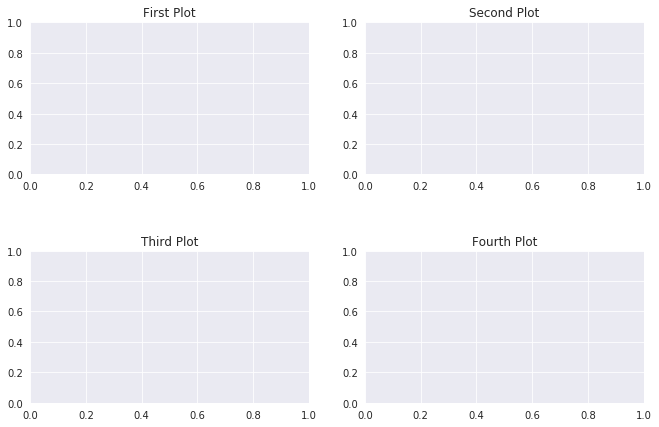
grid = plt.GridSpec(2, 2, wspace=0.2, hspace=0.5)

ax1 = plt.subplot(grid[0, 0])
ax2 = plt.subplot(grid[0, 1:])
ax3 = plt.subplot(grid[1, :1])
ax4 = plt.subplot(grid[1, 1:])

ax1.title.set_text('First Plot')
ax2.title.set_text('Second Plot')
ax3.title.set_text('Third Plot')
ax4.title.set_text('Fourth Plot')

plt.show()
Method 9
As of matplotlib 3.4.3, the Figure.add_subplot function supports kwargs with title as:
fig.add_subplot(311, title="first")
fig.add_subplot(312, title="second")
All methods was sourced from stackoverflow.com or stackexchange.com, is licensed under cc by-sa 2.5, cc by-sa 3.0 and cc by-sa 4.0