For instance,My image url is
https://aa.com/wp-content/uploads/2021/07/x-600×600.jpg
I want change it to
https://images.s3.us-east-2.amazonaws.com/aa.com/wp-content/uploads/2021/07/x-600×600.jpg
Or
https://images.s3.us-east-2.amazonaws.com/aa.com/wp-content/uploads/2021/07/x-600×600.jpg.webp
I want to know how to do it in function.php ? Or use a plugin ?
Please HELP THANKS.
Answers:
Thank you for visiting the Q&A section on Magenaut. Please note that all the answers may not help you solve the issue immediately. So please treat them as advisements. If you found the post helpful (or not), leave a comment & I’ll get back to you as soon as possible.
Method 1
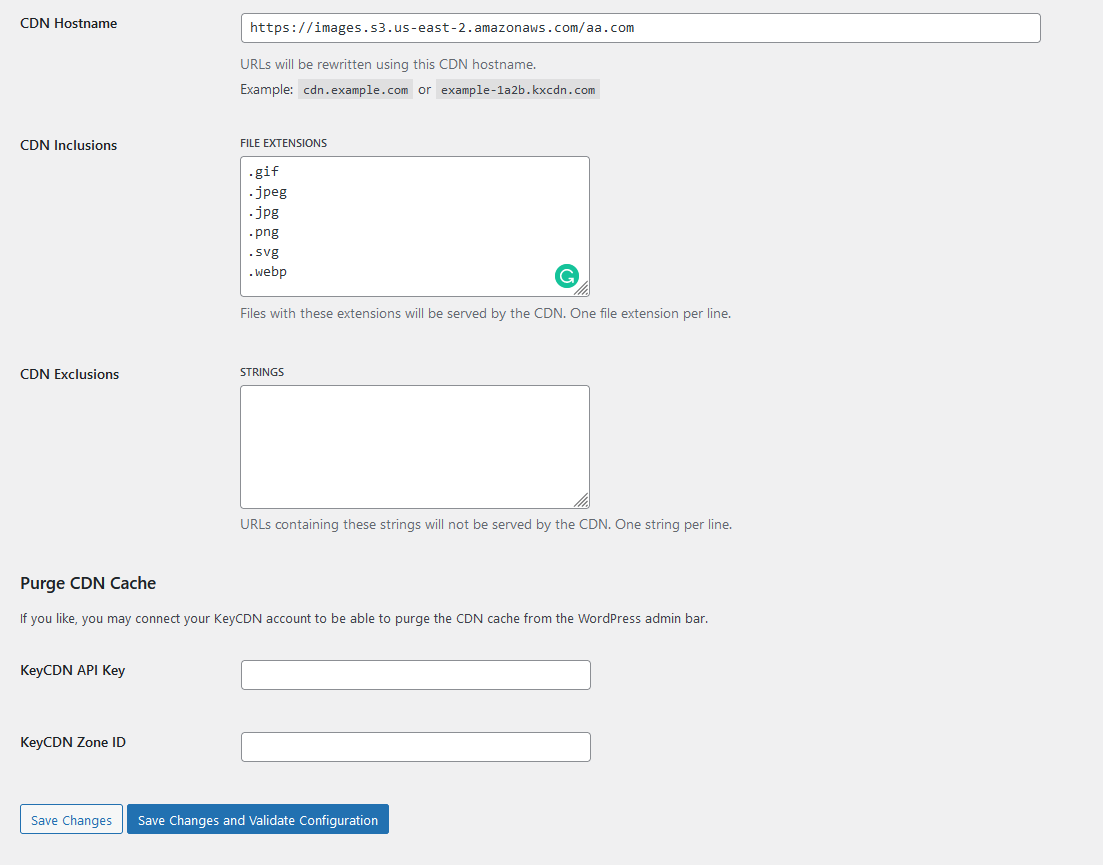
Most of the cache plugins have built-in CDN settings. If you are looking for a simple solution for the image URL only, you can use CDN Enabler. It is from KeyCDN but you don’t have to use KeyCDN for it to work. Simply Write your alternative domain to only use image extensions if you don’t want to keep CSS, JS, etc in the subdomain.
If you want to do it by a filter, There are other works like creating an options panel so that you don’t have to hardcode the domain, etc.
All methods was sourced from stackoverflow.com or stackexchange.com, is licensed under cc by-sa 2.5, cc by-sa 3.0 and cc by-sa 4.0