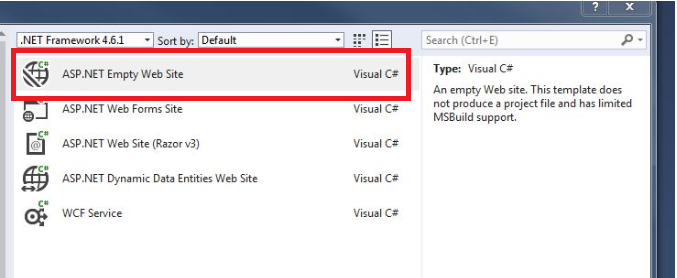
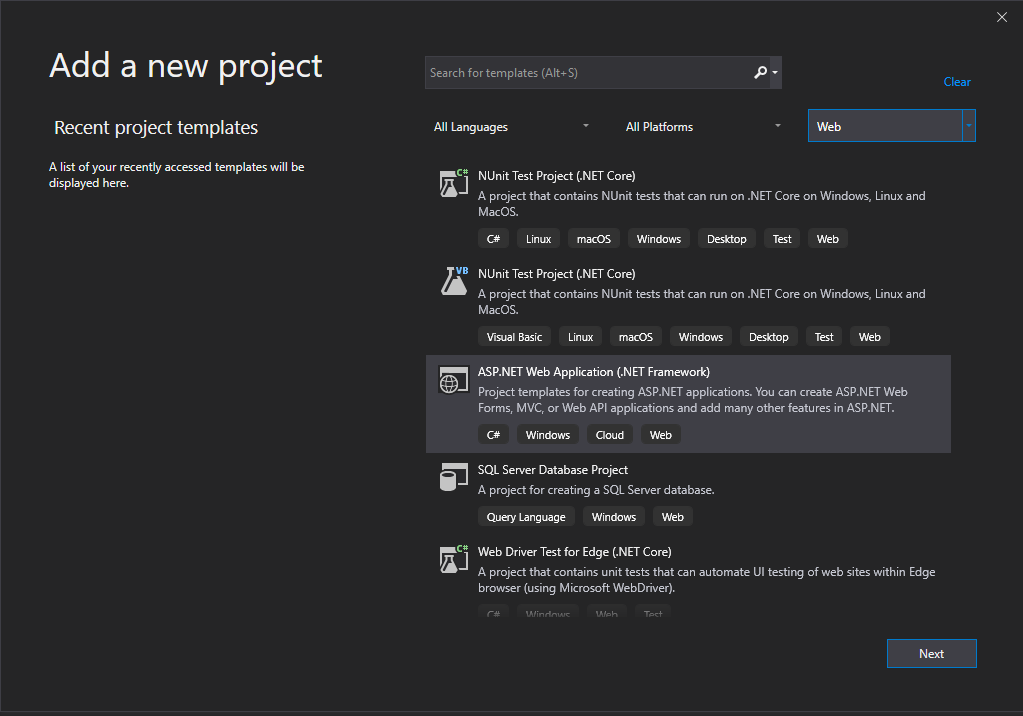
I am creating an application using VS 2019 and Web API (.NET Framework). I need to create a blank website, but getting only web application project template. Is there any tools do i need to be installed? Please check the below image to understand my need.
VS 2017
VS 2019
Answers:
Thank you for visiting the Q&A section on Magenaut. Please note that all the answers may not help you solve the issue immediately. So please treat them as advisements. If you found the post helpful (or not), leave a comment & I’ll get back to you as soon as possible.
Method 1
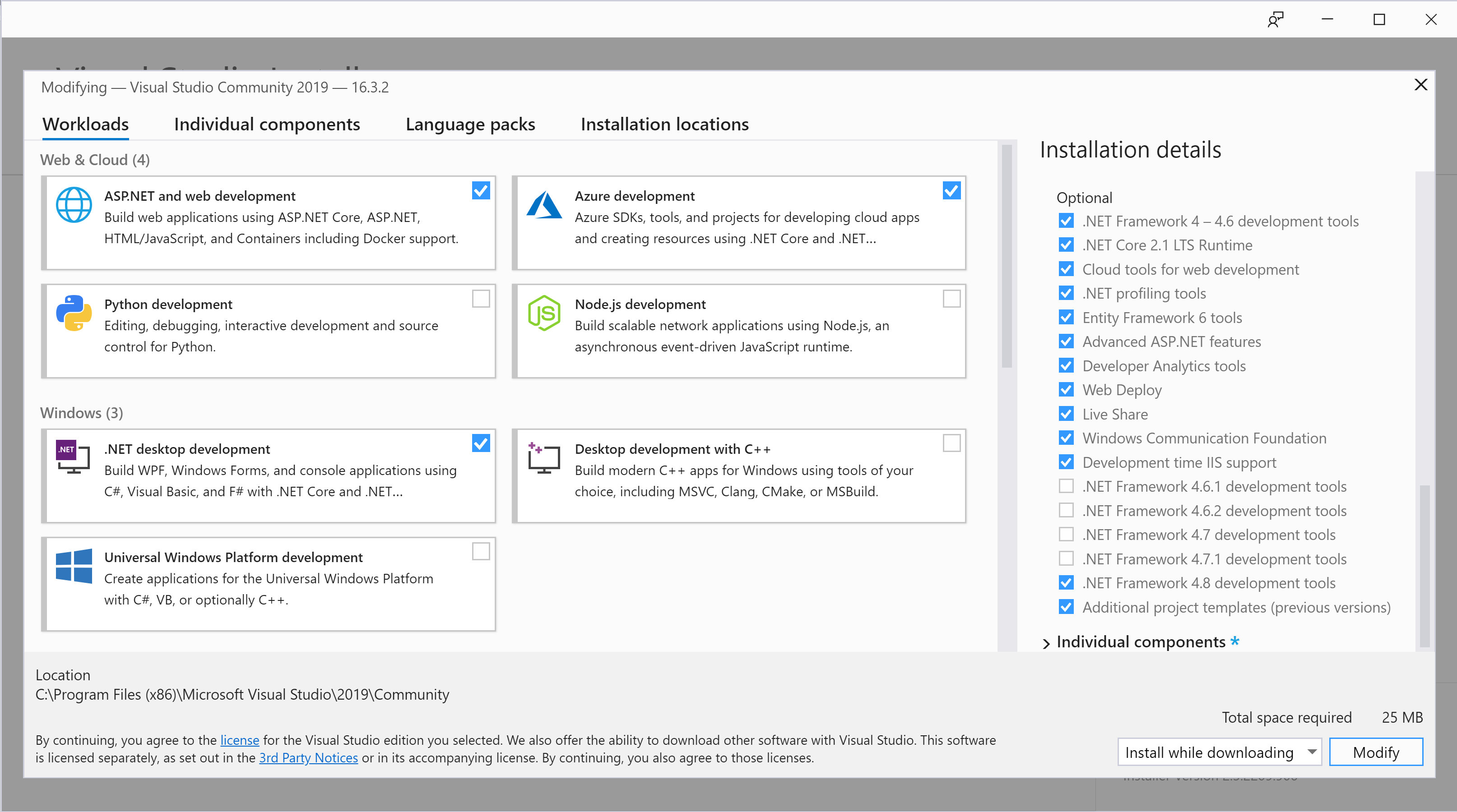
To create “ASP.NET Web Site” projects in Visual Studio 2019 you need to install the “Additional project templates (previous versions)” ASP.NET Component as shown below.
I have to confess I’d missed this option too as it’s only visible if you click on the ASP.NET workload and is not listed on the “Individual components” tab!
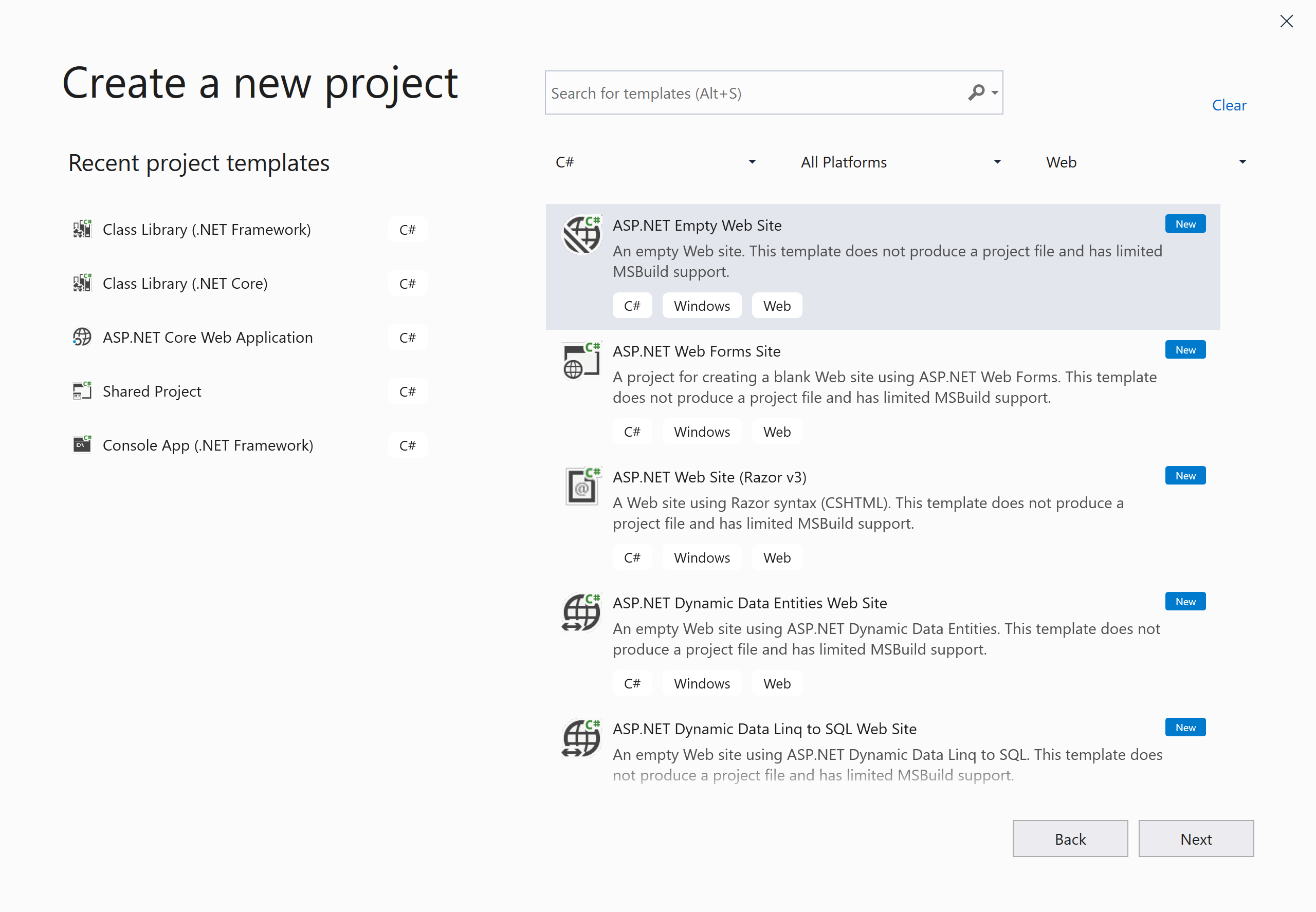
After installing the component, the templates are now present:
All methods was sourced from stackoverflow.com or stackexchange.com, is licensed under cc by-sa 2.5, cc by-sa 3.0 and cc by-sa 4.0