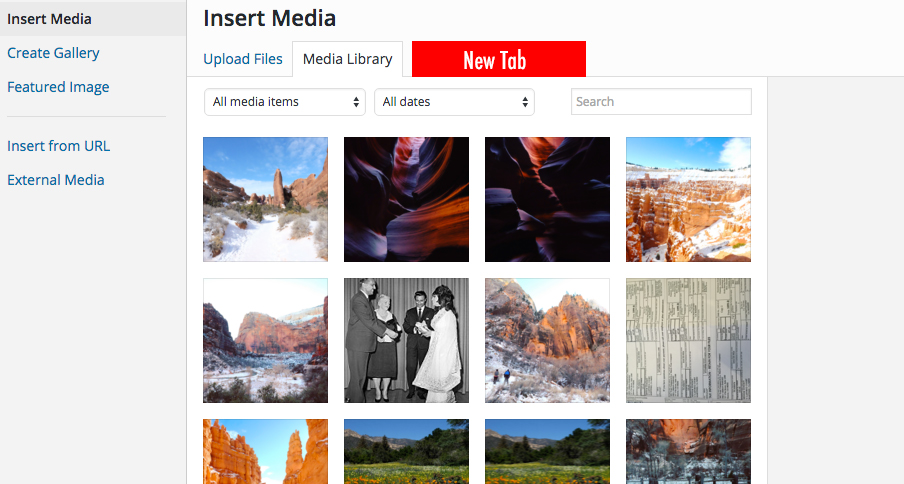
I am trying to implement a new tab next to Media Library. I couldn’t find solution to implement this. I found an example how to implement a new tab in this link: https://gist.github.com/Fab1en/4586865 However the tab doesn’t show up in the modal form triggered by Add Media button. But if I call the media popup for Featured Image or any other custom button the “New Tab” I created shows up. I am really lost here, not sure why those tabs show up in one place and don’t in another.
Thank you
Answers:
Thank you for visiting the Q&A section on Magenaut. Please note that all the answers may not help you solve the issue immediately. So please treat them as advisements. If you found the post helpful (or not), leave a comment & I’ll get back to you as soon as possible.
Method 1
It’s not a tab but you might be able to get started with an upload button. Check out pre-upload-ui and some actions that follow. Namely pre-plupload-upload-ui and post-upload-ui.
This will add a couple buttons to the ‘Upload Files‘ tab and to ‘Media > Add New‘.
BUTTONS
add_action( 'pre-plupload-upload-ui', 'wpse_20160202_pre_plupload_upload_ui' );
add_action( 'post-upload-ui', 'wpse_20160202_post_upload_ui' );

function wpse_20160202_pre_plupload_upload_ui()
{
    # see https://core.trac.wordpress.org/browser/tags/4.4.1/src/wp-admin/includes/media.php#L1902

    print '<button onclick="javascript:alert('Upload From Dropbox');" id="db-upload-btn" class="button media-button button-primary button-large" style="margin-bottom:10px;">Upload From Dropbox</button>';
}


function wpse_20160202_post_upload_ui()
{
    # see wp-includes/media-template.php

    print '<button onclick="javascript:alert('Another Upload From Dropbox');" id="db-upload-btn" class="button media-button button-primary button-large" style="margin-bottom:10px;">Another Upload From Dropbox</button>';
}
TABS
Adding this here just to show the alternate. media_upload_tabs will help you control which tabs are included in the side and media_upload_{tab} to render the contents using wp_iframe().
add_filter( 'media_upload_tabs', 'media_upload_tabs__tab_slug' );

function media_upload_tabs__tab_slug( $tabs ) {
    $newtab = array ( 'tab_slug' => 'Your Tab Name' );
    return array_merge( $tabs, $newtab );
}

add_action( 'media_upload_tab_slug', 'media_upload_tab_slug__content' );

function media_upload_tab_slug__content() {
    wp_iframe( 'media_upload_tab_slug_content__iframe' );
}

function media_upload_tab_slug_content__iframe() {
    ?>
    <div>tab_slug: Add your content here.</div><?php
}
All methods was sourced from stackoverflow.com or stackexchange.com, is licensed under cc by-sa 2.5, cc by-sa 3.0 and cc by-sa 4.0