I have this exact code from the accepted answer in my project which I need to migrate into ASP.NET Core MVP.
How to extract custom header value in Web API message handler?
var env = Request.Headers.GetValues("environment").First();
How can I implement this in .NET Core?
I hope this is not considered to be a duplicate question because I am trying to do this with the new system rather than the old one. I would also be fine if someone adds an answer to the link regarding the current version.
Edit: Where all types for http headers gone in ASP.NET 5? I tried this link but API may have changed. I don’t think this is a duplicate for that question either.
Answers:
Thank you for visiting the Q&A section on Magenaut. Please note that all the answers may not help you solve the issue immediately. So please treat them as advisements. If you found the post helpful (or not), leave a comment & I’ll get back to you as soon as possible.
Method 1
Request.Headers returns Microsoft.AspNetCore.Http.IHeaderDictionary interface that define next property:
StringValues this[string key] { get; set; }
IHeaderDictionary has a different indexer contract than IDictionary, where it will return StringValues.Empty for missing entries.
Return type: Microsoft.Extensions.Primitives.StringValues
Returns: The stored value, or StringValues.Empty if the key is not present.
So, you can simply use Request.Headers["environment"] to get value of “environment” header
Method 2
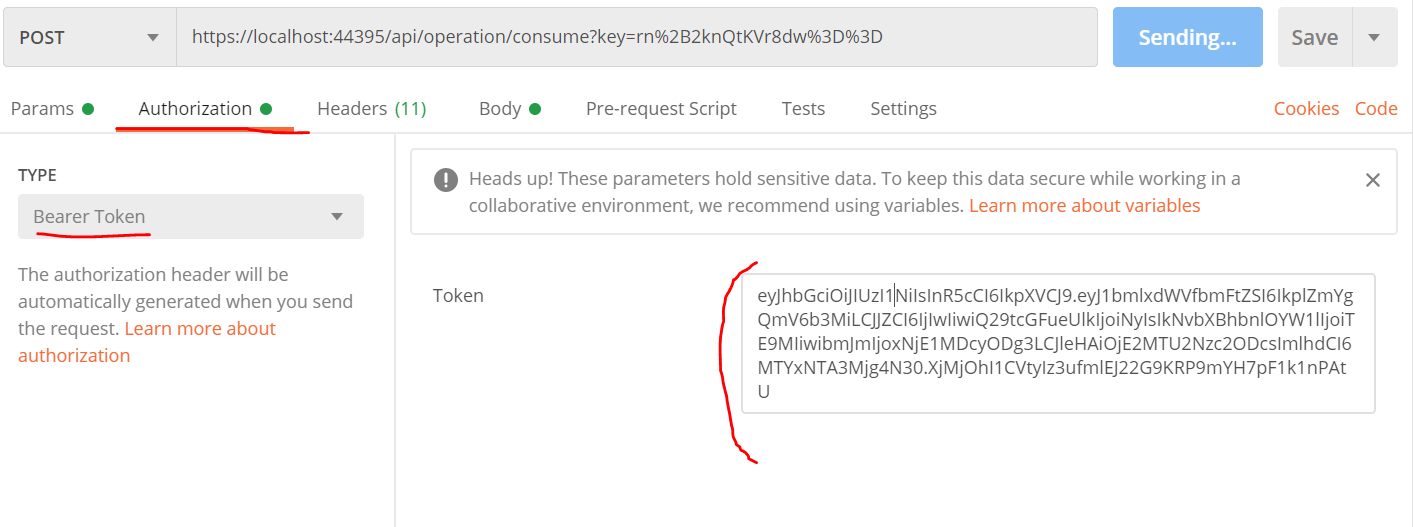
Since this answer is viewed quite a lot, you can also access this fields by using attributes in the parameters. Here is an example:

In the request you can access any fields in the body, queryString or headers. Here is the Postman example regarding the authorization header:
All methods was sourced from stackoverflow.com or stackexchange.com, is licensed under cc by-sa 2.5, cc by-sa 3.0 and cc by-sa 4.0