I am newbie to python and using Python Flask and generating REST API service.
I want to check authorization header which is sent the client.
But I can’t find way to get HTTP header in flask.
Any help for getting HTTP header authorization is appreciated.
Answers:
Thank you for visiting the Q&A section on Magenaut. Please note that all the answers may not help you solve the issue immediately. So please treat them as advisements. If you found the post helpful (or not), leave a comment & I’ll get back to you as soon as possible.
Method 1
from flask import request
request.headers.get('your-header-name')
request.headers behaves like a dictionary, so you can also get your header like you would with any dictionary:
request.headers['your-header-name']
Method 2
just note, The different between the methods are, if the header is not exist
request.headers.get('your-header-name')
will return None or no exception, so you can use it like
if request.headers.get('your-header-name'):
    ....
but the following will throw an error
if request.headers['your-header-name'] # KeyError: 'your-header-name'
    ....
You can handle it by
if 'your-header-name' in request.headers:
   customHeader = request.headers['your-header-name']
   ....
Method 3
If any one’s trying to fetch all headers that were passed then just simply use:
dict(request.headers)
it gives you all the headers in a dict from which you can actually do whatever ops you want to. In my use case I had to forward all headers to another API since the python API was a proxy
Method 4
Let’s see how we get the params, headers and body in Flask.
I’m gonna explain with the help of postman.
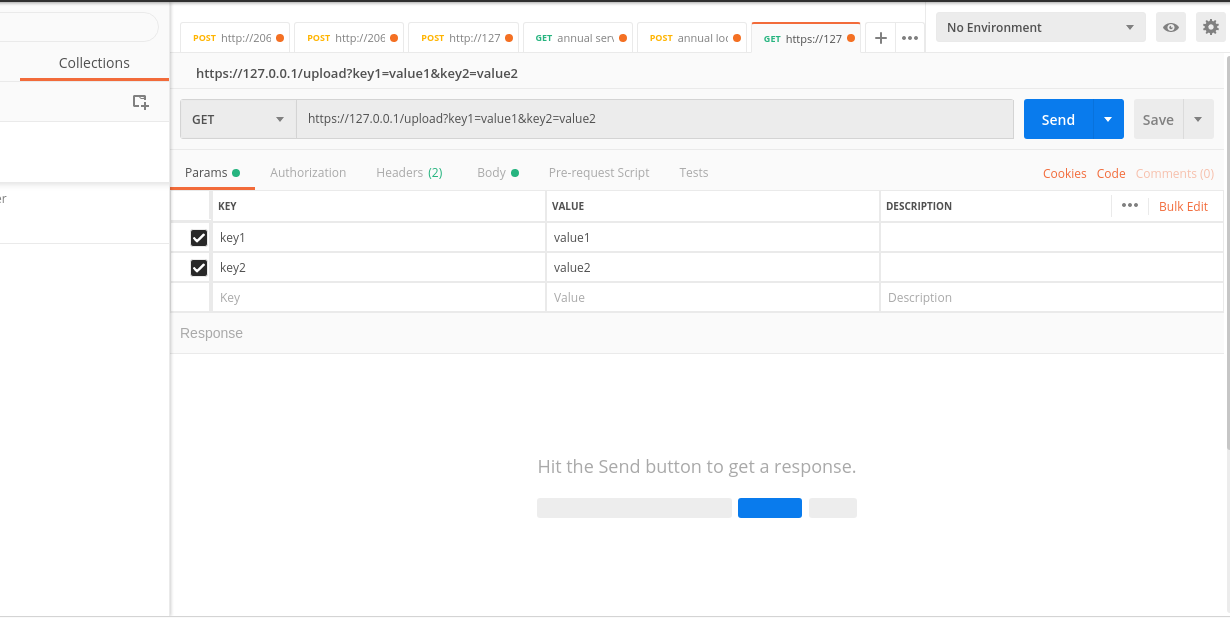
The params keys and values are reflected in the API endpoint.
for example key1 and key2 in the endpoint :
https://127.0.0.1/upload?key1=value1&key2=value2
from flask import Flask, request
app = Flask(__name__)

@app.route('/upload')
def upload():

    key_1 = request.args.get('key1')
    key_2 = request.args.get('key2')
    print(key_1)
    #--> value1
    print(key_2)
    #--> value2
After params, let’s now see how to get the headers:
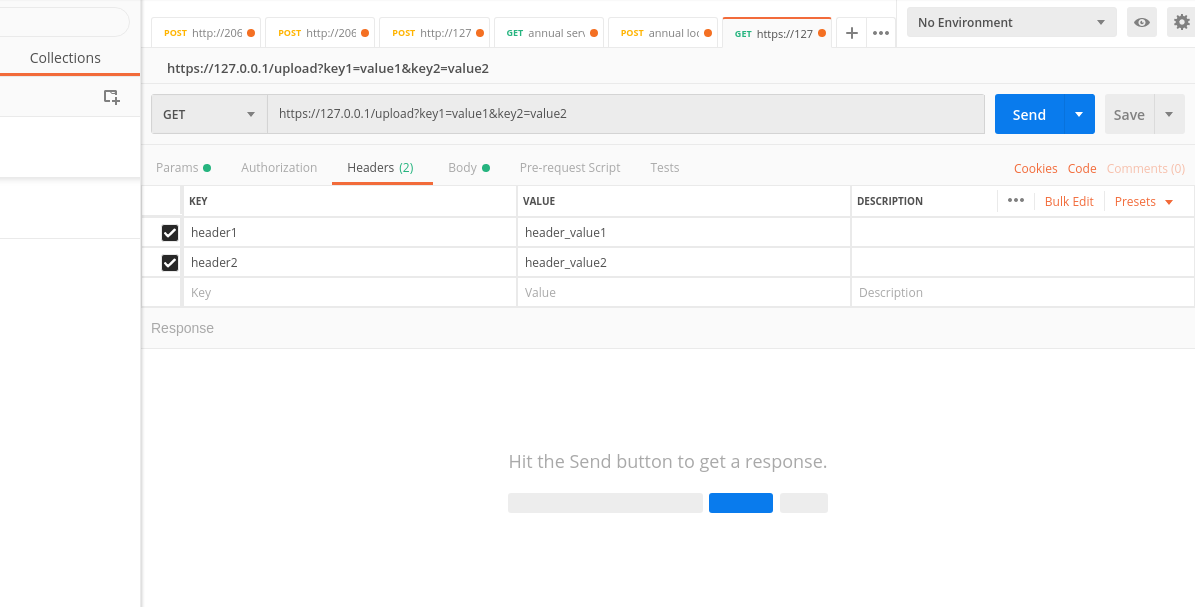
header_1 = request.headers.get('header1')
header_2 = request.headers.get('header2')
print(header_1)
#--> header_value1
print(header_2)
#--> header_value2
Now let’s see how to get the body
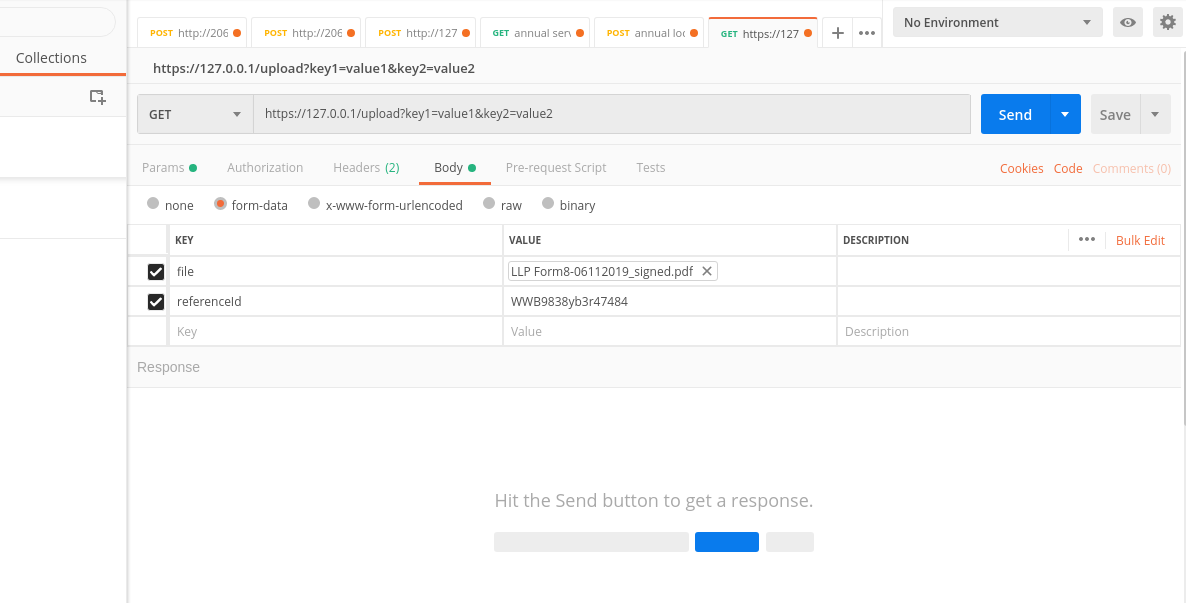
file_name = request.files['file'].filename
ref_id = request.form['referenceId']
print(ref_id)
#--> WWB9838yb3r47484
so we fetch the uploaded files with request.files and text with request.form
All methods was sourced from stackoverflow.com or stackexchange.com, is licensed under cc by-sa 2.5, cc by-sa 3.0 and cc by-sa 4.0