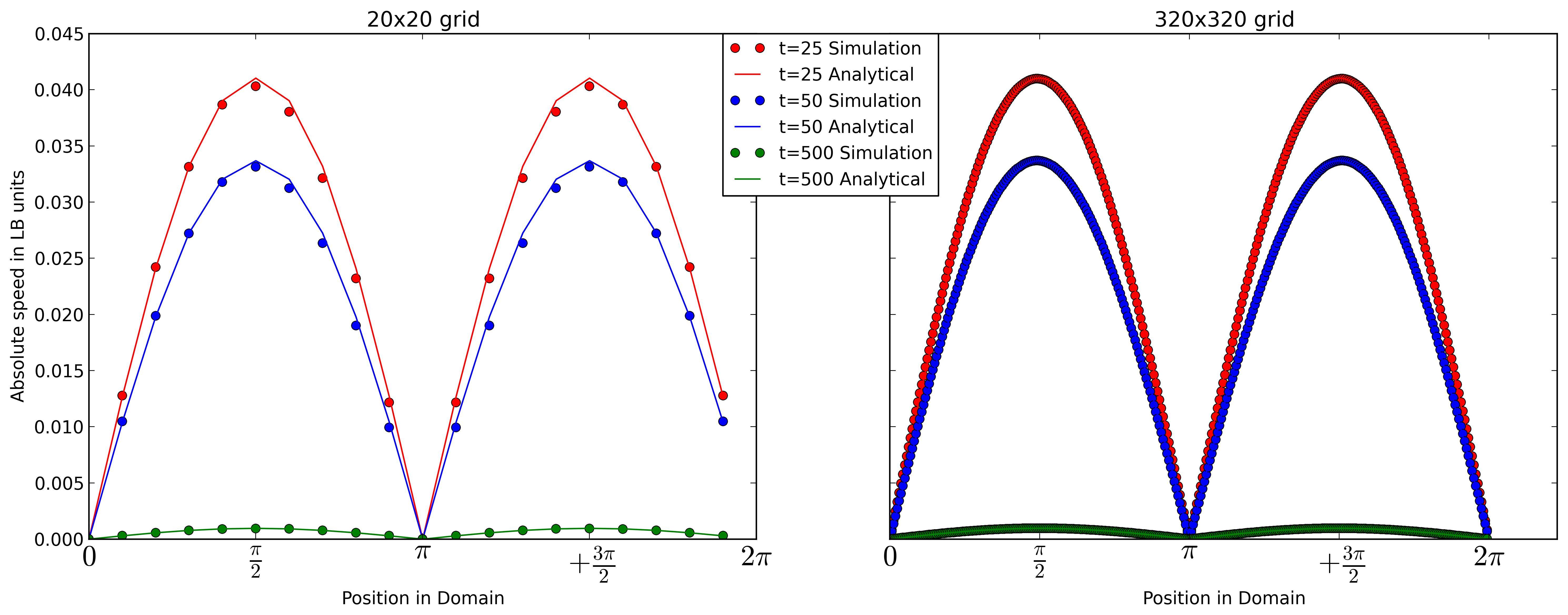
I currently generate my legend with matplotlib this way:
if t==25:
    l1,l2 = ax2.plot(x320,vTemp320,'or',x320,vAnaTemp320,'-r')
elif t==50:
    l3,l4 = ax2.plot(x320,vTemp320,'ob',x320,vAnaTemp320,'-b')
else:
    l5,l6 = ax2.plot(x320,vTemp320,'og',x320,vAnaTemp320,'-g')
plt.legend((l1,l2,l3,l4,l5,l6), ('t=25 Simulation', 't=25 Analytical','t=50 Simulation', 't=50 Analytical','t=500 Simulation', 't=500 Analytical'),
   bbox_to_anchor=(-.25, 1), loc=2, borderaxespad=0.,prop={'size':12})
Which somehow works see 1. But I have duplicated information in my legend.
I would prefer to seperate the legend. So that I have different colored lines corresponding to the time t. And a normal line as my Analytical solution an dots for the results of my simulation.
Something like that
–(red line) t = 25
–(blue line) t = 50
–(green line) t = 500
o Simulaton
— Analytical Solution
Does anyone now how I could achieve this with matplotlib?
Answers:
Thank you for visiting the Q&A section on Magenaut. Please note that all the answers may not help you solve the issue immediately. So please treat them as advisements. If you found the post helpful (or not), leave a comment & I’ll get back to you as soon as possible.
Method 1
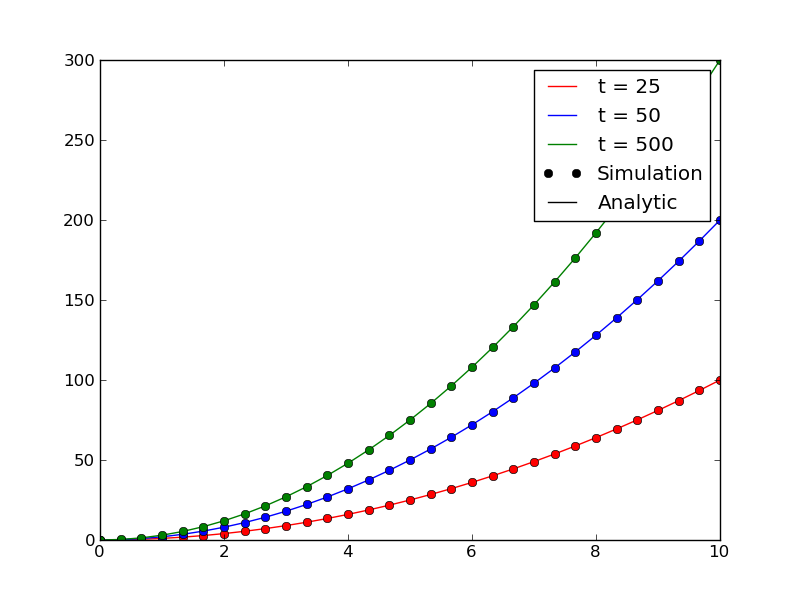
You can chose the artists and labels to display in the legend as follows. You’ll need to create custom artists for the elements in the legend that are not actually plotted.
import matplotlib.pyplot as plt
import numpy as np

x = np.linspace(0,10,31)

fig = plt.figure()
ax = fig.add_subplot(1,1,1)

#Plot analytic solution
ax.plot(x,1*x**2, color='r', label="t = 25")
ax.plot(x,2*x**2, color='b', label="t = 50")
ax.plot(x,3*x**2, color='g', label="t = 500")

#Plot simulation
ax.plot(x,1*x**2, color='r', linestyle='', marker='o')
ax.plot(x,2*x**2, color='b', linestyle='', marker='o')
ax.plot(x,3*x**2, color='g', linestyle='', marker='o')

#Get artists and labels for legend and chose which ones to display
handles, labels = ax.get_legend_handles_labels()
display = (0,1,2)

#Create custom artists
simArtist = plt.Line2D((0,1),(0,0), color='k', marker='o', linestyle='')
anyArtist = plt.Line2D((0,1),(0,0), color='k')

#Create legend from custom artist/label lists
ax.legend([handle for i,handle in enumerate(handles) if i in display]+[simArtist,anyArtist],
          <span class="su-label su-label-type-default"></span>+['Simulation', 'Analytic'])

plt.show()
All methods was sourced from stackoverflow.com or stackexchange.com, is licensed under cc by-sa 2.5, cc by-sa 3.0 and cc by-sa 4.0