HTML image elements have this simplified format:
<img src='something'>
That something can be data-uri, for example:
data:image/png;base64,iVBORw0KGg...
Is there a standard way of parsing this with python, so that I get content_type and base64 data separated, or should I create my own parser for this?
Answers:
Thank you for visiting the Q&A section on Magenaut. Please note that all the answers may not help you solve the issue immediately. So please treat them as advisements. If you found the post helpful (or not), leave a comment & I’ll get back to you as soon as possible.
Method 1
Split the data URI on the comma to get the base64 encoded data without the header. Call base64.b64decode to decode that to bytes. Last, write the bytes to a file.
from base64 import b64decode

data_uri = "data:image/png;base64,iVBORw0KGg..."

# Python 2 and <Python 3.4
header, encoded = data_uri.split(",", 1)
data = b64decode(encoded)

# Python 3.4+
# from urllib import request
# with request.urlopen(data_uri) as response:
#     data = response.read()

with open("image.png", "wb") as f:
    f.write(data)
Method 2
Python since 3.4 has support for data-uri, under the hood using urllib.request.DataHandler.
from urllib.request import urlopen

with urlopen(data_uri) as response:
    data = response.read()
Method 3
w3lib (a library used by Scrapy) has a function to parse data uris:
>>> from w3lib.url import parse_data_uri
>>> parse_data_uri('data:image/png;base64,iVBORw0KGg==')
ParseDataURIResult(media_type='image/png', media_type_parameters={}, data=b'x89PNGrnx1a')
Method 4
This may help:
import re
from lxml import html

BASE_NAME = "image_"

source_code = """<img src="data:image/png;base64,iVBORw0KGgoAAAANSUhEUgAAAAUA
AAAFCAYAAACNbyblAAAAHElEQVQI12P4//8/w38GIAXDIBKE0DHxgljNBAAO
9TXL0Y4OHwAAAABJRU5ErkJggg==" alt="Red dot" />
<img src="data:image/gif;base64,R0lGODlhAQABAIAAAAUEBAAAACwAAAAAAQABAAACAkQBADs=" alt="Black dot" />"""

tree = html.fromstring(source_code)

for i,image in enumerate(tree.xpath('//img[contains(@src, "data:image")]/@src')):
    image_type, image_content = image.split(',', 1)
    image_type = re.findall('data:image/(w+);base64', image_type)[0]
    with open("{}{}.{}".format(BASE_NAME, i, image_type), "wb") as f:
        f.write(image_content.decode('base64'))
    print "[*] '{}' image found with content: {}n".format(image_type, image_content)
Output:
[*] 'png' image found with content: iVBORw0KGgoAAAANSUhEUgAAAAUA
AAAFCAYAAACNbyblAAAAHElEQVQI12P4//8/w38GIAXDIBKE0DHxgljNBAAO
9TXL0Y4OHwAAAABJRU5ErkJggg==

[*] 'gif' image found with content: R0lGODlhAQABAIAAAAUEBAAAACwAAAAAAQABAAACAkQBADs=
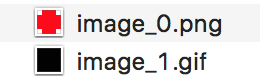
It will save every base64 image within <img> tags, with their respective file extension:
Prefixed by BASE_NAME + auto-increment digit(s) provided by enumerate + image_extension
Method 5
Correcting JRodDynamite’s post:
from base64 import decodestring

png_arr= "data:image/png;base64,iVBORw0KGg..."
png_arr = png_arr.split(",")
png_arr = png_arr[1]

fh = open("imageToSave.png", "wb")
fh.write(decodestring(png_arr))
fh.close()
Method 6
from urllib import request

def download(data_uri,name):

    with request.urlopen(data_uri) as response:
         data = response.read()

    with open(name, "wb") as f:
        f.write(data)

en="https://encrypted-tbn0.gstatic.com/images..."

src="data:image/png;base64,..."

download(en,"en")

download(src,"src")
All methods was sourced from stackoverflow.com or stackexchange.com, is licensed under cc by-sa 2.5, cc by-sa 3.0 and cc by-sa 4.0