I have this label and would like to place an image directly to the left of it but I’m having trouble trying to do so.
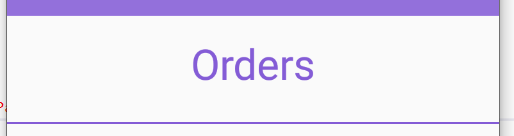
This places the image above the label.
<Image Source="orders_icon.png"/>
<Label Text="Orders" FontSize="Large" TextColor="#845cd6" HorizontalTextAlignment="Center" Padding="10" />
This places the image and label on the same line but the label is too far to the right.
<Grid>
    <Grid.ColumnDefinitions>
        <ColumnDefinition Width="*" />
        <ColumnDefinition Width="*" />
    </Grid.ColumnDefinitions>
    <Image Source="orders_icon.png"/ Grid.Column="0">
    <Label Text="Orders" FontSize="Large" TextColor="#845cd6" HorizontalTextAlignment="Center" Padding="10" Grid.Column="1" />
</Grid>
Answers:
Thank you for visiting the Q&A section on Magenaut. Please note that all the answers may not help you solve the issue immediately. So please treat them as advisements. If you found the post helpful (or not), leave a comment & I’ll get back to you as soon as possible.
Method 1
What about this:
<StackLayout Orientation="Horizontal">
    <Image Source="orders_icon.png"/>
    <Label Text="Orders" FontSize="Large" TextColor="#845cd6" HorizontalTextAlignment="Center" Padding="10" />
</StackLayout>
All methods was sourced from stackoverflow.com or stackexchange.com, is licensed under cc by-sa 2.5, cc by-sa 3.0 and cc by-sa 4.0