I am a little confused about how this code works:
fig, axes = plt.subplots(nrows=2, ncols=2)
plt.show()
How does the fig, axes work in this case? What does it do?
Also why wouldn’t this work to do the same thing:
fig = plt.figure()
axes = fig.subplots(nrows=2, ncols=2)
Answers:
Thank you for visiting the Q&A section on Magenaut. Please note that all the answers may not help you solve the issue immediately. So please treat them as advisements. If you found the post helpful (or not), leave a comment & I’ll get back to you as soon as possible.
Method 1
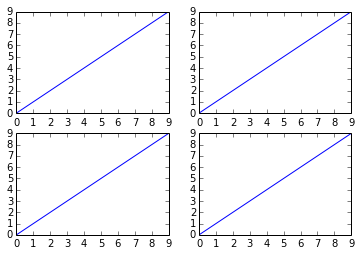
There are several ways to do it. The subplots method creates the figure along with the subplots that are then stored in the ax array. For example:
import matplotlib.pyplot as plt

x = range(10)
y = range(10)

fig, ax = plt.subplots(nrows=2, ncols=2)

for row in ax:
    for col in row:
        col.plot(x, y)

plt.show()
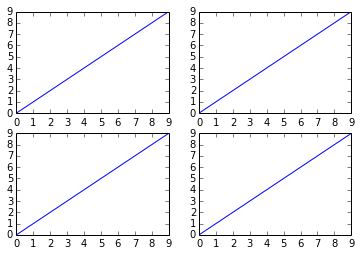
However, something like this will also work, it’s not so “clean” though since you are creating a figure with subplots and then add on top of them:
fig = plt.figure()

plt.subplot(2, 2, 1)
plt.plot(x, y)

plt.subplot(2, 2, 2)
plt.plot(x, y)

plt.subplot(2, 2, 3)
plt.plot(x, y)

plt.subplot(2, 2, 4)
plt.plot(x, y)

plt.show()
Method 2
import matplotlib.pyplot as plt

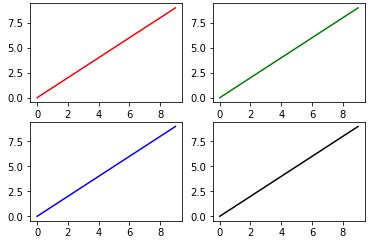
fig, ax = plt.subplots(2, 2)

ax[0, 0].plot(range(10), 'r') #row=0, col=0
ax[1, 0].plot(range(10), 'b') #row=1, col=0
ax[0, 1].plot(range(10), 'g') #row=0, col=1
ax[1, 1].plot(range(10), 'k') #row=1, col=1
plt.show()
Method 3
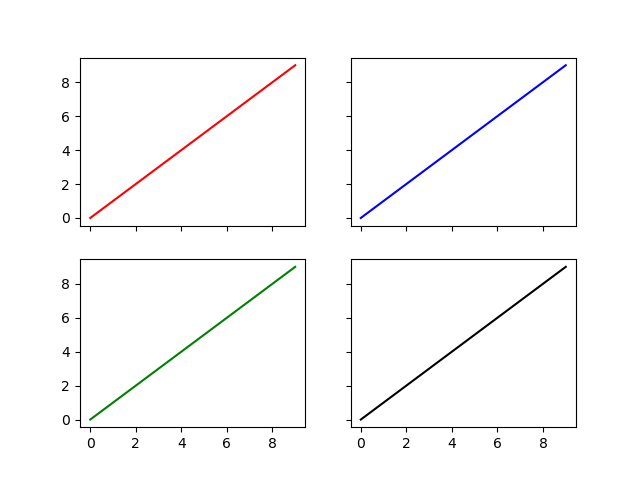
- You can also unpack the axes in the subplots call
- And set whether you want to share the x and y axes between the subplots
Like this:
import matplotlib.pyplot as plt
fig, ((ax1, ax2), (ax3, ax4)) = plt.subplots(nrows=2, ncols=2, sharex=True, sharey=True)
ax1.plot(range(10), 'r')
ax2.plot(range(10), 'b')
ax3.plot(range(10), 'g')
ax4.plot(range(10), 'k')
plt.show()
Method 4
You might be interested in the fact that as of matplotlib version 2.1 the second code from the question works fine as well.
From the change log:
Figure class now has subplots method
The Figure class now has a subplots() method which behaves the same as pyplot.subplots() but on an existing figure.
Example:
import matplotlib.pyplot as plt

fig = plt.figure()
axes = fig.subplots(nrows=2, ncols=2)

plt.show()
Method 5
Read the documentation: matplotlib.pyplot.subplots
pyplot.subplots() returns a tuple fig, ax which is unpacked in two variables using the notation
fig, axes = plt.subplots(nrows=2, ncols=2)
The code:
fig = plt.figure()
axes = fig.subplots(nrows=2, ncols=2)
does not work because subplots() is a function in pyplot not a member of the object Figure.
Method 6
Iterating through all subplots sequentially:
fig, axes = plt.subplots(nrows, ncols)

for ax in axes.flatten():
    ax.plot(x,y)
Accessing a specific index:
for row in range(nrows):
    for col in range(ncols):
        axes.plot(x, y[col])
Method 7
Subplots with pandas
- This answer is for subplots with
pandas, which, usesmatplotlibas the default plotting backend. - Here is four options to create subplots starting with a
pandas.DataFrame- Implementation 1. and 2. are for the data in a wide format, creating subplots for each column.
- Implementation 3. and 4. are for data in a long format, creating subplots for each unique value in a column.
- Tested in
python 3.8.11,pandas 1.3.2,matplotlib 3.4.3,seaborn 0.11.2
Imports and Data
import seaborn as sns  # data only
import pandas as pd
import matplotlib.pyplot as plt
import seaborn as sns

# wide dataframe
df = sns.load_dataset('planets').iloc[:, 2:5]

   orbital_period   mass  distance
0         269.300   7.10     77.40
1         874.774   2.21     56.95
2         763.000   2.60     19.84
3         326.030  19.40    110.62
4         516.220  10.50    119.47

# long dataframe
dfm = sns.load_dataset('planets').iloc[:, 2:5].melt()

         variable    value
0  orbital_period  269.300
1  orbital_period  874.774
2  orbital_period  763.000
3  orbital_period  326.030
4  orbital_period  516.220
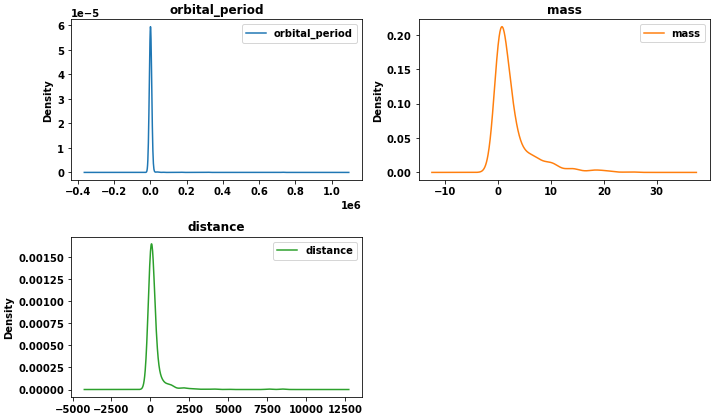
1. subplots=True and layout, for each column
- Use the parameters
subplots=Trueandlayout=(rows, cols)inpandas.DataFrame.plot - This example uses
kind='density', but there are different options forkind, and this applies to them all. Without specifyingkind, a line plot is the default. axis array ofAxesSubplotreturned bypandas.DataFrame.plot- See How to get a
Figureobject, if needed.
axes = df.plot(kind='density', subplots=True, layout=(2, 2), sharex=False, figsize=(10, 6))

# extract the figure object; only used for tight_layout in this example
fig = axes[0][0].get_figure()

# set the individual titles
for ax, title in zip(axes.ravel(), df.columns):
    ax.set_title(title)
fig.tight_layout()
plt.show()
2. plt.subplots, for each column
- Create an array of
Axeswithmatplotlib.pyplot.subplotsand then passaxes[i, j]oraxes[n]to theaxparameter.- This option uses
pandas.DataFrame.plot, but can use otheraxeslevel plot calls as a substitute (e.g.sns.kdeplot,plt.plot, etc.) - It’s easiest to collapse the subplot array of
Axesinto one dimension with.ravelor.flatten. See.ravelvs.flatten. - Any variables applying to each
axes, that need to be iterate through, are combined with.zip(e.g.cols,axes,colors,palette, etc.). Each object must be the same length.
- This option uses
fig, axes = plt.subplots(nrows=2, ncols=2, figsize=(10, 6))  # define the figure and subplots
axes = axes.ravel()  # array to 1D
cols = df.columns  # create a list of dataframe columns to use
colors = ['tab:blue', 'tab:orange', 'tab:green']  # list of colors for each subplot, otherwise all subplots will be one color

for col, color, ax in zip(cols, colors, axes):
    df[col].plot(kind='density', ax=ax, color=color, label=col, title=col)
    ax.legend()

fig.delaxes(axes[3])  # delete the empty subplot
fig.tight_layout()
plt.show()
Result for 1. and 2.
3. plt.subplots, for each group in .groupby
- This is similar to 2., except it zips
colorandaxesto a.groupbyobject.
fig, axes = plt.subplots(nrows=2, ncols=2, figsize=(10, 6))  # define the figure and subplots
axes = axes.ravel()  # array to 1D
dfg = dfm.groupby('variable')  # get data for each unique value in the first column
colors = ['tab:blue', 'tab:orange', 'tab:green']  # list of colors for each subplot, otherwise all subplots will be one color

for (group, data), color, ax in zip(dfg, colors, axes):
    data.plot(kind='density', ax=ax, color=color, title=group, legend=False)

fig.delaxes(axes[3])  # delete the empty subplot
fig.tight_layout()
plt.show()
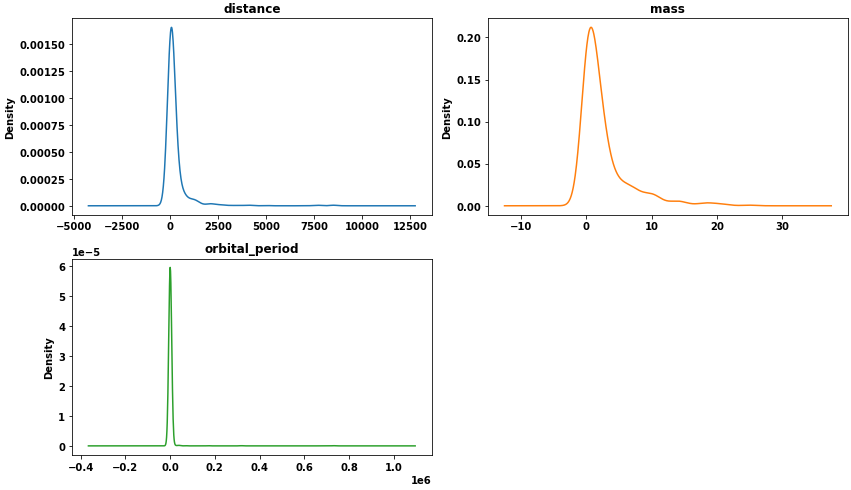
4. seaborn figure-level plot
- Use a
seabornfigure-level plot, and use thecolorrowparameter.seabornis a high-level API formatplotlib. See seaborn: API reference
p = sns.displot(data=dfm, kind='kde', col='variable', col_wrap=2, x='value', hue='variable',
                facet_kws={'sharey': False, 'sharex': False}, height=3.5, aspect=1.75)
sns.move_legend(p, "upper left", bbox_to_anchor=(.55, .45))
Method 8
The other answers are great, this answer is a combination which might be useful.
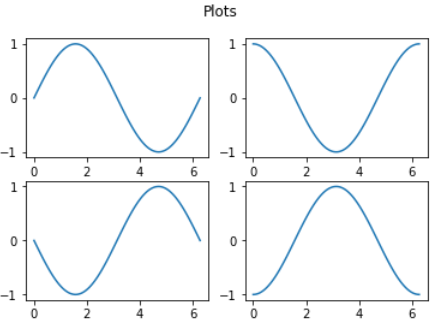
import numpy as np
import matplotlib.pyplot as plt

# Optional: define x for all the sub-plots
x = np.linspace(0,2*np.pi,100)

# (1) Prepare the figure infrastructure
fig, ax_array = plt.subplots(nrows=2, ncols=2)

# flatten the array of axes, which makes them easier to iterate through and assign
ax_array = ax_array.flatten()

# (2) Plot loop
for i, ax in enumerate(ax_array):
  ax.plot(x , np.sin(x + np.pi/2*i))
  #ax.set_title(f'plot {i}')

# Optional: main title
plt.suptitle('Plots')
Summary
- Prepare the figure infrastructure
- Get ax_array, an array of the subplots
- Flatten the array in order to use it in one ‘for loop’
- Plot loop
- Loop over the flattened ax_array to update the subplots
- optional: use enumeration to track subplot number
- Once flattened, each
ax_arraycan be individually indexed from0throughnrows x ncols -1(e.g.ax_array[0],ax_array[1],ax_array[2],ax_array[3]).
Method 9
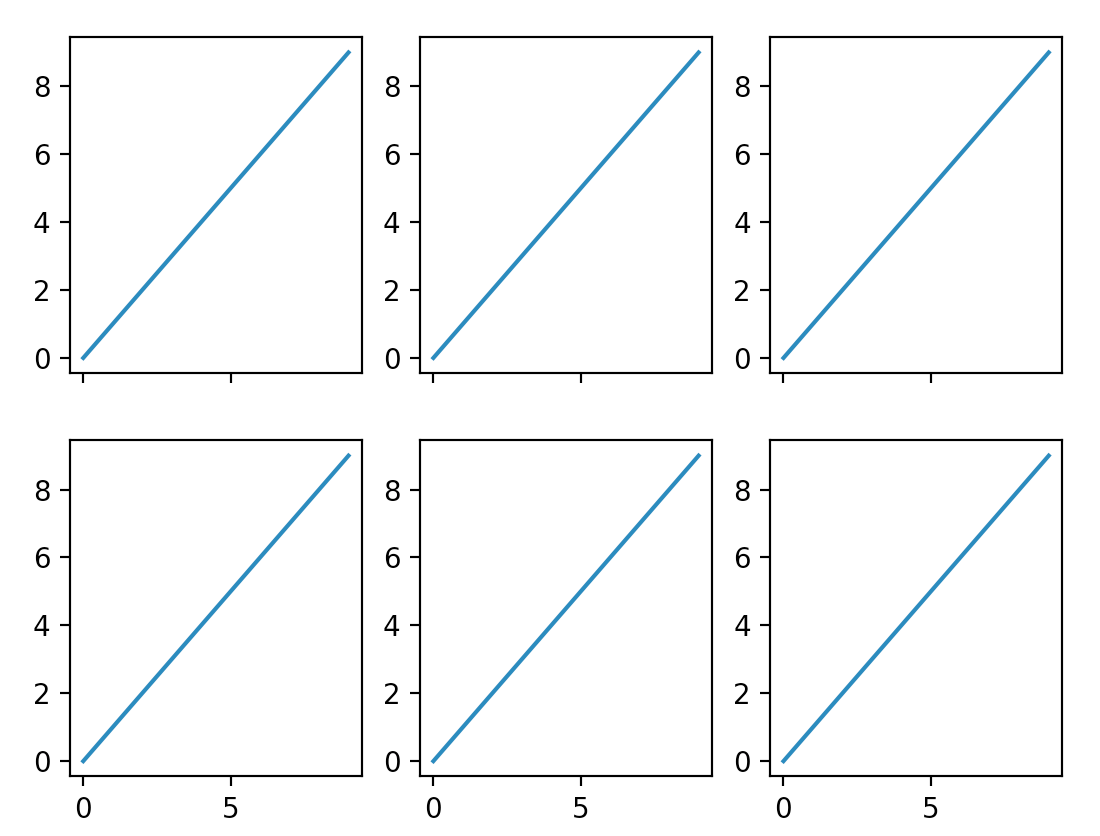
here is a simple solution
fig, ax = plt.subplots(nrows=2, ncols=3, sharex=True, sharey=False)
for sp in fig.axes:
    sp.plot(range(10))
Method 10
Convert the axes array to 1D
- Generating subplots with
plt.subplots(nrows, ncols), where both nrows and ncols is greater than 1, returns a nested array of<AxesSubplot:>objects.- It is not necessary to flatten
axesin cases where eithernrows=1orncols=1, becauseaxeswill already be 1 dimensional, which is a result of the default parametersqueeze=True
- It is not necessary to flatten
- The easiest way to access the objects, is to convert the array to 1 dimension with
.ravel(),.flatten(), or.flat..ravelvs..flattenflattenalways returns a copy.ravelreturns a view of the original array whenever possible.
- Once the array of
axesis converted to 1-d, there are a number of ways to plot.
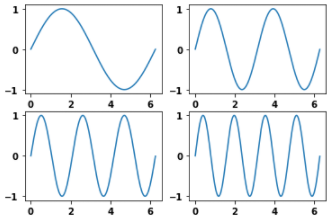
import matplotlib.pyplot as plt
import numpy as np  # sample data only

# example of data
rads = np.arange(0, 2*np.pi, 0.01)
y_data = np.array([np.sin(t*rads) for t in range(1, 5)])
x_data = [rads, rads, rads, rads]

# Generate figure and its subplots
fig, axes = plt.subplots(nrows=2, ncols=2)

# axes before
array([[<AxesSubplot:>, <AxesSubplot:>],
       [<AxesSubplot:>, <AxesSubplot:>]], dtype=object)

# convert the array to 1 dimension
axes = axes.ravel()

# axes after
array([<AxesSubplot:>, <AxesSubplot:>, <AxesSubplot:>, <AxesSubplot:>],
      dtype=object)
- Iterate through the flattened array
- If there are more subplots than data, this will result in
IndexError: list index out of range- Try option 3. instead, or select a subset of the axes (e.g.
axes[:-2])
- Try option 3. instead, or select a subset of the axes (e.g.
- If there are more subplots than data, this will result in
for i, ax in enumerate(axes):
    ax.plot(x_data[i], y_data[i])
- Access each axes by index
axes[0].plot(x_data[0], y_data[0])
axes[1].plot(x_data[1], y_data[1])
axes[2].plot(x_data[2], y_data[2])
axes[3].plot(x_data[3], y_data[3])
- Index the data and axes
for i in range(len(x_data)):
    axes[i].plot(x_data[i], y_data[i])
zipthe axes and data together and then iterate through the list of tuples
for ax, x, y in zip(axes, x_data, y_data):
    ax.plot(x, y)
Ouput
Method 11
Go with the following if you really want to use a loop:
def plot(data):
    fig = plt.figure(figsize=(100, 100))
    for idx, k in enumerate(data.keys(), 1):
        x, y = data[k].keys(), data[k].values
        plt.subplot(63, 10, idx)
        plt.bar(x, y)
    plt.show()
All methods was sourced from stackoverflow.com or stackexchange.com, is licensed under cc by-sa 2.5, cc by-sa 3.0 and cc by-sa 4.0