With version 5.6, I got this new weird “Application Passwords” under all user profiles. No idea what it is and what it does except for what it says — and I want it gone.
If anyone knows how to remove this using __return_false with a filter or something, please tell me. I’ve googled and looked at the developers handbook and so far; nothing.
See image for more information.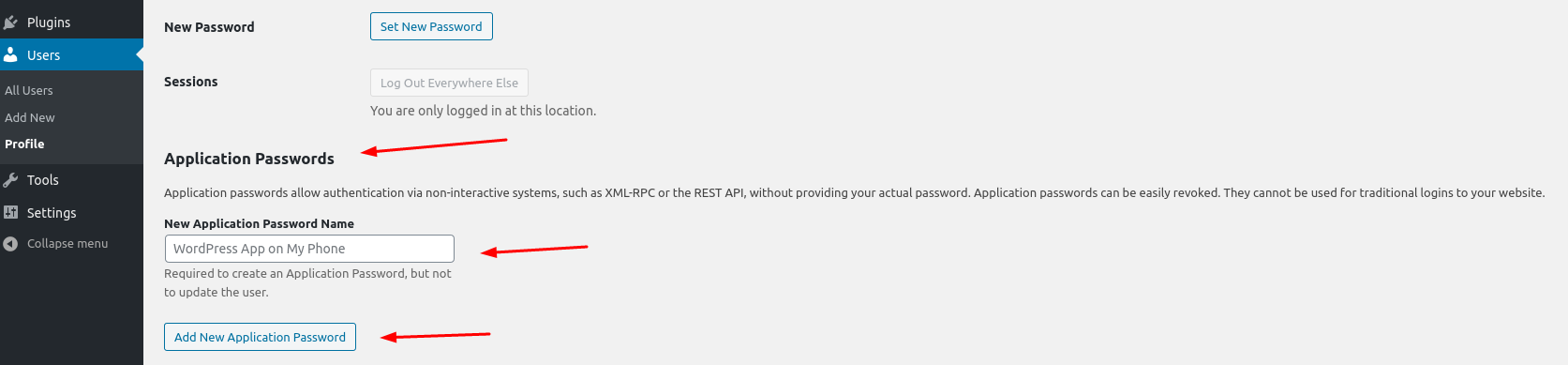
Answers:
Thank you for visiting the Q&A section on Magenaut. Please note that all the answers may not help you solve the issue immediately. So please treat them as advisements. If you found the post helpful (or not), leave a comment & I’ll get back to you as soon as possible.
Method 1
Yes, it’s wp_is_application_passwords_available to globally disable them:
add_filter( 'wp_is_application_passwords_available', '__return_false' );
or wp_is_application_passwords_available_for_user to turn them on and off by role or individually.
All methods was sourced from stackoverflow.com or stackexchange.com, is licensed under cc by-sa 2.5, cc by-sa 3.0 and cc by-sa 4.0