Im thinking about making a 2d shooting game in pygame and i want to make my player(Player_1) point to the mouse direction.I looked for a solution for hours and tried all solution i could find but none had worked so can you pls help me ?
Here’s my code:
import pygame, sys, os
from pygame.locals import *
os.environ['SDL_VIDEO_CENTERED'] = '1'
pygame.init()
#Exit settings
def quit():
  pygame.quit()
  sys.quit()
def events():
    for event in pygame.event.get():
        if event.type == QUIT or (event.type == KEYDOWN and event.key == K_ESCAPE):
            quit()

#IDS
CLOCK=pygame.time.Clock()
FPS=120
DS=pygame.display.set_mode((0,0), pygame.FULLSCREEN)
pygame.display.set_caption("Shooting simulator")
W,H=DS.get_size()
P_X=W/2-50
P_Y=H/2-50

#Colors
Red=pygame.Color("#FF0000")
Blue=pygame.Color("#0000FF")
Green=pygame.Color("#00FF00")
Black=pygame.Color("#000000")
White=pygame.Color("#FFFFFF")

#IGT(in game things)
Player_1=pygame.image.load("Img/Player_1.png").convert()

def game_loop():
  while True:
    events()

    DS.fill(White)
    DS.blit(Player_1,(P_X,P_Y))
    pygame.display.flip()
game_loop()
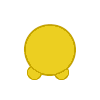
I will really appreciate all help.
Answers:
Thank you for visiting the Q&A section on Magenaut. Please note that all the answers may not help you solve the issue immediately. So please treat them as advisements. If you found the post helpful (or not), leave a comment & I’ll get back to you as soon as possible.
Method 1
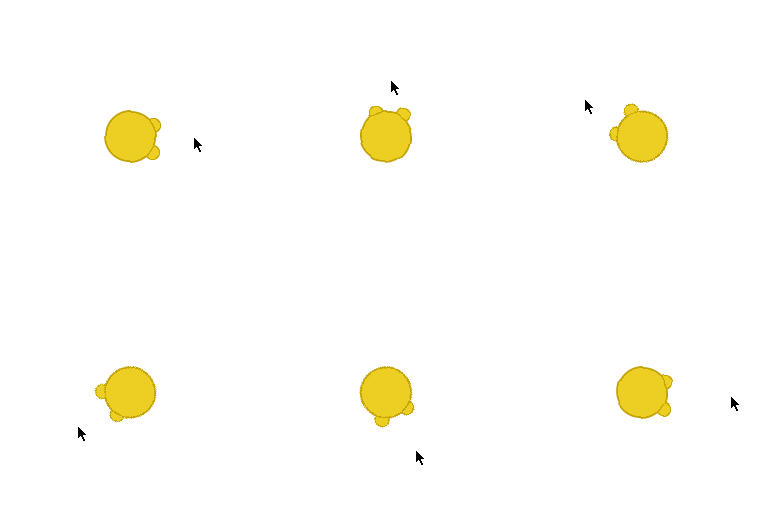
You have to compute the angle of the vector from the player to the mouse. get the mouse position by pygame.mouse.get_pos() and the rectangle (pygame.Rect) around the player:
mx, my = pygame.mouse.get_pos()
player_rect = Player_1.get_rect(topleft=(P_X,P_Y))
Calculate the vector from the player to the mouse and compute the angle of vector by math.atan2. The y-axis needs to be reversed (-dy) as the y-axis is generally pointing up, but in the PyGame coordinate system the y-axis is pointing down.
dx, dy = mx - player_rect.centerx, player_rect.centery - my
angle = math.degrees(math.atan2(-dy, dx)) - correction_angle
In addition, a correction angle must be deducted (- correction_angle). The correction angle depends on the Sprite. If the Sprite
 is looking to the right, the correction angle is 0:
 correction_angle = 0
 is looking up, the correction angle is 90:
 correction_angle = 90
 is looking to the left, the correction angle is 180:
 correction_angle = 180
 is looking down, the correction angle is 270:
 correction_angle = 270
Rotate the player with pygame.transform.rotate() by the angle around its center:
(See also How do I rotate an image around its center using Pygame?)
rot_image = pygame.transform.rotate(Player_1, angle)
rot_image_rect = rot_image.get_rect(center=player_rect.center)
Minimal example:  repl.it/@Rabbid76/PyGame-RotateWithMouse
import math
import pygame

pygame.init()
window = pygame.display.set_mode((300, 300))
player = pygame.image.load("player.png").convert_alpha()

#   0 - image is looking to the right
#  90 - image is looking up
# 180 - image is looking to the left
# 270 - image is looking down
correction_angle = 90

run = True
while run:
    for event in pygame.event.get():
        if event.type == pygame.QUIT:
            run = False

    player_pos  = window.get_rect().center
    player_rect = player.get_rect(center = player_pos)

    mx, my = pygame.mouse.get_pos()
    dx, dy = mx - player_rect.centerx, my - player_rect.centery
    angle = math.degrees(math.atan2(-dy, dx)) - correction_angle

    rot_image      = pygame.transform.rotate(player, angle)
    rot_image_rect = rot_image.get_rect(center = player_rect.center)

    window.fill((255, 255, 255))
    window.blit(rot_image, rot_image_rect.topleft)
    pygame.display.flip()

pygame.quit()
exit()
Method 2
Here is a simple block of code that you can use to help.
It uses some trigonometry and assumes the following are defined before:
elsie is the player
position = pygame.mouse.get_pos()
    angle = math.atan2(position[1] - (elsiepos[1] + 32), position[0] - (elsiepos[0] + 26))
    elsierot = pygame.transform.rotate(elsie, 360 - angle * 57.29)
    elsiepos1 = (elsiepos[0] - elsierot.get_rect().width / 2, elsiepos[1] - elsierot.get_rect().height / 2)
    screen.blit(elsierot, elsiepos1)
This block should come directly after you detect keys, and should come before drawing the player, in this case, elsie.
All methods was sourced from stackoverflow.com or stackexchange.com, is licensed under cc by-sa 2.5, cc by-sa 3.0 and cc by-sa 4.0