I am creating a GUI with a browse button which I only want to return the path. I’ve been looking at solutions using code like below.
Tkinter.Button(subframe, text = "Browse", command = self.loadtemplate, width = 10).pack()

   def loadtemplate(self):
        filename = tkFileDialog.askopenfilename(filetypes = (("Template files", "*.tplate")
                                                             ,("HTML files", "*.html;*.htm")
                                                             ,("All files", "*.*") ))
        if filename:
            try:
                self.settings["template"].set(filename)
            except:
                tkMessageBox.showerror("Open Source File", "Failed to read file n'%s'"%filename)
However I know Tkinter has a built in askopenfilename which is a super easy one line of code for opening files. Is there some way to modify this to return the directory instead of a file? Is there a smaller option than the larger chunk of code I posted?
Answers:
Thank you for visiting the Q&A section on Magenaut. Please note that all the answers may not help you solve the issue immediately. So please treat them as advisements. If you found the post helpful (or not), leave a comment & I’ll get back to you as soon as possible.
Method 1
It appears that tkFileDialog.askdirectory should work. documentation
Method 2
This code may be helpful for you.
from tkinter import filedialog
from tkinter import *
root = Tk()
root.withdraw()
folder_selected = filedialog.askdirectory()
Method 3
Go with this code
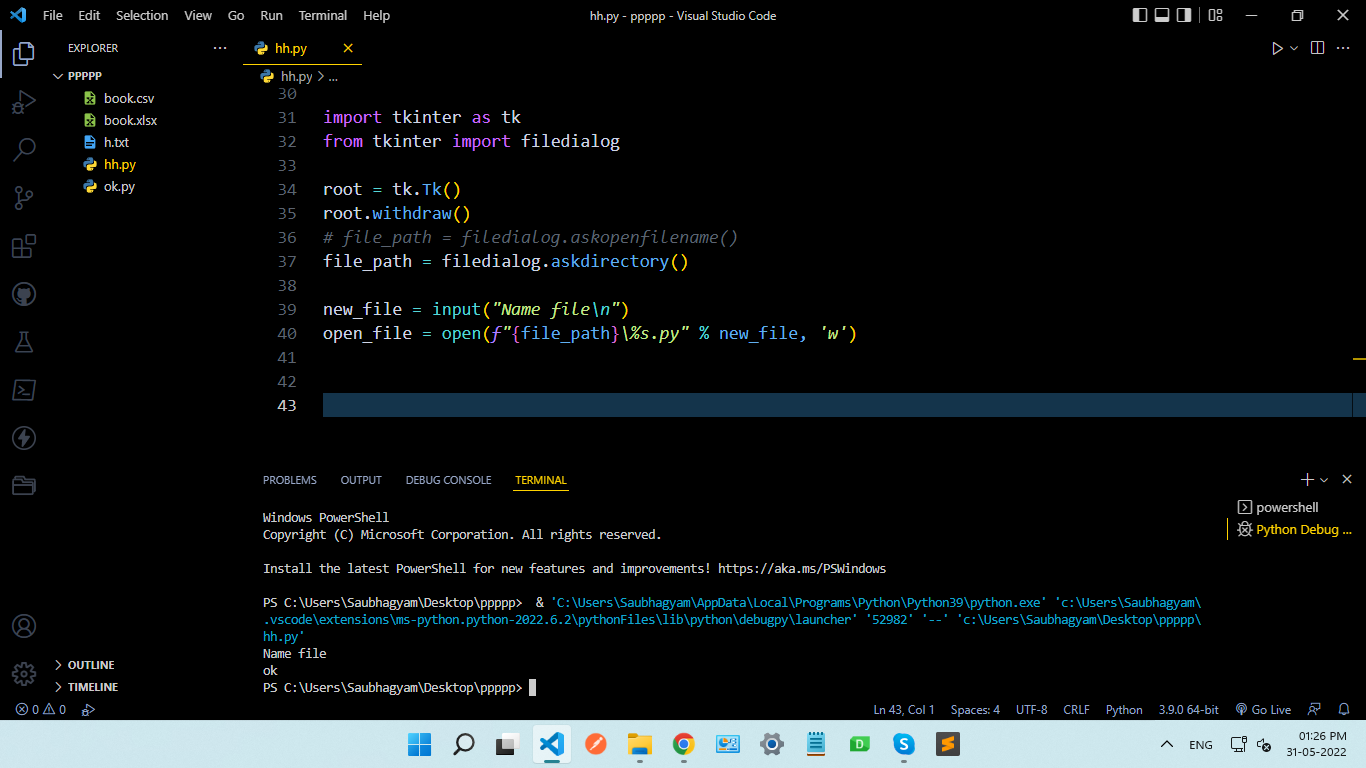
First, select the directory for creating a new file
import tkinter as tk
from tkinter import filedialog

root = tk.Tk()
root.withdraw()
# file_path = filedialog.askopenfilename()
file_path = filedialog.askdirectory()

new_file = input("Name filen")
open_file = open(f"{file_path}%s.py" % new_file, 'w')
in my case
i created (ok.py) file in ppppp directory
path is: PS C:UsersdemoDesktoppppppok.py
All methods was sourced from stackoverflow.com or stackexchange.com, is licensed under cc by-sa 2.5, cc by-sa 3.0 and cc by-sa 4.0