I am using pyplot. I have 4 subplots. How to set a single, main title above all the subplots? title() sets it above the last subplot.
Answers:
Thank you for visiting the Q&A section on Magenaut. Please note that all the answers may not help you solve the issue immediately. So please treat them as advisements. If you found the post helpful (or not), leave a comment & I’ll get back to you as soon as possible.
Method 1
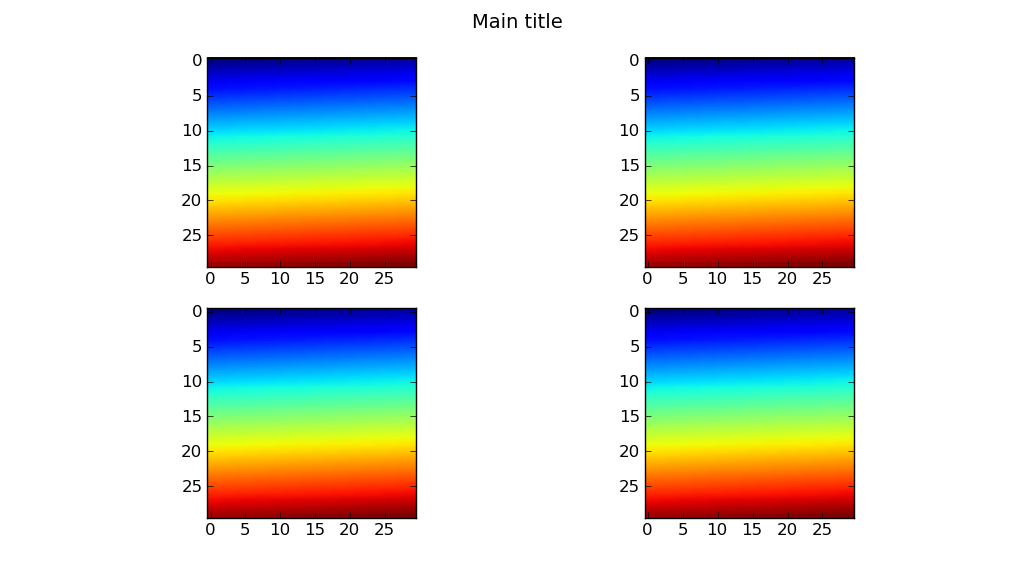
Use pyplot.suptitle or Figure.suptitle:
import matplotlib.pyplot as plt
import numpy as np

fig=plt.figure()
data=np.arange(900).reshape((30,30))
for i in range(1,5):
    ax=fig.add_subplot(2,2,i)
    ax.imshow(data)

fig.suptitle('Main title') # or plt.suptitle('Main title')
plt.show()
Method 2
A few points I find useful when applying this to my own plots:
- I prefer the consistency of using
fig.suptitle(title)rather thanplt.suptitle(title) - When using
fig.tight_layout()the title must be shifted withfig.subplots_adjust(top=0.88) - See answer below about fontsizes
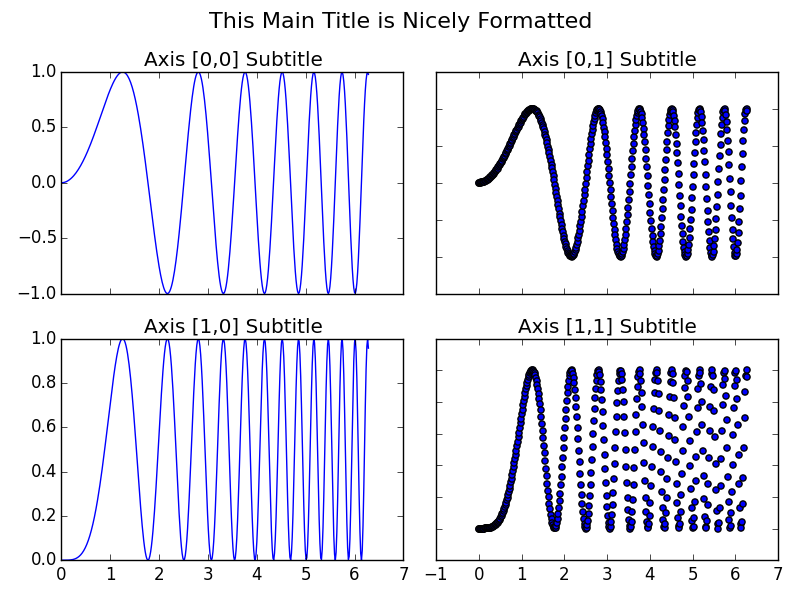
Example code taken from subplots demo in matplotlib docs and adjusted with a master title.
import matplotlib.pyplot as plt
import numpy as np

# Simple data to display in various forms
x = np.linspace(0, 2 * np.pi, 400)
y = np.sin(x ** 2)

fig, axarr = plt.subplots(2, 2)
fig.suptitle("This Main Title is Nicely Formatted", fontsize=16)

axarr[0, 0].plot(x, y)
axarr[0, 0].set_title('Axis [0,0] Subtitle')
axarr[0, 1].scatter(x, y)
axarr[0, 1].set_title('Axis [0,1] Subtitle')
axarr[1, 0].plot(x, y ** 2)
axarr[1, 0].set_title('Axis [1,0] Subtitle')
axarr[1, 1].scatter(x, y ** 2)
axarr[1, 1].set_title('Axis [1,1] Subtitle')

# # Fine-tune figure; hide x ticks for top plots and y ticks for right plots
plt.setp([a.get_xticklabels() for a in axarr[0, :]], visible=False)
plt.setp([a.get_yticklabels() for a in axarr[:, 1]], visible=False)

# Tight layout often produces nice results
# but requires the title to be spaced accordingly
fig.tight_layout()
fig.subplots_adjust(top=0.88)

plt.show()
Method 3
If your subplots also have titles, you may need to adjust the main title size:
plt.suptitle("Main Title", size=16)
All methods was sourced from stackoverflow.com or stackexchange.com, is licensed under cc by-sa 2.5, cc by-sa 3.0 and cc by-sa 4.0