I’m using sns.lmplot to plot a linear regression, dividing my dataset into two groups with a categorical variable.
For both x and y, I’d like to manually set the lower bound on both plots, but leave the upper bound at the Seaborn default.
Here’s a simple example:
import pandas as pd
import seaborn as sns
import numpy as np

n = 200
np.random.seed(2014)
base_x = np.random.rand(n)
base_y = base_x * 2
errors = np.random.uniform(size=n)
y = base_y + errors

df = pd.DataFrame({'X': base_x, 'Y': y, 'Z': ['A','B']*(100)})

mask_for_b = df.Z == 'B'
df.loc[mask_for_b,['X','Y']] = df.loc[mask_for_b,] *2

sns.lmplot('X','Y',df,col='Z',sharex=False,sharey=False)
This outputs the following:
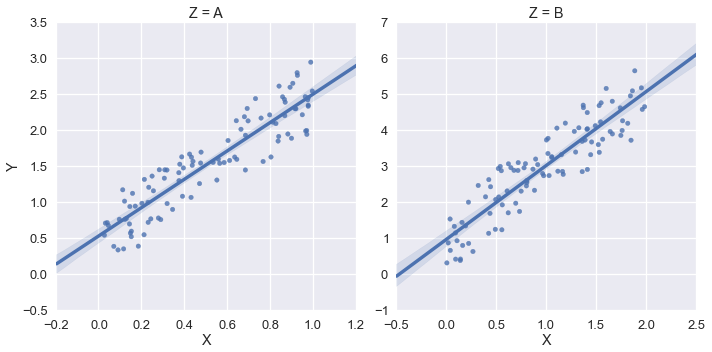
But in this example, I’d like the xlim and the ylim to be (0,*) . I tried using sns.plt.ylim and sns.plt.xlim but those only affect the right-hand plot.
Example:
sns.plt.ylim(0,)
sns.plt.xlim(0,)
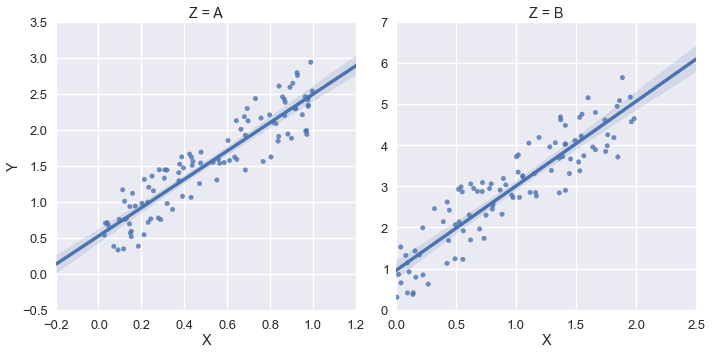
How can I access the xlim and ylim for each plot in the FacetGrid?
Answers:
Thank you for visiting the Q&A section on Magenaut. Please note that all the answers may not help you solve the issue immediately. So please treat them as advisements. If you found the post helpful (or not), leave a comment & I’ll get back to you as soon as possible.
Method 1
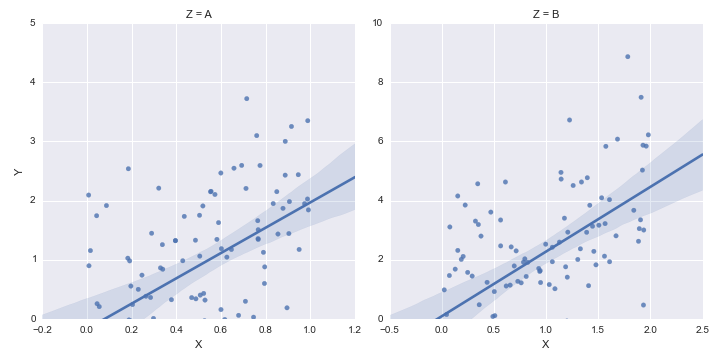
The lmplot function returns a FacetGrid instance. This object has a method called set, to which you can pass key=value pairs and they will be set on each Axes object in the grid.
Secondly, you can set only one side of an Axes limit in matplotlib by passing None for the value you want to remain as the default.
Putting these together, we have:
g = sns.lmplot('X', 'Y', df, col='Z', sharex=False, sharey=False)
g.set(ylim=(0, None))
Update
- Positional arguments,
sharexandshareyare deprecate beginning inseaborn 0.11
g = sns.lmplot(x='X', y='Y', data=df, col='Z', facet_kws={'sharey': False, 'sharex': False})
g.set(ylim=(0, None))
Method 2
You need to get hold of the axes themselves. Probably the cleanest way is to change your last row:
lm = sns.lmplot('X','Y',df,col='Z',sharex=False,sharey=False)
Then you can get hold of the axes objects (an array of axes):
axes = lm.axes
After that you can tweak the axes properties
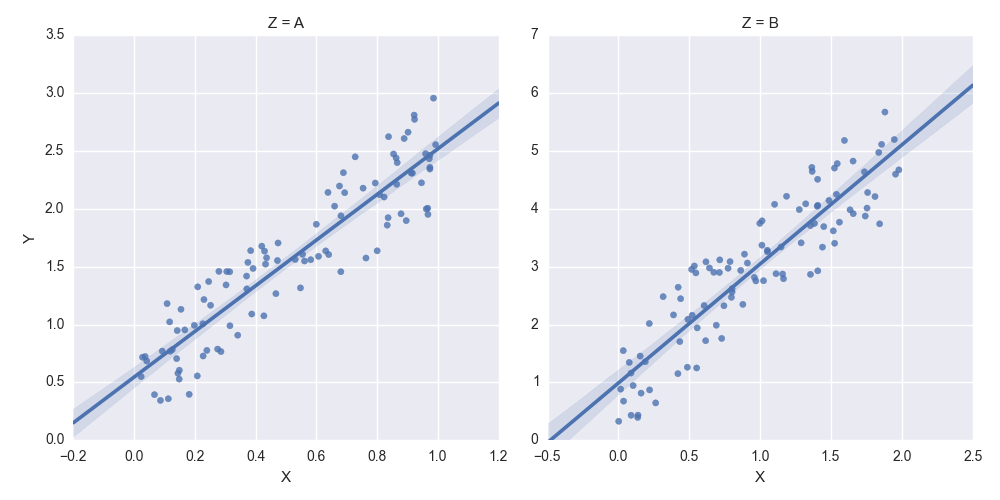
axes[0,0].set_ylim(0,)
axes[0,1].set_ylim(0,)
creates:
All methods was sourced from stackoverflow.com or stackexchange.com, is licensed under cc by-sa 2.5, cc by-sa 3.0 and cc by-sa 4.0