[EDIT] Problem 3 is solved (just I must to remove source: 'text' from attributes declaration to allow store data in the the block’s comment delimiter).
Following this tutorial I made a plugin for embed peertube video. My block is as simple as two fields (instance and ID). Here it is a working example. And here the plugin.
I have three problems:
- The TextControl fields are shown 100% wide, instead center in the column:
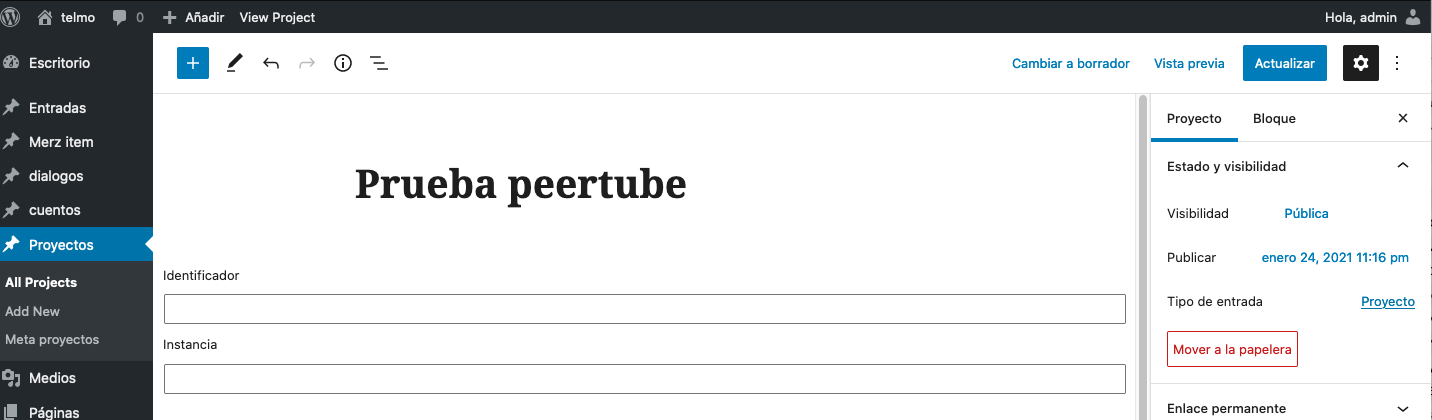
- Once created, I can not remove the block in the editor
- The block shows the video content in the front end but when I come back to the editor, the fields are not stored. First is shown this:
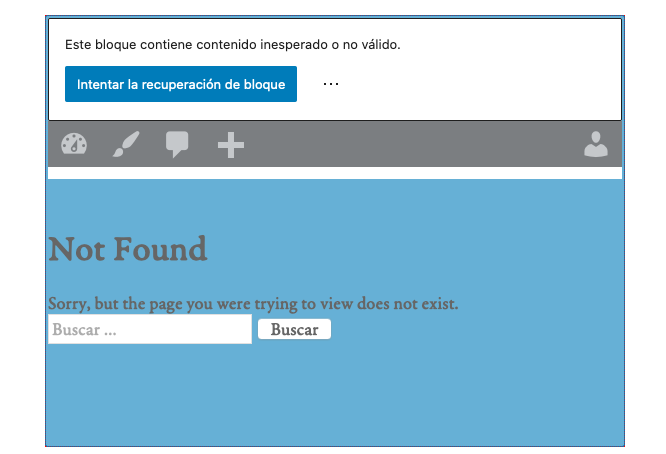
Second, if I try to recover block with this button, the fields are shown empty (as in the first image).
This is the edit function (also here in context):
import { TextControl } from '@wordpress/components';

export default function Edit( { attributes, className, setAttributes } ) {
    return (
        <div className={ className }>
            <TextControl
                label={ __( 'Identificador', 'peertube' ) }
                value={ attributes.identificador }
                onChange={ ( val ) => setAttributes( { identificador: val } ) }
            />
            <TextControl
                label={ __( 'Instancia', 'peertube' ) }
                value={ attributes.instancia }
                onChange={ ( val ) => setAttributes( { instancia: val } ) }
            />
        </div>
    );
}
Here the register block function (also here in context):
registerBlockType( 'e451/peertube', {
    attributes: {
        identificador: {
            type: 'string',
            source: 'text',
            selector: 'div',
        },
        instancia: {
            type: 'string',
            source: 'text',
            selector: 'div',
        },
    },
    apiVersion: 2,
    title: __( 'Peertube video', 'peertube' ),
    description: __( 'Insertar contenido de peertube', 'peertube' ),
    category: 'embed',
    icon: 'video-alt3',
    supports: {
        // Removes support for an HTML mode.
        html: false,
    },
    edit: Edit,
    save,
} );
Any help appreciated.
Answers:
Thank you for visiting the Q&A section on Magenaut. Please note that all the answers may not help you solve the issue immediately. So please treat them as advisements. If you found the post helpful (or not), leave a comment & I’ll get back to you as soon as possible.
Method 1
Glad that you managed to fix the 3rd issue (block validation failed), and as for the first and second issues, you can fix them by using useBlockProps in your block’s edit callback:
// In src/index.js

import { TextControl } from '@wordpress/components';
import { useBlockProps } from '@wordpress/block-editor';

export default function Edit( { attributes, className, setAttributes } ) {
    const blockProps = useBlockProps();
    return (
        <div { ...blockProps }>
            ... your code.
        </div>
    );
}
See Developer Documentation → Block API Reference → Edit and Save in the block editor handbook for more details on that useBlockProps (hook). 🙂
All methods was sourced from stackoverflow.com or stackexchange.com, is licensed under cc by-sa 2.5, cc by-sa 3.0 and cc by-sa 4.0