I dont want to use the WYSIWYG at the top of my Custom Post Type. I want to use a custom field textarea that i can place at bottom of my list of custom fields instead.
Is this possible?
Answers:
Thank you for visiting the Q&A section on Magenaut. Please note that all the answers may not help you solve the issue immediately. So please treat them as advisements. If you found the post helpful (or not), leave a comment & I’ll get back to you as soon as possible.
Method 1
add_action('init', 'init_remove_support',100);
function init_remove_support(){
    $post_type = 'your post type';
    remove_post_type_support( $post_type, 'editor');
}
place it to your themes functions.php
Method 2
You can actually disable the WYSIWYG editor, leaving only the html source editor. Choose a function below:
// disable wyswyg for custom post type, using the global $post
add_filter('user_can_richedit', function( $default ){
  global $post;
  if( $post->post_type === 'product')  return false;
  return $default;
});

// disable wyswyg for custom post type, using get_post_type() function
add_filter('user_can_richedit', function( $default ){
  if( get_post_type() === 'product')  return false;
  return $default;
});
Method 3
Alternatively, you can handle post-editor support directly in your register_post_type() call, via the 'supports' parameter in the $args array.
The default value is: 'supports' => array( 'title', 'editor' ).
You can change it to whatever you need; for example: 'supports' => array( 'title' ).
Method 4
Re: this comment:
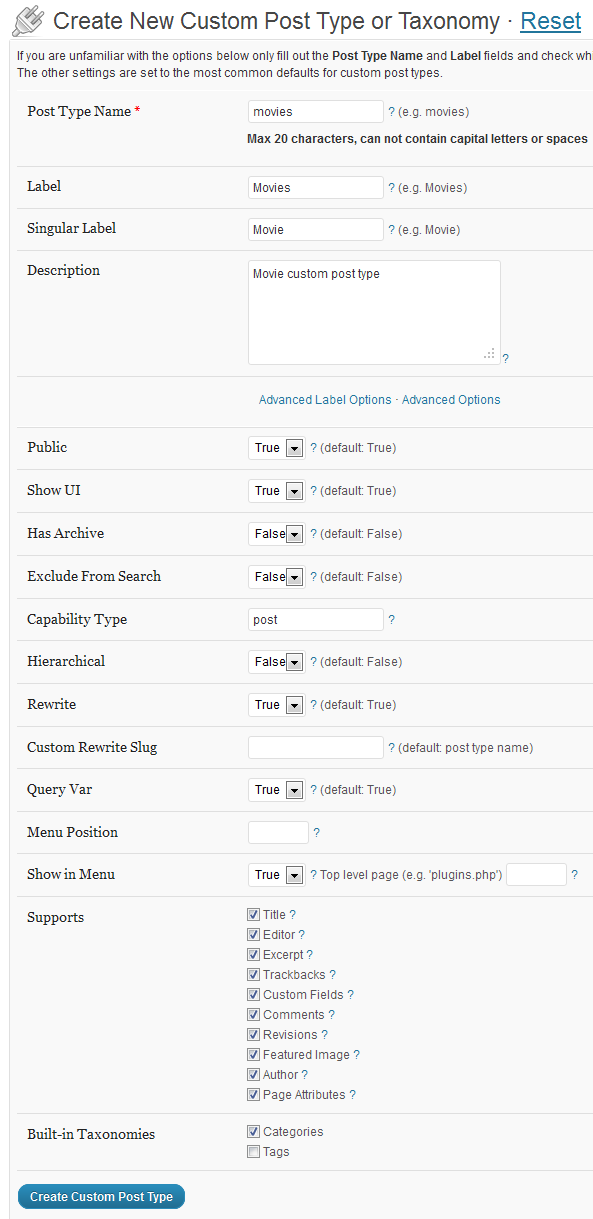
I am using Custom Types UI in combo with AdvancedCustomFields.
The Custom Post Types UI Plugin exposes all of the register_post_type() $args array parameters in its UI.
In this case, you simply need to find the Supports section, and disable/uncheck Editor:
Method 5
Another, more consistent way to disable the WYSIWYG editor, leaving only the html source editor – is to disallow tinymce using “wp_editor_settings” filter for your custom post type.
function my_post_type_editor_settings( $settings ) {

    global $post_type;

    if ( $post_type == 'my_post_type' ) {

        $settings[ 'tinymce' ] = false;
    }

    return $settings;
}

add_filter( 'wp_editor_settings', 'my_post_type_editor_settings' );
Method 6
I will try to do a more complete answer :
If you want to remove all the content editor
The @Oleg Butuzov answer is good :
add_action('init', 'init_remove_support',100);
function init_remove_support(){
    $post_type = 'your post type';
    remove_post_type_support( $post_type, 'editor');
}
If you want only disable tinymce but let html toolbars
The @biziclop answer is good :
add_filter('user_can_richedit', function( $default ){
  global $post;
  if( $post->post_type === 'product')  return false;
  return $default;
});
In this case wp-content-editor-tools is already visible because expand-editor.js insert toolbars.
If you want to replace the tinymce editor by a simple textarea
I found the answer here.
function wpse_199918_wp_editor_settings( $settings, $editor_id ) {
    if ( $editor_id === 'content' && get_current_screen()->post_type === 'custom_post_type' ) {
        $settings['tinymce']   = false;
        $settings['quicktags'] = false;
        $settings['media_buttons'] = false;
    }

    return $settings;
}

add_filter( 'wp_editor_settings', 'wpse_199918_wp_editor_settings', 10, 2 );
All methods was sourced from stackoverflow.com or stackexchange.com, is licensed under cc by-sa 2.5, cc by-sa 3.0 and cc by-sa 4.0