I found some implementation in C/C++ such as voronoi skeleton. Usually those codes require intensive looping, which is bad in python. Is there any build-in skeleton function can be called in python?
Answers:
Thank you for visiting the Q&A section on Magenaut. Please note that all the answers may not help you solve the issue immediately. So please treat them as advisements. If you found the post helpful (or not), leave a comment & I’ll get back to you as soon as possible.
Method 1
OpenCV doesn’t have a skeleton function, but you can make your own function. From here:
The skeleton/MAT can be produced in two main ways.
The first is to use some kind of morphological thinning that successively erodes away pixels from the boundary (while preserving the end points of line segments) until no more thinning is possible, at which point what is left approximates the skeleton.
The alternative method is to first calculate the distance transform of the image. The skeleton then lies along the singularities (i.e. creases or curvature discontinuities) in the distance transform. This latter approach is more suited to calculating the MAT since the MAT is the same as the distance transform but with all points off the skeleton suppressed to zero.
Here you can find an example that uses morphological operations:
import cv2
import numpy as np

img = cv2.imread('sofsk.png',0)
size = np.size(img)
skel = np.zeros(img.shape,np.uint8)

ret,img = cv2.threshold(img,127,255,0)
element = cv2.getStructuringElement(cv2.MORPH_CROSS,(3,3))
done = False

while( not done):
    eroded = cv2.erode(img,element)
    temp = cv2.dilate(eroded,element)
    temp = cv2.subtract(img,temp)
    skel = cv2.bitwise_or(skel,temp)
    img = eroded.copy()

    zeros = size - cv2.countNonZero(img)
    if zeros==size:
        done = True

cv2.imshow("skel",skel)
cv2.waitKey(0)
cv2.destroyAllWindows()
Method 2
Actually, nowadays OpenCV does have an implemention of Zhang-Suen skeletonization in its Extended Image Processing module, see https://docs.opencv.org/4.4.0/df/d2d/group__ximgproc.html#ga37002c6ca80c978edb6ead5d6b39740c.
Method 3
From https://docs.opencv.org/master/df/d2d/group__ximgproc.html#ga37002c6ca80c978edb6ead5d6b39740c
Make sure you’re using opencv-contrib-python
thinned = cv2.ximgproc.thinning(cv2.cvtColor(image, cv2.COLOR_RGB2GRAY))
By default, thinningType=cv2.ximgproc.THINNING_ZHANGSUEN. But you can also do cv2.ximgproc.THINNING_GUOHALL like this:
thinned = cv2.ximgproc.thinning(cv2.cvtColor(image, cv2.COLOR_RGB2GRAY), thinningType=cv2.ximgproc.THINNING_GUOHALL)
Method 4
The skeletonization process by morphology using only the erosion, dilation and subtraction methods as in this link:
Produces the following operation and result:
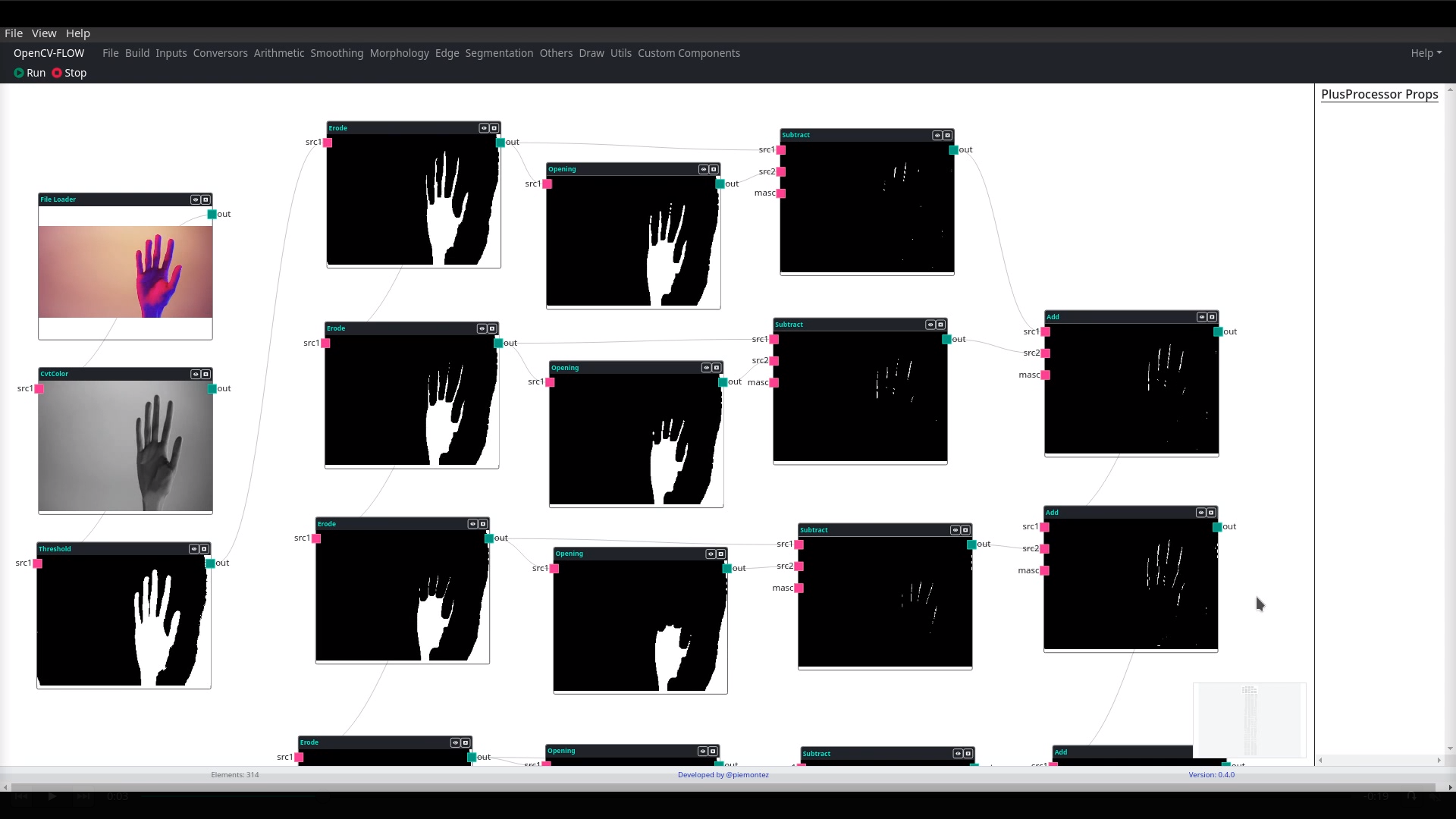
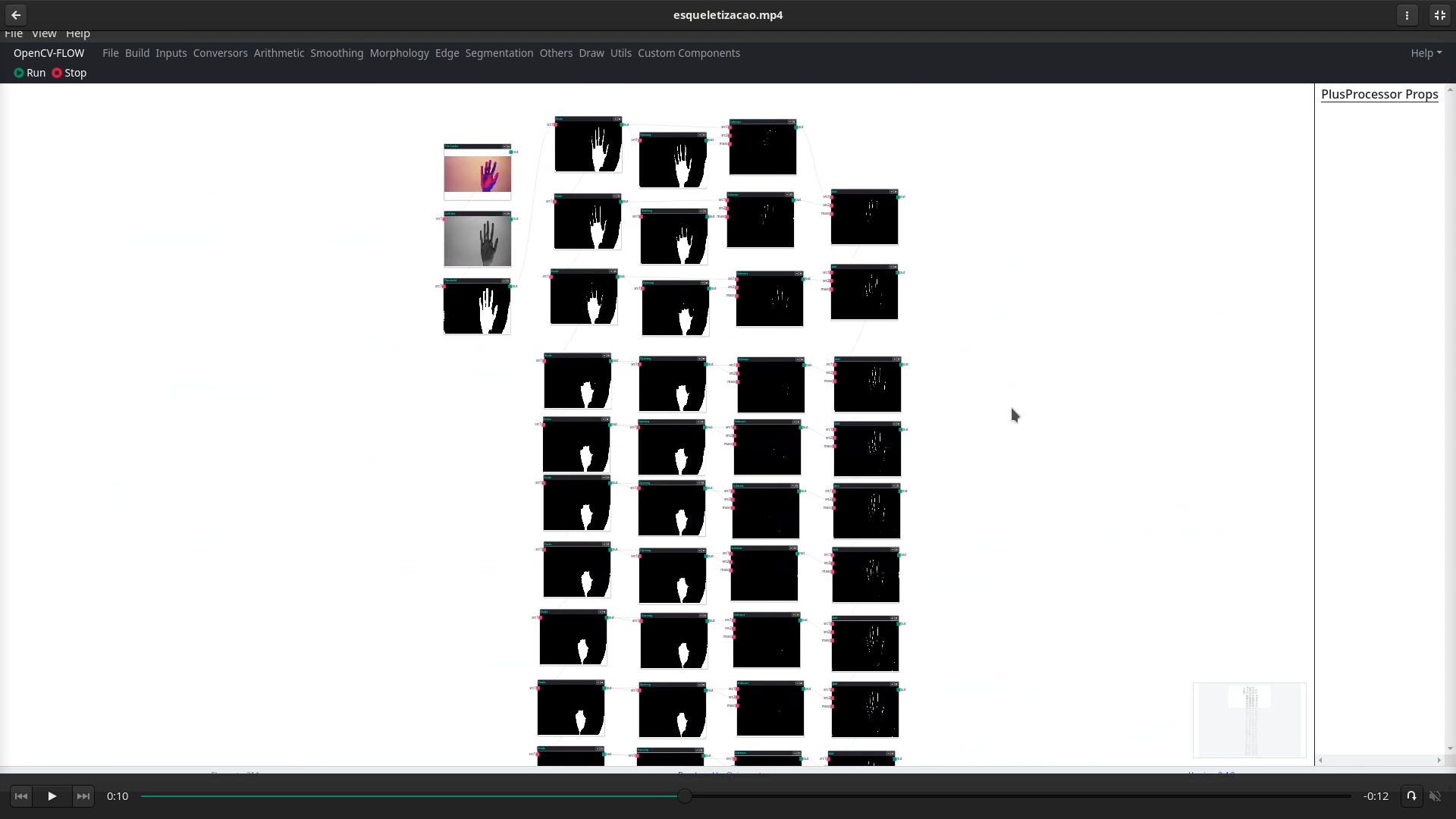
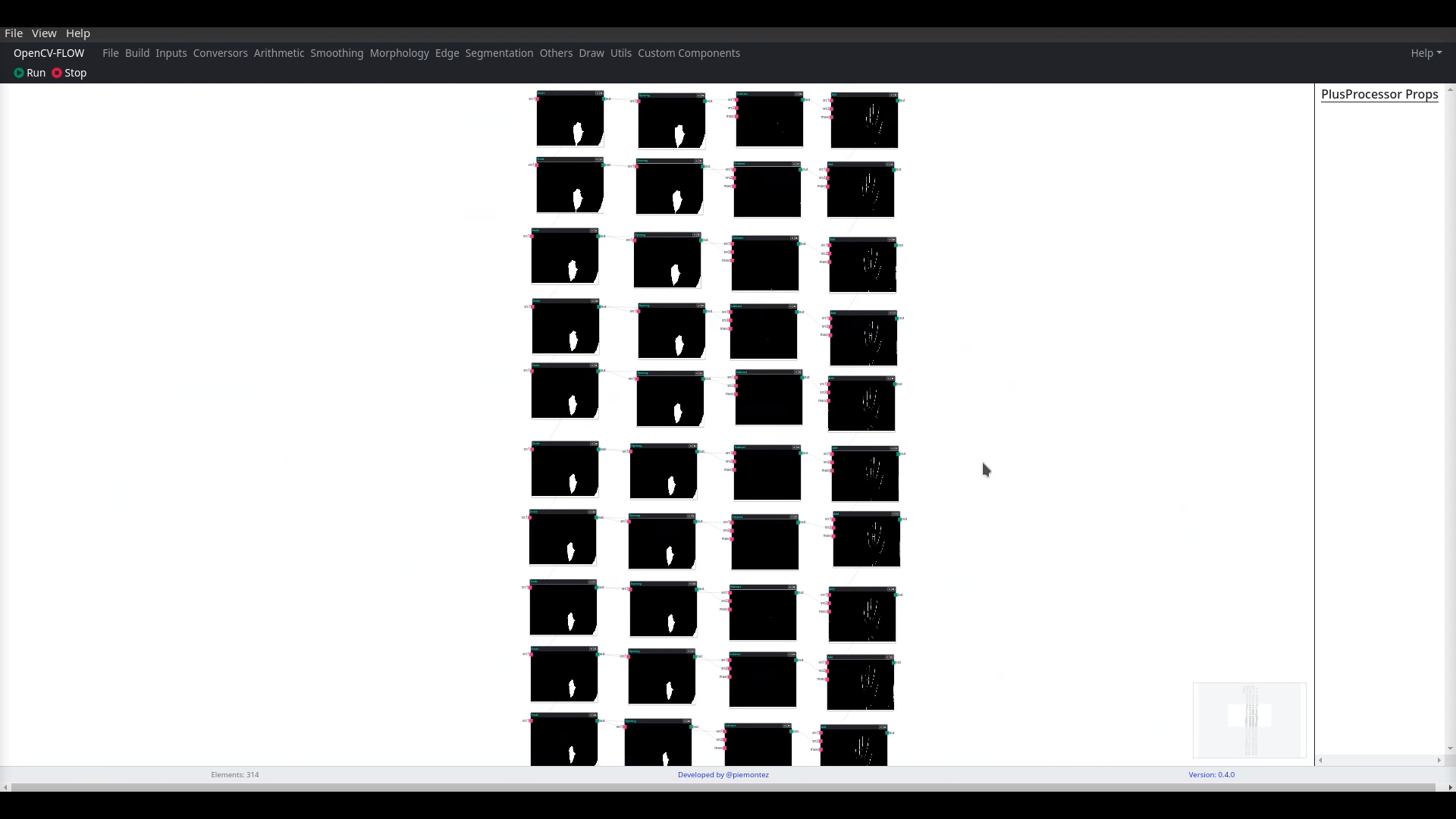
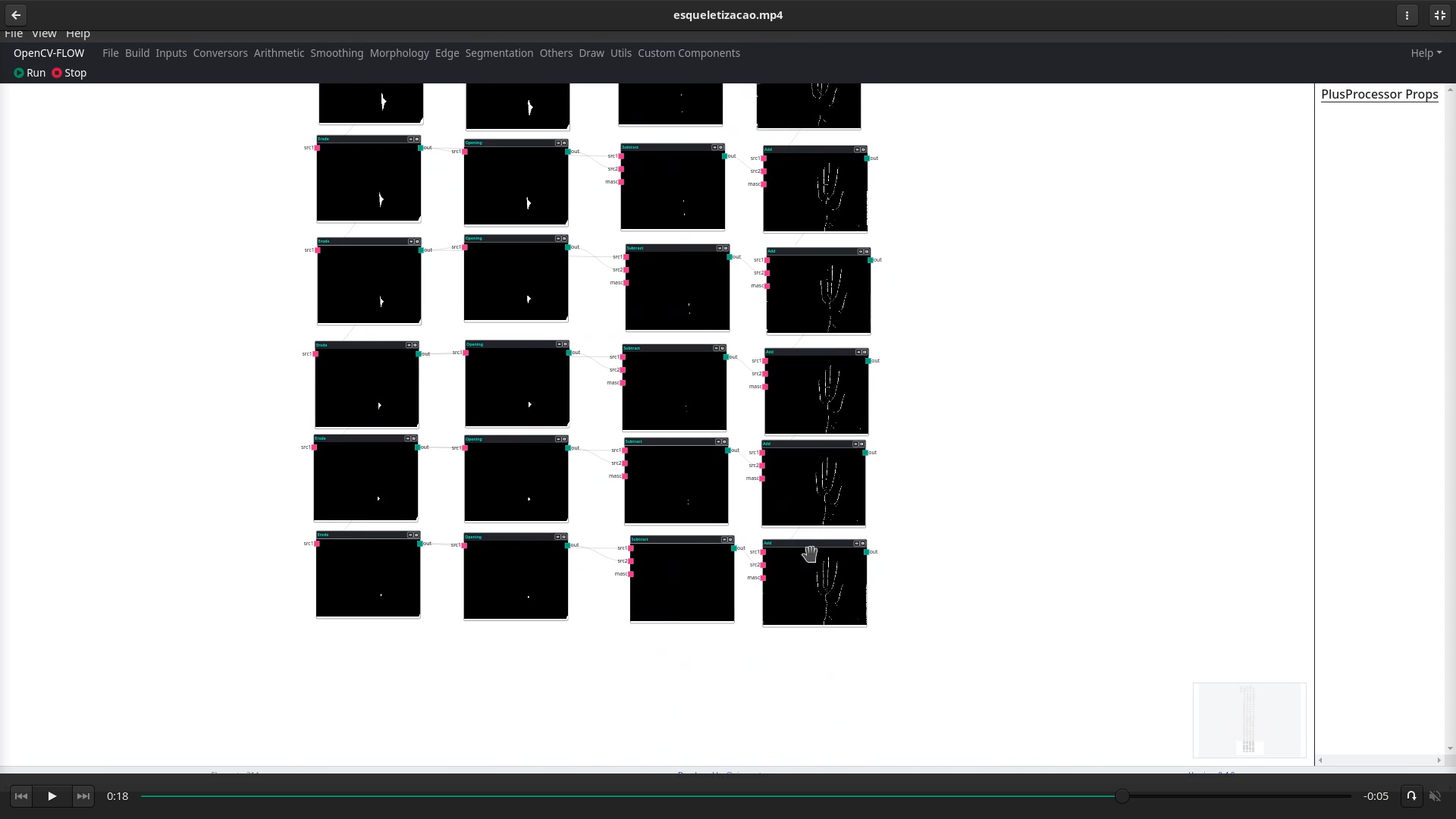
This can be simulated online in the Opencv-Flow tool, but reproducing this example is exhausting.
All methods was sourced from stackoverflow.com or stackexchange.com, is licensed under cc by-sa 2.5, cc by-sa 3.0 and cc by-sa 4.0