In python, If I have a set of data
x, y, z
I can make a scatter with
import matplotlib.pyplot as plt
plt.scatter(x,y,c=z)
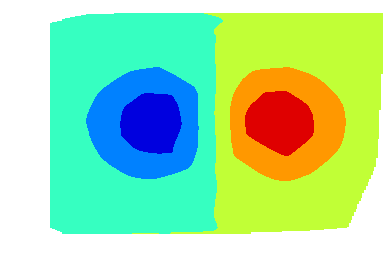
How I can get a plt.contourf(x,y,z) of the scatter ?
Answers:
Thank you for visiting the Q&A section on Magenaut. Please note that all the answers may not help you solve the issue immediately. So please treat them as advisements. If you found the post helpful (or not), leave a comment & I’ll get back to you as soon as possible.
Method 1
You can use tricontourf as suggested in case b. of this other answer:
import matplotlib.tri as tri
import matplotlib.pyplot as plt

plt.tricontour(x, y, z, 15, linewidths=0.5, colors='k')
plt.tricontourf(x, y, z, 15)
Old reply:
Use the following function to convert to the format required by contourf:
from numpy import linspace, meshgrid
from matplotlib.mlab import griddata

def grid(x, y, z, resX=100, resY=100):
    "Convert 3 column data to matplotlib grid"
    xi = linspace(min(x), max(x), resX)
    yi = linspace(min(y), max(y), resY)
    Z = griddata(x, y, z, xi, yi)
    X, Y = meshgrid(xi, yi)
    return X, Y, Z
Now you can do:
X, Y, Z = grid(x, y, z)
plt.contourf(X, Y, Z)
Method 2
The solution will depend on how the data is organized.
Data on regular grid
If the x and y data already define a grid, they can be easily reshaped to a quadrilateral grid. E.g.
#x  y  z
 4  1  3
 6  1  8
 8  1 -9
 4  2 10
 6  2 -1
 8  2 -8
 4  3  8
 6  3 -9
 8  3  0
 4  4 -1
 6  4 -8
 8  4  8
can plotted as a contour using
import matplotlib.pyplot as plt
import numpy as np
x,y,z = np.loadtxt("data.txt", unpack=True)
plt.contour(x.reshape(4,3), y.reshape(4,3), z.reshape(4,3))
Arbitrary data
a. Interpolation
In case the data is not living on a quadrilateral grid, one can interpolate the data on a grid. One way to do so is scipy.interpolate.griddata
import numpy as np
from scipy.interpolate import griddata

xi = np.linspace(4, 8, 10)
yi = np.linspace(1, 4, 10)
zi = griddata((x, y), z, (xi[None,:], yi[:,None]), method='linear')
plt.contour(xi, yi, zi)
b. Non-gridded contour
Finally, one can plot a contour completely without the use of a quadrilateral grid. This can be done using tricontour.
plt.tricontour(x,y,z)
An example comparing the latter two methods is found on the matplotlib page.
Method 3
contour expects regularly gridded data. You thus need to interpolate your data first:
import numpy as np
from scipy.interpolate import griddata
import matplotlib.pyplot as plt
import numpy.ma as ma
from numpy.random import uniform, seed
# make up some randomly distributed data
seed(1234)
npts = 200
x = uniform(-2,2,npts)
y = uniform(-2,2,npts)
z = x*np.exp(-x**2-y**2)
# define grid.
xi = np.linspace(-2.1,2.1,100)
yi = np.linspace(-2.1,2.1,100)
# grid the data.
zi = griddata((x, y), z, (xi[None,:], yi[:,None]), method='cubic')
# contour the gridded data, plotting dots at the randomly spaced data points.
CS = plt.contour(xi,yi,zi,15,linewidths=0.5,colors='k')
CS = plt.contourf(xi,yi,zi,15,cmap=plt.cm.jet)
plt.colorbar() # draw colorbar
# plot data points.
plt.scatter(x,y,marker='o',c='b',s=5)
plt.xlim(-2,2)
plt.ylim(-2,2)
plt.title('griddata test (%d points)' % npts)
plt.show()
Note that I shamelessly stole this code from the excellent matplotlib cookbook
All methods was sourced from stackoverflow.com or stackexchange.com, is licensed under cc by-sa 2.5, cc by-sa 3.0 and cc by-sa 4.0