I am using ipython-notebook a lot at the moment for numerical analysis and plotting of data. In the process of preparing publication quality plots there is a lot of tweaking to get the layout just right, however I can’t get ipython/matplotlib to show me what I will be saving in the browser. Making the process more painful than it should be because I have to keep opening the new output file to check it.
Is there a way to get the image that is displayed inline to be the same as the image that is saved?
Example as follows, facecolor=’gray’ for clarity:
import matplotlib.pyplot as plt
import numpy as np
%matplotlib inline

fig = plt.figure(figsize=(6,4),facecolor='gray')
ax = fig.add_axes([0.1, 0.1, 0.8, 0.8])
x = np.linspace(0,2*np.pi,1000)
y = np.sin(x)
ax.plot(x,y,label=r'$sin(x)$')
ax.set_xlim(0,2*np.pi)
ax.set_ylim(-1.2,1.2)
ax.set_xlabel(r'$x$')
ax.set_ylabel(r'$y$')
ax.legend(loc='upper right', frameon=False)
fig.savefig('mypath.png',dpi=300, facecolor='gray')
plt.show()
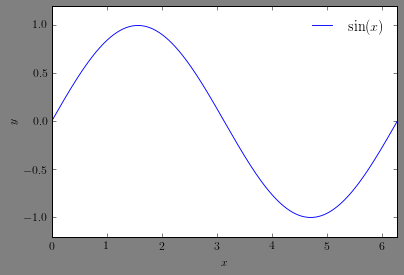
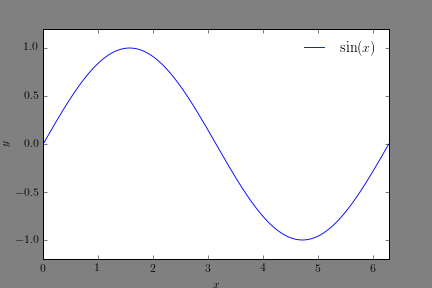
Note here I have explicity chosen my axes dimensions so that they are equidistant from the two sides of the resulting image. This is respected in the saved image, but ignored in the image shown in the notebook:
Notebook displayed image:
Savefig image:
Answers:
Thank you for visiting the Q&A section on Magenaut. Please note that all the answers may not help you solve the issue immediately. So please treat them as advisements. If you found the post helpful (or not), leave a comment & I’ll get back to you as soon as possible.
Method 1
As noted by @andrew, the ipython magics are enforcing bbox_inches='tight' by default. This can be overridden using other magics as explained in the ipython documentation:
%matplotlib inline
%config InlineBackend.print_figure_kwargs = {'bbox_inches':None}
produces an inline image identical to that produced by savefig.
Method 2
The behavior is due to the fact that the magic %matplotlib inline defaults to using the
bbox_inches='tight' when rendering inline.
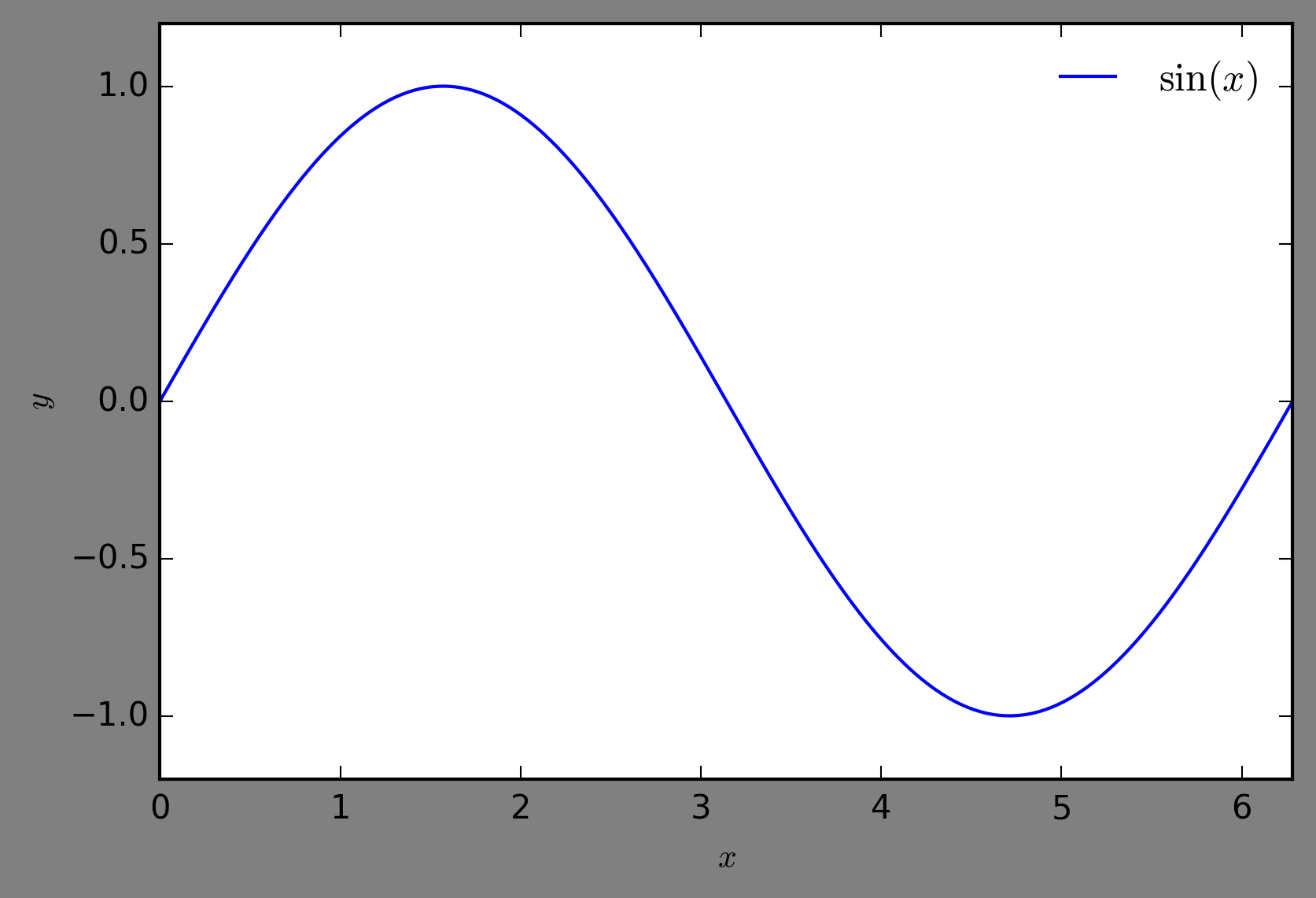
I know you asked about changing the behavior of plt.show(), but alternatively, you could change the behavior of savefig() to use the same settings as the notbeook.
fig.savefig('mypath.png',dpi=300, facecolor='gray', bbox_inches='tight')
New ‘savefig’ image:
All methods was sourced from stackoverflow.com or stackexchange.com, is licensed under cc by-sa 2.5, cc by-sa 3.0 and cc by-sa 4.0