I am trying to save plots I make using matplotlib; however, the images are saving blank.
Here is my code:
plt.subplot(121)
plt.imshow(dataStack, cmap=mpl.cm.bone)

plt.subplot(122)
y = copy.deepcopy(tumorStack)
y = np.ma.masked_where(y == 0, y)

plt.imshow(dataStack, cmap=mpl.cm.bone)
plt.imshow(y, cmap=mpl.cm.jet_r, interpolation='nearest')

if T0 is not None:
    plt.subplot(123)
    plt.imshow(T0, cmap=mpl.cm.bone)

    #plt.subplot(124)
    #Autozoom

#else:
    #plt.subplot(124)
    #Autozoom

plt.show()
plt.draw()
plt.savefig('tessstttyyy.png', dpi=100)
And tessstttyyy.png is blank (also tried with .jpg)
Answers:
Thank you for visiting the Q&A section on Magenaut. Please note that all the answers may not help you solve the issue immediately. So please treat them as advisements. If you found the post helpful (or not), leave a comment & I’ll get back to you as soon as possible.
Method 1
First, what happens when T0 is not None? I would test that, then I would adjust the values I pass to plt.subplot(); maybe try values 131, 132, and 133, or values that depend whether or not T0 exists.
Second, after plt.show() is called, a new figure is created. To deal with this, you can
-
Call
plt.savefig('tessstttyyy.png', dpi=100)before you callplt.show() -
Save the figure before you
show()by callingplt.gcf()for “get current figure”, then you can callsavefig()on thisFigureobject at any time.
For example:
fig1 = plt.gcf()
plt.show()
plt.draw()
fig1.savefig('tessstttyyy.png', dpi=100)
In your code, ‘tesssttyyy.png’ is blank because it is saving the new figure, to which nothing has been plotted.
Method 2
plt.show() should come after plt.savefig()
Explanation: plt.show() clears the whole thing, so anything afterwards will happen on a new empty figure
Method 3
change the order of the functions fixed the problem for me:
- first Save the plot
- then Show the plot
as following:
plt.savefig('heatmap.png')

plt.show()
Method 4
Calling savefig before show() worked for me.
fig ,ax = plt.subplots(figsize = (4,4))
sns.barplot(x='sex', y='tip', color='g', ax=ax,data=tips)
sns.barplot(x='sex', y='tip', color='b', ax=ax,data=tips)
ax.legend(['Male','Female'], facecolor='w')

plt.savefig('figure.png')
plt.show()
Method 5
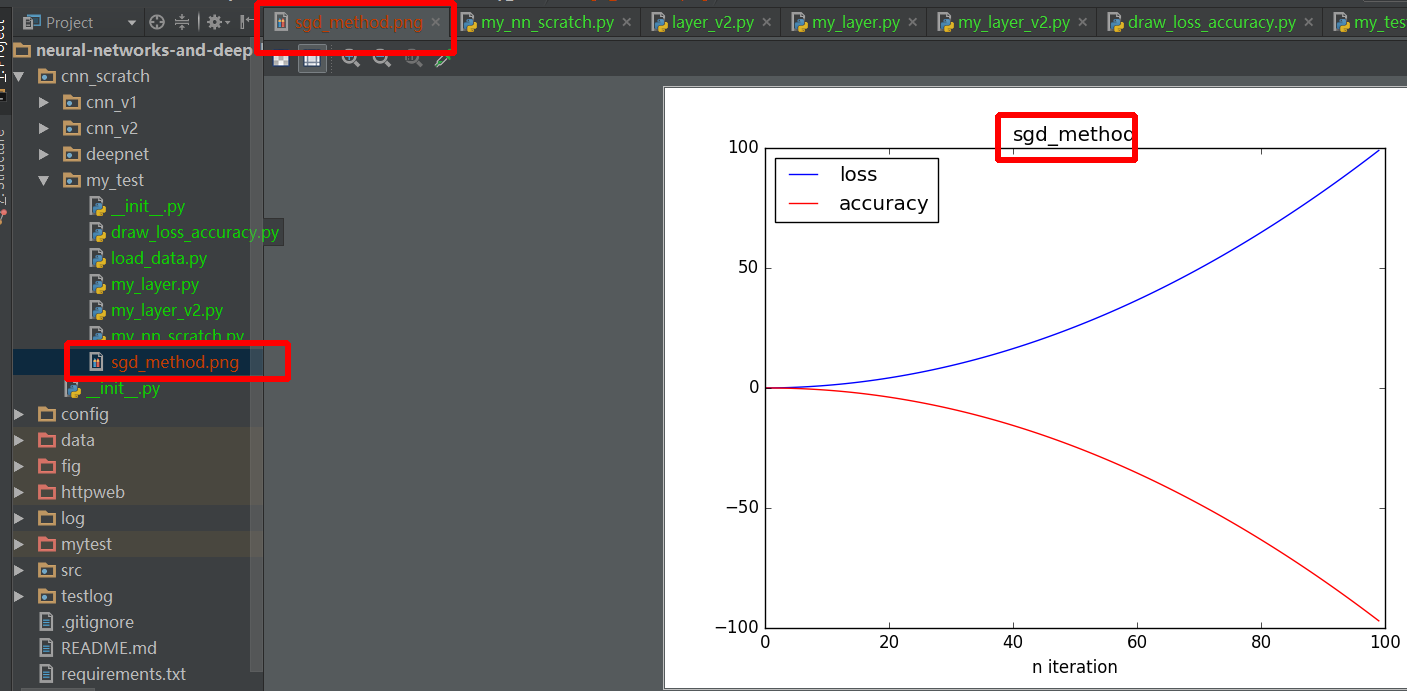
let’s me give a more detail example:
import numpy as np
import matplotlib.pyplot as plt


def draw_result(lst_iter, lst_loss, lst_acc, title):
    plt.plot(lst_iter, lst_loss, '-b', label='loss')
    plt.plot(lst_iter, lst_acc, '-r', label='accuracy')

    plt.xlabel("n iteration")
    plt.legend(loc='upper left')
    plt.title(title)
    plt.savefig(title+".png")  # should before plt.show method

    plt.show()


def test_draw():
    lst_iter = range(100)
    lst_loss = [0.01 * i + 0.01 * i ** 2 for i in xrange(100)]
    # lst_loss = np.random.randn(1, 100).reshape((100, ))
    lst_acc = [0.01 * i - 0.01 * i ** 2 for i in xrange(100)]
    # lst_acc = np.random.randn(1, 100).reshape((100, ))
    draw_result(lst_iter, lst_loss, lst_acc, "sgd_method")


if __name__ == '__main__':
    test_draw()
All methods was sourced from stackoverflow.com or stackexchange.com, is licensed under cc by-sa 2.5, cc by-sa 3.0 and cc by-sa 4.0