I have the following range of numpy data (deltas of usec timestamps):
array([ 4.312,  4.317,  4.316,  4.32 ,  4.316,  4.316,  4.319,  4.317,
    4.317,  4.316,  4.318,  4.316,  4.318,  4.316,  4.318,  4.317,
    4.317,  4.317,  4.316,  4.317,  4.318,  4.316,  4.318,  4.316,
    4.318,  4.316,  4.317,  4.317,  4.318,  4.316,  4.317,  4.317,
    4.317,  4.317,  4.317,  4.316,  4.319,  4.315,  4.319,  4.315,
    4.319,  4.315,  4.316,  4.319,  4.317,  4.317,  4.317,  4.318,
    4.315,  4.317,  4.317,  4.317,  4.319,  4.314,  4.32 ,  4.315,
    4.317,  4.318,  4.315,  4.318,  4.317,  4.317,  4.317,  4.316,
    4.317,  4.318,  4.317,  4.317,  4.317,  4.315,  4.319,  4.317,
    4.315,  4.319,  4.316,  4.318,  4.318,  4.315,  4.318,  4.317,
    4.317,  4.321])
When I plot with matplotlib.pyplot:
 import matplotlib.pyplot as plt
 plt.plot( deltas )
 plt.show()
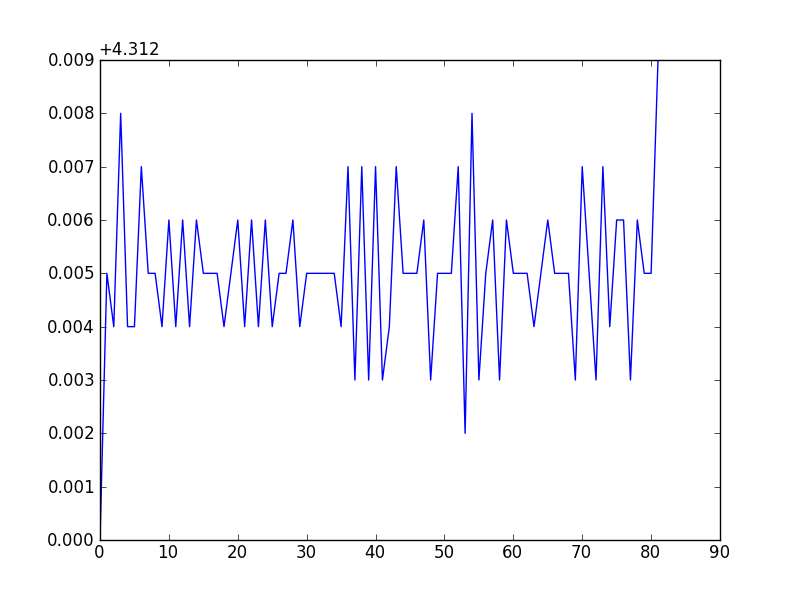
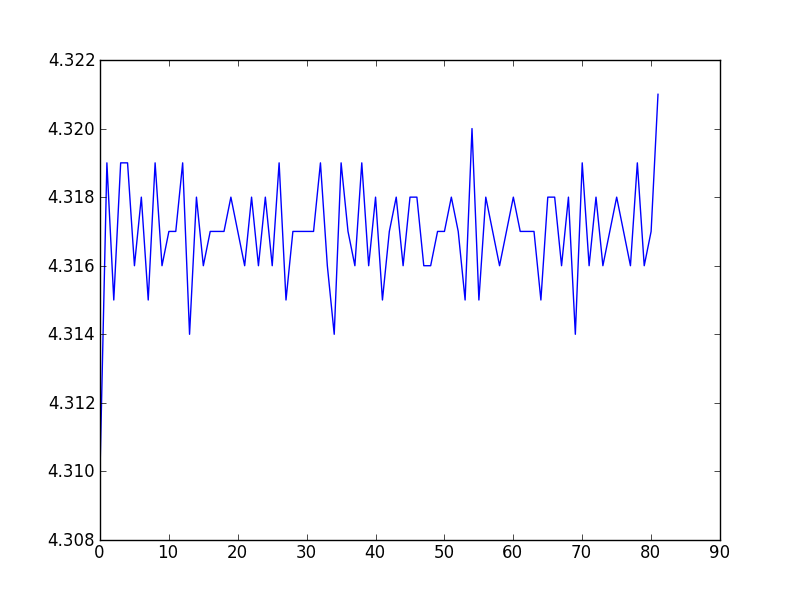
I get the following plot. Why is the Y-axis being scaled that way? How can I get the Y-axis to be labeled as the data, not an offset of the data? Sometimes the plot is the “+4.nnn” sometimes it isn’t (depending on the data range?).
Plotted “strangely”:
Plotted “correctly”:
Answers:
Thank you for visiting the Q&A section on Magenaut. Please note that all the answers may not help you solve the issue immediately. So please treat them as advisements. If you found the post helpful (or not), leave a comment & I’ll get back to you as soon as possible.
Method 1
set useOffset to False:
ax = plt.gca()
ax.ticklabel_format(useOffset=False)
Method 2
This answer suggested disabling the offset as a global setting, which worked for me:
matplotlib.rcParams['axes.formatter.useoffset'] = False
Method 3
You can also use
ax = plt.gca()
ax.set_yticklabels(ax.get_yticks())
Although I like @HYRY’s answer better.
All methods was sourced from stackoverflow.com or stackexchange.com, is licensed under cc by-sa 2.5, cc by-sa 3.0 and cc by-sa 4.0