I have just installed Mono v4.0.4 on MACOSX 10.10.5 Yosemite.
The installer package was: MonoFramework-MDK-4.0.4.4.macos10.xamarin.x86.pkg downloaded from http://www.mono-project.com/download/ last night.
I have a webapi app that I would like to run with xsp4.exe. I use this command line:
/usr/bin/mono --runtime=v4.5 /Library/Frameworks/Mono.framework/Versions/4.0.4/lib/mono/4.5/xsp4.exe
I get this output:
WARNING: The runtime version supported by this application is unavailable.
Using default runtime: v4.0.30319
...
Why do I get this message? Why does it say, “the runtime version is unavailable”?
I believe I have v4.5 installed, with mono v4.0.4. In the directory /Library/Frameworks/Mono.framework/Versions/4.0.4/lib/mono, I can see
- 2.0
- 3.5
- 4.0
- 4.5
Does this NOT indicate that v4.5 of the runtime is available?
Inside the 4.5 directory, I see lots of DLLs, all symlinked to a gac directory. The targets of these symlinks exist.
I can’t figure out how to tell mono, YEAH, v4.5 DOES EXIST. USE IT.
I have a separate, probably related problem. After getting the above warning, xsp4 runs. When I try to load the ASPX app in the browser, I get the dreaded CS0234 error,
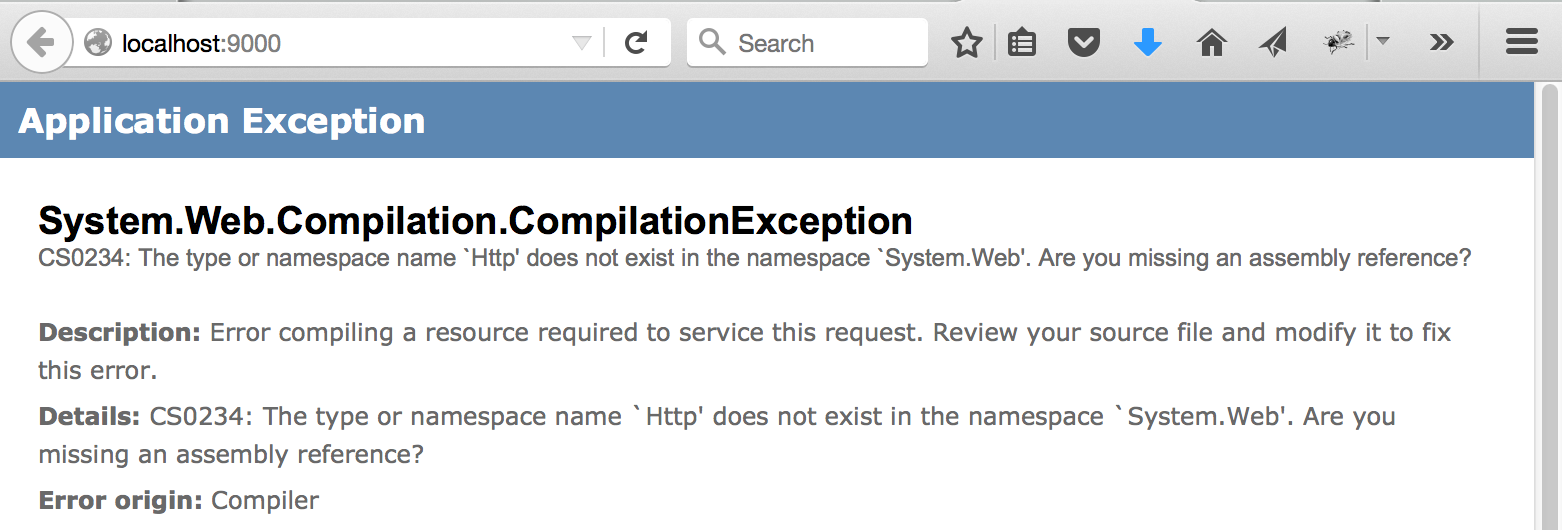
System.Web.Compilation.CompilationException
CS0234: The type or namespace name `Http' does not exist in the namespace `System.Web'. Are you missing an assembly reference?
But in /Library/Frameworks/Mono.framework/Versions/4.0.4/lib/mono/4.5 , I can see
System.Web.Http.dll -> ../gac/System.Web.Http/4.0.0.0__31bf3856ad364e35/System.Web.Http.dll
And that DLL sure does exist in the gac directory. I think xsp4/mono cannot find the System.Web.Http.dll which is part of v4.5. Am I right?
I am doing something basic wrong. Can someone steer me right?
Answers:
Thank you for visiting the Q&A section on Magenaut. Please note that all the answers may not help you solve the issue immediately. So please treat them as advisements. If you found the post helpful (or not), leave a comment & I’ll get back to you as soon as possible.
Method 1
mono --runtime=
That option is to control the CLR runtime:
CLR version .NET version
1.0         1.0
1.1         1.1
2.0         2.0, 3.0, 3.5
4           4, 4.5, 4.6
If you disasm xsp4.exe you will see that it requires a host that can provide the CLR 4.0 runtime:
ikdasm xsp4.exe | head -n 2

// Metadata version: v4.0.30319
Or via xCorFlags:
>>corflags xsp4.exe

Mono/.NET Framework CorFlags Conversion Tool.  Version  1.0.5643.36015
Copyright (c) SushiHangover.  All rights reserved.

Version   : v4.0.30319
CLR Header: 2.5
PE        : PE32
CorFlags  : 0x9
ILONLY    : 1
32BITREQ  : 0
32BITPREF : 0
Signed    : 1
Mono will auto-detect the runtime required by probing the CIL that it is loading, so there is no need to specify it unless you really need to force a different runtime version.
FYI: Mono installs shell scripts for tools/utilities for xsp4 (and others) so you do not have to hand-type the paths:
cat `which xsp4`

#!/bin/sh
exec /Library/Frameworks/Mono.framework/Versions/4.2.1/bin/mono $MONO_OPTIONS "/Library/Frameworks/Mono.framework/Versions/4.2.1/lib/mono/4.5/xsp4.exe" "<a href="https://getridbug.com/cdn-cgi/l/email-protection" class="__cf_email__" data-cfemail="dafe9a">[email protected]</a>"
All methods was sourced from stackoverflow.com or stackexchange.com, is licensed under cc by-sa 2.5, cc by-sa 3.0 and cc by-sa 4.0