I’ve been working on this project about tanks (based on game Tank Trouble) and I’m wondering how I can move forward after I change angle of the sprite. Also if you know how I can make my bullets ricochet from the walls. I will really appreciate any help given. Thank you!
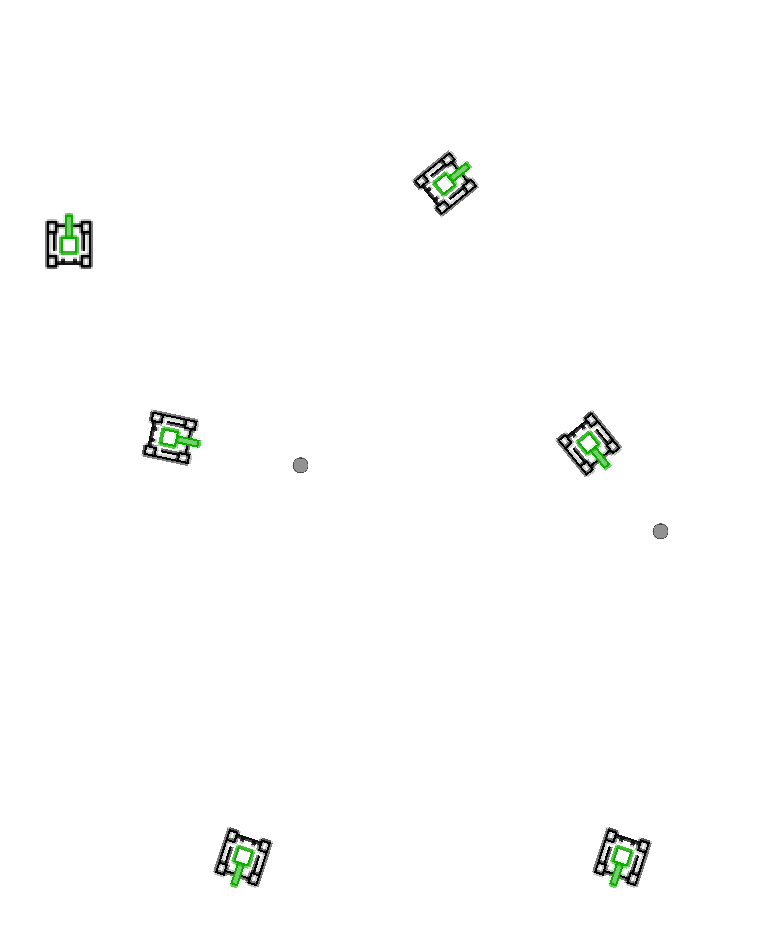
Here is my tank and bullet:


Here is code of the game:
import sys
import pygame


class Game:

    def __init__(self):
        self.run = True
        self.screen_width = 1060
        self.screen_height = 798
        self.image = pygame.image.load("sprites/background/background1.png")
        self.image = pygame.transform.scale(self.image, (self.screen_width, self.screen_height))
        self.screen = pygame.display.set_mode((self.screen_width, self.screen_height))

        # all_sprites is used to update and draw all sprites together.
        self.all_sprites = pygame.sprite.Group()

        # for collision detection with enemies.
        self.bullet_group = pygame.sprite.Group()

        self.tank = Tank()
        self.all_sprites.add(self.tank)

        bullet = Bullet(self.tank)
        self.bullet_group.add(bullet)
        self.all_sprites.add(bullet)


    def handle_events(self):
        keys = pygame.key.get_pressed()
        self.tank.handle_events()


        if keys[pygame.K_UP]:
            self.tank.rect.centery -= 5
        if keys[pygame.K_DOWN]:
            self.tank.rect.centery += 5

        for event in pygame.event.get():
            if event.type == pygame.QUIT:
                self.run = False
            elif event.type == pygame.KEYDOWN:
                if event.key == pygame.K_ESCAPE:
                    self.run = False
                if event.key == pygame.K_SPACE:
                    bullet = Bullet(self.tank)
                    self.bullet_group.add(bullet)
                    self.all_sprites.add(bullet)

    def update(self):
        # Calls `update` methods of all contained sprites.
        self.all_sprites.update()

    def draw(self):
        self.screen.blit(self.image, (0, 0))
        self.all_sprites.draw(self.screen)  # Draw the contained sprites.
        pygame.display.update()


class Tank(pygame.sprite.Sprite):

    def __init__(self):
        pygame.sprite.Sprite.__init__(self)
        self.image = pygame.image.load("sprites/player/player_tank.png")
        self.org_image = self.image.copy()

        # A nicer way to set the start pos with `get_rect`.
        self.rect = self.image.get_rect(center=(70, 600))

        self.angle = 0
        self.direction = pygame.Vector2(1, 0)
        self.pos = pygame.Vector2(self.rect.center)

    def handle_events(self):
        pressed = pygame.key.get_pressed()
        if pressed[pygame.K_LEFT]:
            self.angle += 3
        if pressed[pygame.K_RIGHT]:
            self.angle -= 3

        self.direction = pygame.Vector2(1, 0).rotate(-self.angle)
        self.image = pygame.transform.rotate(self.org_image, self.angle)
        self.rect = self.image.get_rect(center=self.rect.center)

class Bullet(pygame.sprite.Sprite):

    def __init__(self, tank):
        pygame.sprite.Sprite.__init__(self)
        self.image = pygame.image.load("sprites/bullet/bullet.png")
        self.image = pygame.transform.scale(self.image, (16, 16))
        self.rect = self.image.get_rect()
        self.rect.centerx = tank.rect.centerx + 3 # How much pixels from tank turret on x axis
        self.rect.centery = tank.rect.centery - 25 # How much pixels from tank turret on y axis

    def update(self):
        self.rect.y -= 10  # Move up 10 pixels per frame.


def main():
    pygame.init()
    pygame.display.set_caption('Tank Game')
    clock = pygame.time.Clock()
    game = Game()

    while game.run:
        game.handle_events()
        game.update()
        game.draw()
        clock.tick(60)


if __name__ == '__main__':
    main()
    pygame.quit()
    sys.exit()
Answers:
Thank you for visiting the Q&A section on Magenaut. Please note that all the answers may not help you solve the issue immediately. So please treat them as advisements. If you found the post helpful (or not), leave a comment & I’ll get back to you as soon as possible.
Method 1
To move the tank in the direction which is faced, wirte a method, that computes a direction vector, dependent on an velocity argument and the self.angle attribute. The nagle and the velocity define a vector by Polar coordinats.
Add the vector to it’s current position (self.pos). Finally update the self.rect attribute by the position:
class Tank(pygame.sprite.Sprite):
    # [...]

    def move(self, velocity):
        direction = pygame.Vector2(0, velocity).rotate(-self.angle)
        self.pos += direction
        self.rect.center = round(self.pos[0]), round(self.pos[1])
Invoke the method when up or down is pressed:
class Game:
    # [...]

    def handle_events(self):
        # [...]

        if keys[pygame.K_UP]:
            self.tank.move(-5)
        if keys[pygame.K_DOWN]:
            self.tank.move(5)
The movement direction of the bullets can be computed similar:
class Bullet(pygame.sprite.Sprite):

    def __init__(self, tank):
        #[...]

        self.rect = self.image.get_rect()
        self.angle = tank.angle
        self.pos = pygame.Vector2(tank.pos)
        self.rect.center = round(self.pos.x), round(self.pos.y)
        self.direction = pygame.Vector2(0, -10).rotate(-self.angle)

    def update(self):
        self.pos += self.direction
        self.rect.center = round(self.pos[0]), round(self.pos[1])
To make the bullet bounce, you have to reflect the direction when the bullet hits a border:
class Bullet(pygame.sprite.Sprite):
    # [...]

    def update(self):
        self.pos += self.direction
        self.rect.center = round(self.pos.x), round(self.pos.y)

        if self.rect.left < 0:
            self.direction.x *= -1
            self.rect.left = 0
            self.pos.x = self.rect.centerx
        if self.rect.right > 1060:
            self.direction.x *= -1
            self.rect.right = 1060
            self.pos.x = self.rect.centerx
        if self.rect.top < 0:
            self.direction.y *= -1
            self.rect.top = 0
            self.pos.y = self.rect.centery
        if self.rect.bottom > 798:
            self.direction.y *= -1
            self.rect.right = 798
            self.pos.y = self.rect.centery
All methods was sourced from stackoverflow.com or stackexchange.com, is licensed under cc by-sa 2.5, cc by-sa 3.0 and cc by-sa 4.0