Scope value = “https://graph.microsoft.com/.default” OR “https://graph.microsoft.com/beta”
gives below err in asp.net c#.
MsalServiceException: AADSTS500011: The resource principal named
https://graph.microsoft.com/v1.0 was not found in the tenant named
‘xxxxxxxx’. This can happen if the application has not been installed
by the administrator of the tenant or consented to by any user in the
tenant. You might have sent your authentication request to the wrong
tenant.
code:
string clientId = AppClientID;
        string clientSecret = Secret;
        string redirectUri =`enter code here` System.Configuration.ConfigurationManager.AppSettings["redirectUri"];
        string authority = "https://login.microsoftonline.com/" + tenantID;
        string[] scopes = new string[] { "https://graph.microsoft.com/.default" };
        //string[] scopes = new string[] { "https://graph.microsoft.com/beta/.default" };
        IConfidentialClientApplication app = ConfidentialClientApplicationBuilder
            .Create(clientId)
            .WithRedirectUri(redirectUri)
            .WithClientSecret(clientSecret)
            .WithAuthority(authority)
            .Build();
        AuthorizationCodeProvider auth = new AuthorizationCodeProvider(app, scopes);
        GraphServiceClient graphServiceClient = new GraphServiceClient(new DelegateAuthenticationProvider(async (requestMessage) =>
        {
            var authResult = app.AcquireTokenForClient(scopes).WithAuthority(authority, true).ExecuteAsync().Result.AccessToken.ToString();
            requestMessage.Headers.Authorization = new AuthenticationHeaderValue("Bearer", authResult);
        }));
        var onlineMeeting = new OnlineMeeting
        {
            StartDateTime = DateTimeOffset.Parse("2021-07-12T21:30:34.2444915+00:00"),
            EndDateTime = DateTimeOffset.Parse("2021-07-12T22:00:34.2464912+00:00"),
            Subject = "My First MS Teams Meeting"
        };
        await graphServiceClient.Me.OnlineMeetings.Request().AddAsync(onlineMeeting);
Answers:
Thank you for visiting the Q&A section on Magenaut. Please note that all the answers may not help you solve the issue immediately. So please treat them as advisements. If you found the post helpful (or not), leave a comment & I’ll get back to you as soon as possible.
Method 1
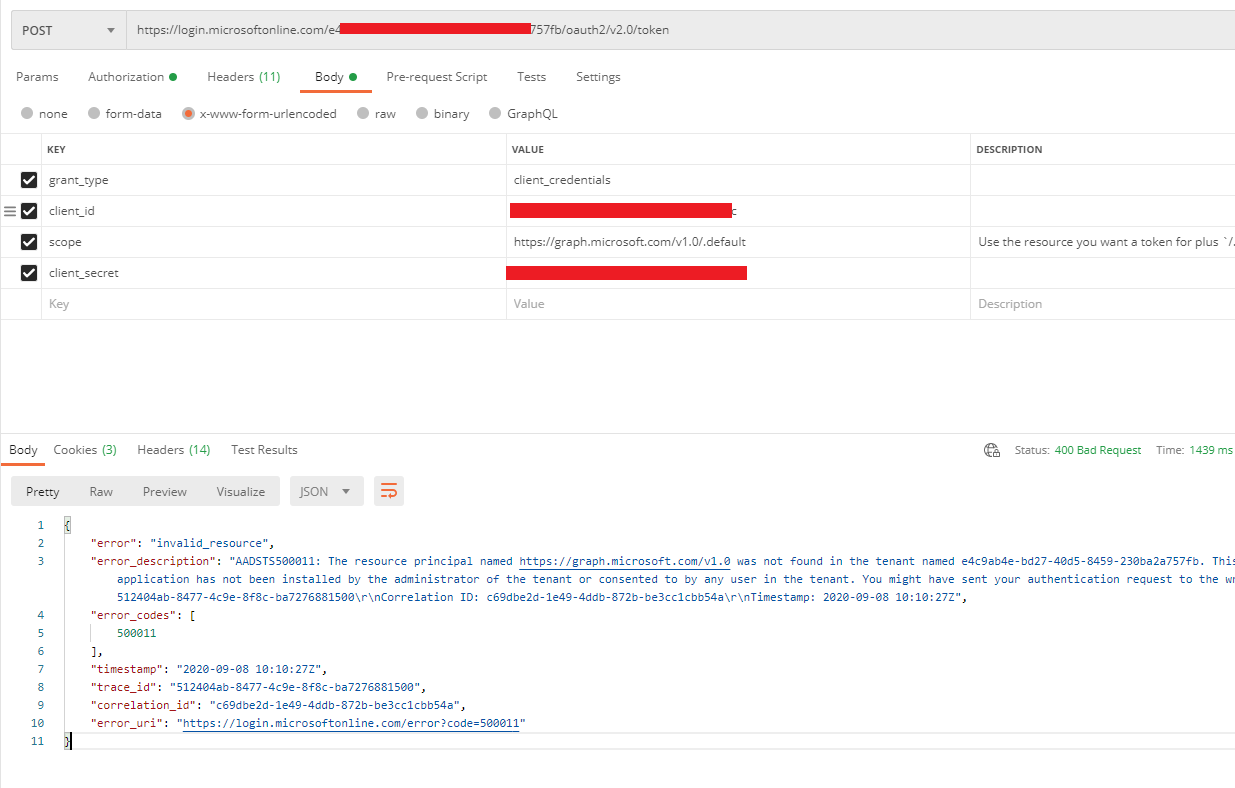
- If I set “scope” to
https://graph.microsoft.com/v1.0/.default, your problem can be reproduced, so please make sure to set “scope” tohttps://graph .microsoft.com/.default.
- You cannot use the
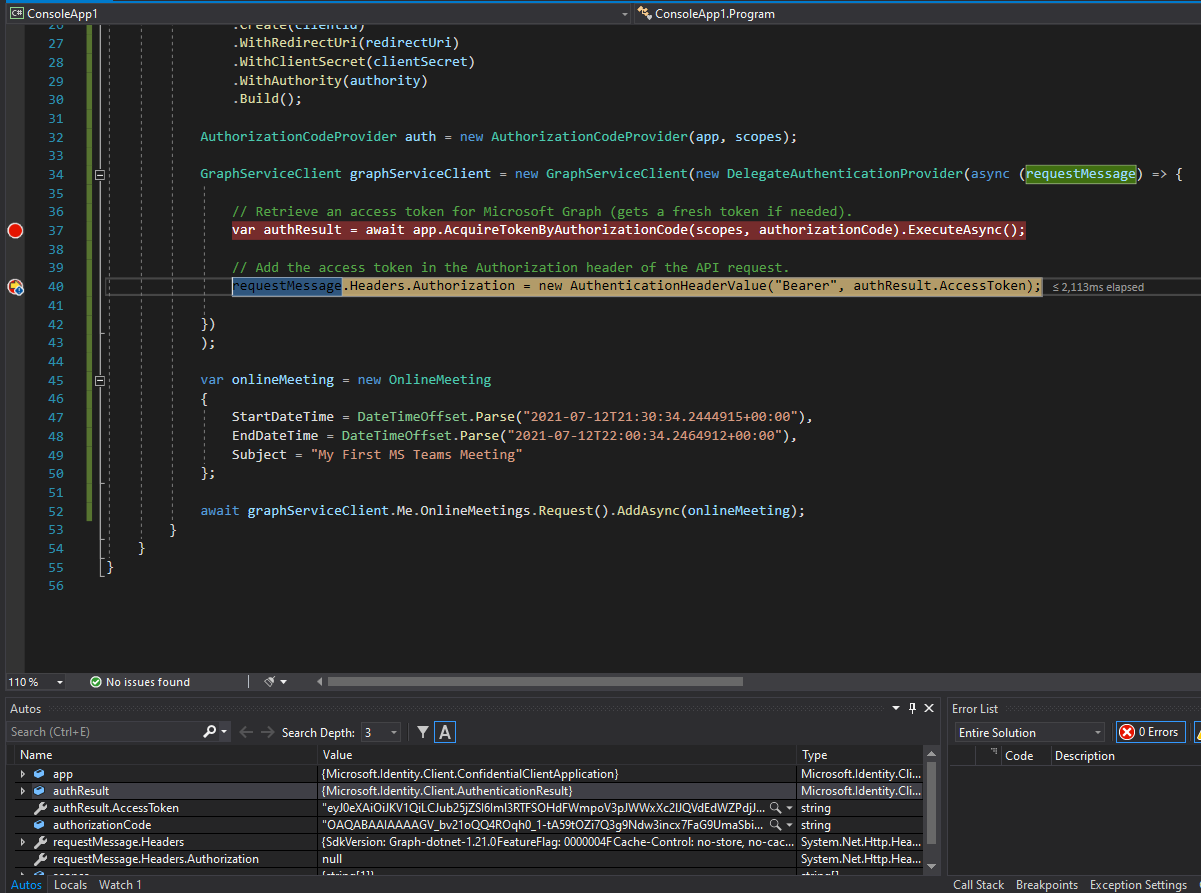
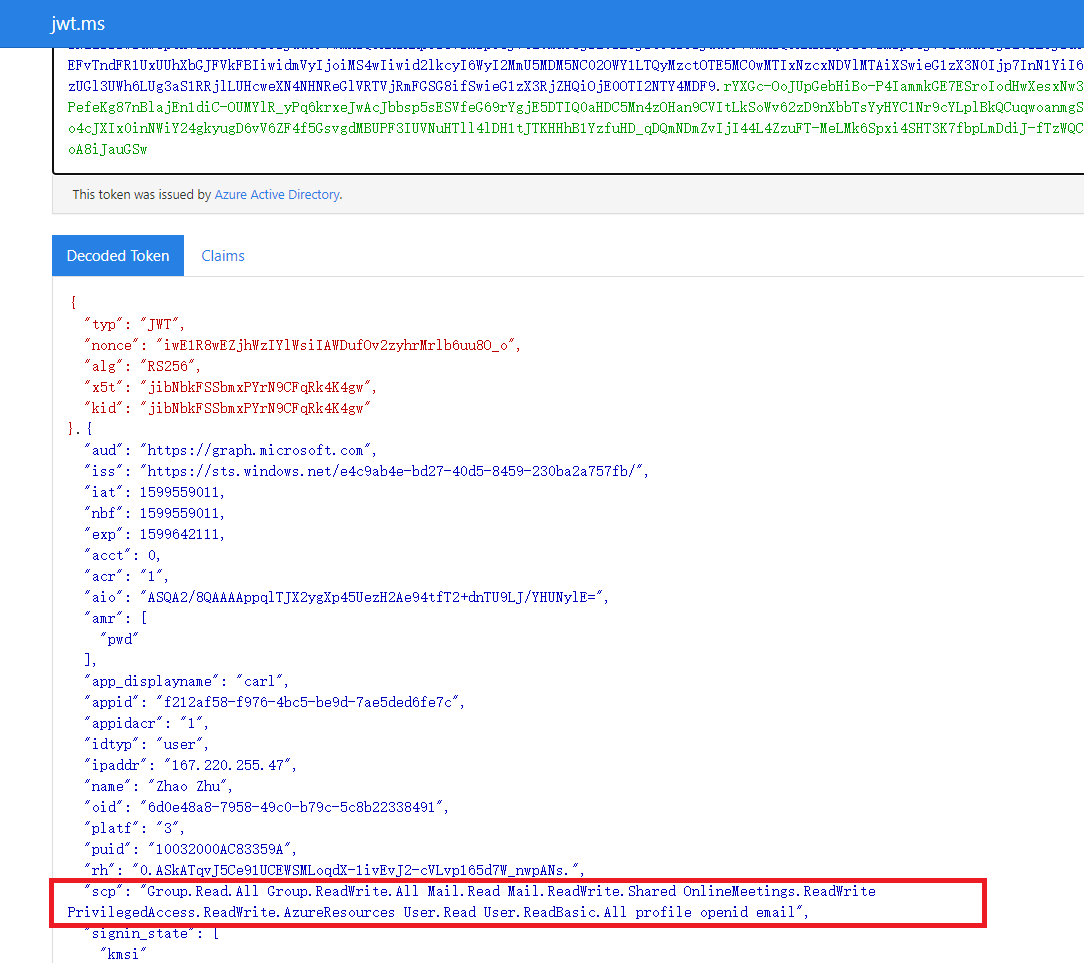
[AcquireTokenForClient][2]function in the auth code flow to obtain a token. It is generally applied to the client credential flow. This flow does not require user login, so even if you use this function to obtain a token, it is not correct. You can parse the To view the token, it does not have the permissions you added in the portal. For the auth code flow, you should useAcquireTokenByAuthorizationCodeto obtain the token, as Pamela mentioned.
Use AcquireTokenByAuthorizationCode to obtain the token and parse:
3.Code:
            string clientId = "{clientId}";
            string clientSecret = "{clientSecret}";
            string redirectUri = "{redirectUri}";
            string authority = "https://login.microsoftonline.com/{tenant id}";
            string authorizationCode = "code";

            string[] scopes = new string[] { "https://graph.microsoft.com/.default" };

            IConfidentialClientApplication app = ConfidentialClientApplicationBuilder
                .Create(clientId)
                .WithRedirectUri(redirectUri)
                .WithClientSecret(clientSecret)
                .WithAuthority(authority)
                .Build();

            AuthorizationCodeProvider auth = new AuthorizationCodeProvider(app, scopes);

            GraphServiceClient graphServiceClient = new GraphServiceClient(new DelegateAuthenticationProvider(async (requestMessage) => {

                // Retrieve an access token for Microsoft Graph (gets a fresh token if needed).
                var authResult = await app.AcquireTokenByAuthorizationCode(scopes, authorizationCode).ExecuteAsync();

                // Add the access token in the Authorization header of the API request.
                requestMessage.Headers.Authorization = new AuthenticationHeaderValue("Bearer", authResult.AccessToken);

            })
            );

            var onlineMeeting = new OnlineMeeting
            {
                StartDateTime = DateTimeOffset.Parse("2021-07-12T21:30:34.2444915+00:00"),
                EndDateTime = DateTimeOffset.Parse("2021-07-12T22:00:34.2464912+00:00"),
                Subject = "My First MS Teams Meeting"
            };

            await graphServiceClient.Me.OnlineMeetings.Request().AddAsync(onlineMeeting);
All methods was sourced from stackoverflow.com or stackexchange.com, is licensed under cc by-sa 2.5, cc by-sa 3.0 and cc by-sa 4.0