I’m trying to use valums ajax uploader. http://valums.com/ajax-upload/
I have the following on my page:
var button = $('#fileUpload')[0];
var uploader = new qq.FileUploader({
    element: button,
    allowedExtensions: ['jpg', 'jpeg', 'png', 'gif'],
    sizeLimit: 2147483647, // max size
    action: '/Admin/Home/Upload',
    multiple: false
});
it does post to my controller but qqfile is always null. I tried these:
public ActionResult Upload(HttpPostedFile qqfile)
AND
HttpPostedFileBase file = Request.Files["file"];
without any luck.
I found an example for ruby on rails but not sure how to implement it in MVC
http://www.jigsawboys.com/2010/10/06/ruby-on-rails-ajax-file-upload-with-valum/
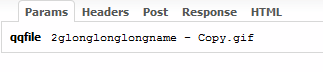
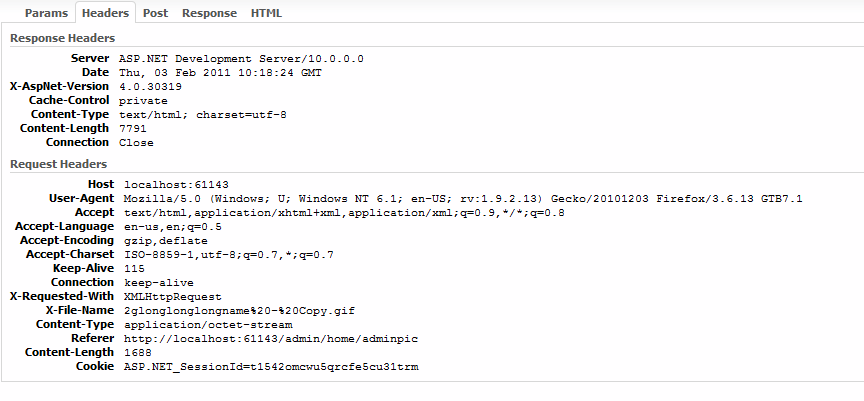
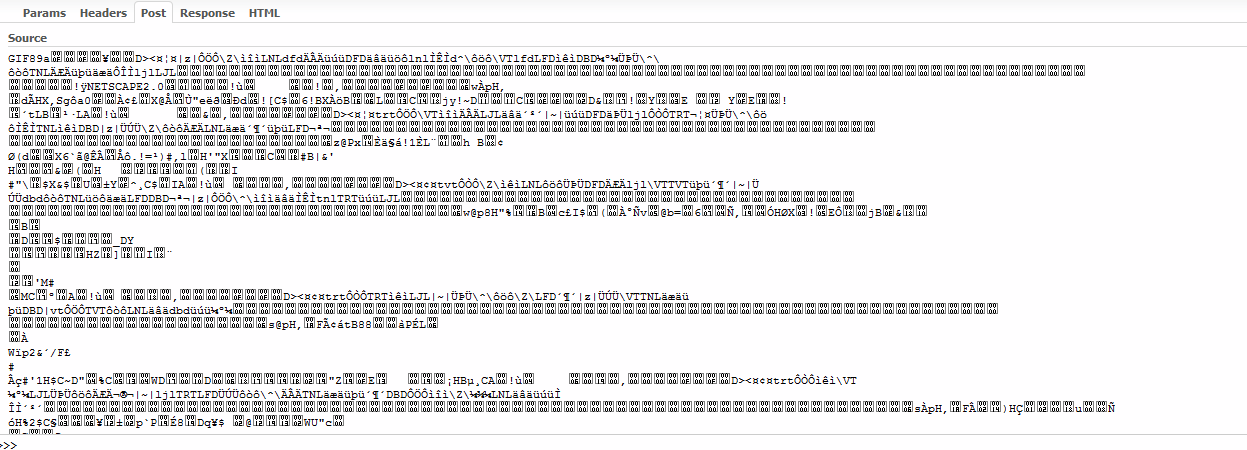
In firebug i see this:
http://localhost:61143/Admin/Home/Upload?qqfile=2glonglonglongname+-+Copy.gif
Answers:
Thank you for visiting the Q&A section on Magenaut. Please note that all the answers may not help you solve the issue immediately. So please treat them as advisements. If you found the post helpful (or not), leave a comment & I’ll get back to you as soon as possible.
Method 1
I figured it out. this works in IE and Mozilla.
    [HttpPost]
    public ActionResult FileUpload(string qqfile)
    {
        var path = @"C:\Temp\100\";
        var file = string.Empty;

        try
        {
            var stream = Request.InputStream;
            if (String.IsNullOrEmpty(Request["qqfile"]))
            {
                // IE
                HttpPostedFileBase postedFile = Request.Files[0];
                stream = postedFile.InputStream;
                file = Path.Combine(path, System.IO.Path.GetFileName(Request.Files[0].FileName));
            }
            else
            {
                //Webkit, Mozilla
                file = Path.Combine(path, qqfile);
            }

            var buffer = new byte[stream.Length];
            stream.Read(buffer, 0, buffer.Length);
            System.IO.File.WriteAllBytes(file, buffer);
        }
        catch (Exception ex)
        {
            return Json(new { success = false, message = ex.Message }, "application/json");
        }

       return Json(new { success = true }, "text/html");
    }
Method 2
This component is sending an application/octet-stream instead of multipart/form-data which is what the default model binder can work with. So you cannot expect Request.Files to have any value with such a request.
You will need to manually read the request stream:
public ActionResult Upload(string qqfile)
{
    var stream = Request.InputStream;
    var buffer = new byte[stream.Length];
    stream.Read(buffer, 0, buffer.Length);

    var path = Server.MapPath("~/App_Data");
    var file = Path.Combine(path, qqfile);
    File.WriteAllBytes(file, buffer);

    // TODO: Return whatever the upload control expects as response
}
Method 3
IE uploads using multipart-mime. Other browsers use Octet-Stream.
I wrote an upload handler to work with Valums Ajax Uploader that works with both MVC & Webforms & both upload methods. I’d be happy to share with you if you wanted. It closely follows the the PHP handler.
My controller to handle the upload looks like this:
public class UploadController : Controller
{
    private IUploadService _Service;

    public UploadController()
        : this(null)
    {
    }

    public UploadController(IUploadService service)
    {
        _Service = service ?? new UploadService();
    }

    public ActionResult File()
    {
        return Content(_Service.Upload().ToString());
    }
The UploadService looks this:
public class UploadService : IUploadService
{
    private readonly qq.FileUploader _Uploader;

    public UploadService()
        : this(null)
    { }

    public UploadService(IAccountService accountservice)
    {
        _Uploader = new qq.FileUploader();
    }

    public UploadResult Upload()
    {
        qq.UploadResult result = _Uploader.HandleUpload();
        if (!result.Success)
            return new UploadResult(result.Error);

                     .... code .....

        return new UploadResult((Guid)cmd.Parameters["@id"].Value);
        }
        catch (Exception ex)
        {
            return new UploadResult(System.Web.HttpUtility.HtmlEncode(ex.Message));
        }
        finally
        {
                      ............code.........
        }

    }

   ...............code ............
Method 4
You should try:
Stream inputStream = (context.Request.Files.Count > 0) ? context.Request.Files[0].InputStream : context.Request.InputStream;
Method 5
I am developing in ASP.Net 4.0 but we don’t have MVC architecture. I had same issue few days back. But, I figured it out and here is my solution.
//For IE Browser
HttpPostedFile selectedfile = Request.Files[0];
System.Drawing.Bitmap obj = new System.Drawing.Bitmap(selectedfile.InputStream);

//For Non IE Browser
System.Drawing.Bitmap obj = new System.Drawing.Bitmap(Request.InputStream);
Now, you can use obj for further operation.
All methods was sourced from stackoverflow.com or stackexchange.com, is licensed under cc by-sa 2.5, cc by-sa 3.0 and cc by-sa 4.0