I am trying to bind Drop down from services. But success event is not hitting.
Science I have total 5000 records so in
web.config file I have added Binding May be due to this region I am getting “Internal server Error” ? I am not sure about this Please guide me where I am doing wrong
AJAX
var AllProduct = [];
        function GetAllProduct() {
            var params = { DivisionCode: $('#ddlDivision').val() };
            $.ajax({
                type: 'GET',
                contentType: "application/json; charset=utf-8",
                data: JSON.stringify(params),
                url: 'Header.aspx/GetProduct',
                dataType: 'json',
                async: false,
                success: function (res) {
                    Product(res.d)
                    OnSuccessProductCall();

                }
            });
            function Product(pdata) {
                AllProduct = pdata;
            }
        }
        function OnSuccessProductCall(data, status) {
            result = AllProduct;
            $("[id$='ddlProduct']").append($("<option>").val("0").text("Select"));
            if (result != undefined && result.length > 0) {
                for (i = 0; i < result.length; i++) {
                    $("[id$='ddlProduct']").append($("<option>").val($.trim(result[i].BU_CAT_CODE)).text($.trim(result[i].BU_CAT_DESC)));
                }
            }
        }
Services
While debugging I can see my services returning Collection of data But not able to hit Success Event
 [WebMethod]
        public static ServiceReference1.PRODUCT[] GetProduct(string DivisionCode)
        {
            ServiceReference1.MasterDataServiceClient oClient = new ServiceReference1.MasterDataServiceClient();
            ServiceReference1.PRODUCT[] prod = oClient.GetProducts(DivisionCode, null, null, null, null, null, null, null);
            return prod;
        }
Web.Cofig
<system.serviceModel>
    <bindings>
      <wsHttpBinding>
        <binding name="basicHttp" allowCookies="true"
             maxReceivedMessageSize="20000000"
             maxBufferPoolSize="20000000">
          <readerQuotas maxDepth="32"
               maxArrayLength="200000000"
               maxStringContentLength="200000000"/>
        </binding>
        <binding name="WSHttpBinding_IMasterDataService" />
      </wsHttpBinding>
    </bindings>
    <client>
      <endpoint address="http://almhosrwfebpm01.almaraigroup.local:8524/AlmaraiDataService.svc" binding="wsHttpBinding" bindingConfiguration="basicHttp" contract="ServiceReference1.IMasterDataService" name="WSHttpBinding_IMasterDataService">
        <identity>
          <dns value="localhost" />
        </identity>
      </endpoint>
    </client>
  </system.serviceModel>
My data type is JSON
Sample data Coming from Web Services.

Where I am doing wrong.
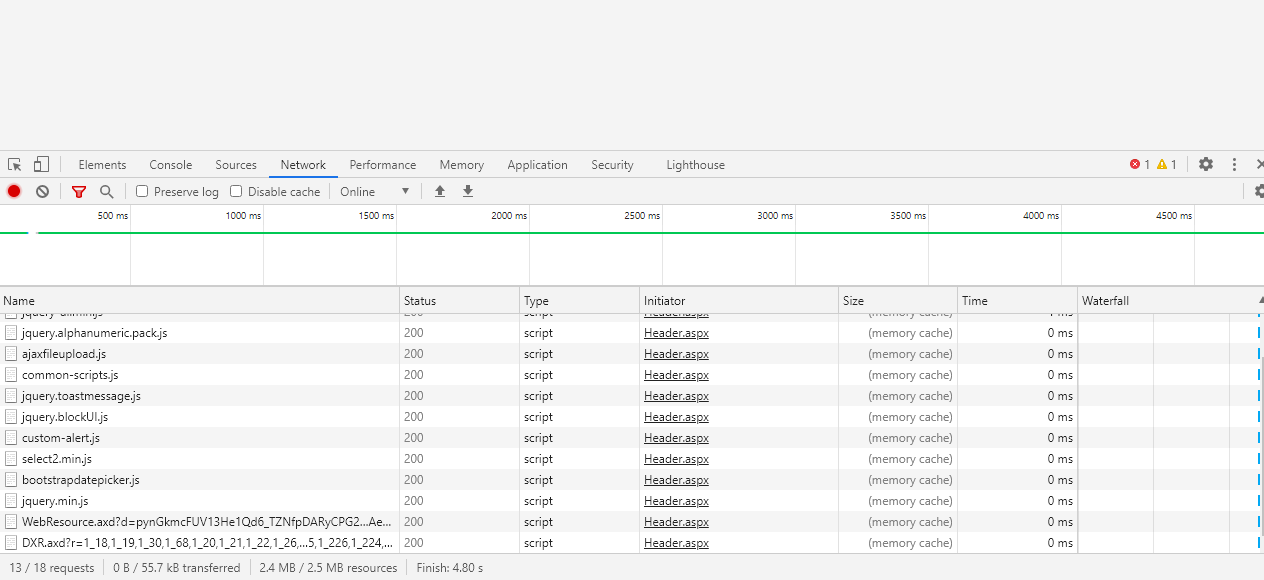
Error Message
{"Message":"An attempt was made to call the method u0027GetProductu0027 using a POST request, which is not allowed.","StackTrace":" at System.Web.Script.Services.RestHandler.GetRawParams(WebServiceMethodData methodData, HttpContext context)rn at System.Web.Script.Services.RestHandler.ExecuteWebServiceCall(HttpContext context, WebServiceMethodData methodData)","ExceptionType":"System.InvalidOperationException"}
Answers:
Thank you for visiting the Q&A section on Magenaut. Please note that all the answers may not help you solve the issue immediately. So please treat them as advisements. If you found the post helpful (or not), leave a comment & I’ll get back to you as soon as possible.
Method 1
Well, Technically, you must always include an error event so you know when an ajax call fails and handle it accordingly. It is clearly a bad practice to ignore it.
Secondly, as far as I know, a WebMethod doesn’t allow a GET request, you must use a POST request so it responds back and sends the data without error, or if you strictly want to use WebMethod in a GET request then you should decorate your WebMethod with this attribute: [ScriptMethod (UseHttpGet = true)]
Here is the refined ajax call, Try this and see what error pops up and try to resolve it again.
var AllProduct = [];
function GetAllProduct() {
    var params = { DivisionCode: $('#ddlDivision').val() };
    $.ajax({
            type: 'POST', // Modified this to a POST call
            contentType: "application/json; charset=utf-8",
            data: JSON.stringify(params),
            url: 'Header.aspx/GetProduct',
            dataType: 'json',
            async: false,
            success: function (res) {
                Product(res.d)
                OnSuccessProductCall();
            },
            error: function(err) { // Added this event to capture the failed requests.
                console.log(err);
            }
   });
   // ... Your Further Code ...
}
Method 2
Add this instead of [WebMethod]
[WebMethod(EnableSession = true)]
[System.Web.Script.Services.ScriptMethod(UseHttpGet = true, ResponseFormat = System.Web.Script.Services.ResponseFormat.Json)]
 public static ServiceReference1.PRODUCT[] GetProduct(string DivisionCode)
        {
            ServiceReference1.MasterDataServiceClient oClient = new ServiceReference1.MasterDataServiceClient();
            ServiceReference1.PRODUCT[] prod = oClient.GetProducts(DivisionCode, null, null, null, null, null, null, null);
            return prod;
        }
Method 3
change the ” data: JSON.stringify(params),”
Try this:
data: "{obj:" + JSON.stringify(params ) + "}",
In the web method:
1-change the return type to void.
2-Add this code :
JavaScriptSerializer js = new JavaScriptSerializer();
        Context.Response.Write(js.Serialize(prod));
this article should help:
https://www.c-sharpcorner.com/blogs/how-to-retrieve-data-using-ajax-in-asp-net
All methods was sourced from stackoverflow.com or stackexchange.com, is licensed under cc by-sa 2.5, cc by-sa 3.0 and cc by-sa 4.0