I’ve developed a web page with MS Chart (.net framework 2.0, visual studio 2010).
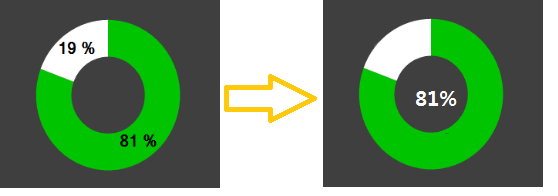
Like this picture, I have to put the percentage label inside the doughnut.
What can I do? Please help me. Thanks in advance.
Answers:
Thank you for visiting the Q&A section on Magenaut. Please note that all the answers may not help you solve the issue immediately. So please treat them as advisements. If you found the post helpful (or not), leave a comment & I’ll get back to you as soon as possible.
Method 1
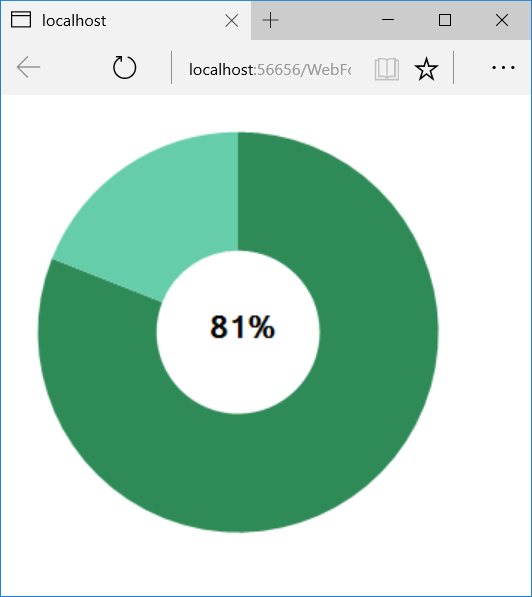
Use the PrePaint event to add a TextAnnotation to your chart:
protected void Chart1_PrePaint(object sender, ChartPaintEventArgs e)
{
    if (e.ChartElement is ChartArea)
    {
        var ta = new TextAnnotation();
        ta.Text = "81%";
        ta.Width = e.Position.Width;
        ta.Height = e.Position.Height;
        ta.X = e.Position.X;
        ta.Y = e.Position.Y;
        ta.Font = new Font("Ms Sans Serif", 16, FontStyle.Bold);

        Chart1.Annotations.Add(ta);
    }
}
All methods was sourced from stackoverflow.com or stackexchange.com, is licensed under cc by-sa 2.5, cc by-sa 3.0 and cc by-sa 4.0