Using Matplotlib, I want to plot a 2D heat map. My data is an n-by-n Numpy array, each with a value between 0 and 1. So for the (i, j) element of this array, I want to plot a square at the (i, j) coordinate in my heat map, whose color is proportional to the element’s value in the array.
How can I do this?
Answers:
Thank you for visiting the Q&A section on Magenaut. Please note that all the answers may not help you solve the issue immediately. So please treat them as advisements. If you found the post helpful (or not), leave a comment & I’ll get back to you as soon as possible.
Method 1
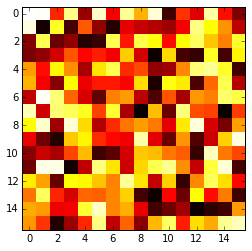
The imshow() function with parameters interpolation='nearest' and cmap='hot' should do what you want.
import matplotlib.pyplot as plt
import numpy as np

a = np.random.random((16, 16))
plt.imshow(a, cmap='hot', interpolation='nearest')
plt.show()
Method 2
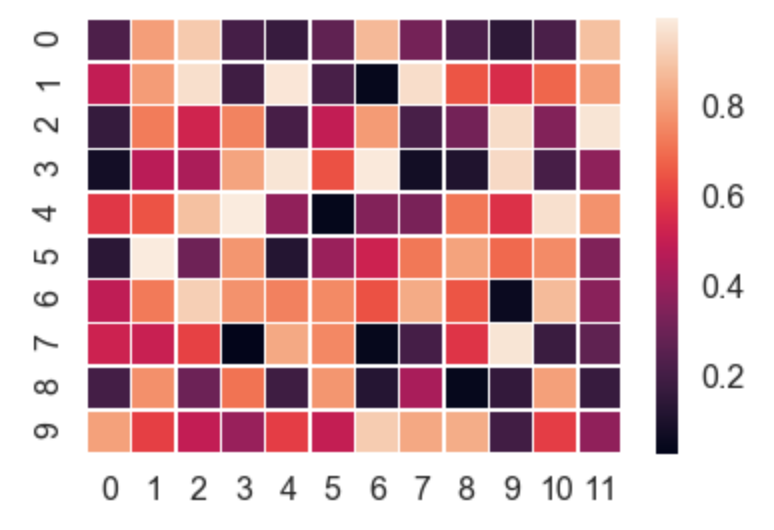
Seaborn takes care of a lot of the manual work and automatically plots a gradient at the side of the chart etc.
import numpy as np
import seaborn as sns
import matplotlib.pylab as plt

uniform_data = np.random.rand(10, 12)
ax = sns.heatmap(uniform_data, linewidth=0.5)
plt.show()
Or, you can even plot upper / lower left / right triangles of square matrices, for example a correlation matrix which is square and is symmetric, so plotting all values would be redundant anyway.
corr = np.corrcoef(np.random.randn(10, 200))
mask = np.zeros_like(corr)
mask[np.triu_indices_from(mask)] = True
with sns.axes_style("white"):
    ax = sns.heatmap(corr, mask=mask, vmax=.3, square=True,  cmap="YlGnBu")
    plt.show()

Method 3
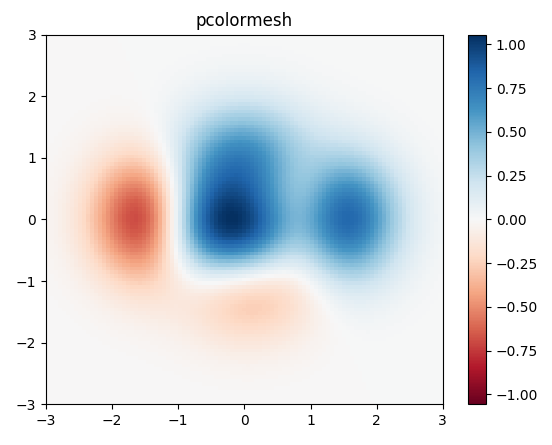
I would use matplotlib’s pcolor/pcolormesh function since it allows nonuniform spacing of the data.
Example taken from matplotlib:
import matplotlib.pyplot as plt
import numpy as np

# generate 2 2d grids for the x & y bounds
y, x = np.meshgrid(np.linspace(-3, 3, 100), np.linspace(-3, 3, 100))

z = (1 - x / 2. + x ** 5 + y ** 3) * np.exp(-x ** 2 - y ** 2)
# x and y are bounds, so z should be the value *inside* those bounds.
# Therefore, remove the last value from the z array.
z = z[:-1, :-1]
z_min, z_max = -np.abs(z).max(), np.abs(z).max()

fig, ax = plt.subplots()

c = ax.pcolormesh(x, y, z, cmap='RdBu', vmin=z_min, vmax=z_max)
ax.set_title('pcolormesh')
# set the limits of the plot to the limits of the data
ax.axis([x.min(), x.max(), y.min(), y.max()])
fig.colorbar(c, ax=ax)

plt.show()
Method 4
For a 2d numpy array, simply use imshow() may help you:
import matplotlib.pyplot as plt
import numpy as np


def heatmap2d(arr: np.ndarray):
    plt.imshow(arr, cmap='viridis')
    plt.colorbar()
    plt.show()


test_array = np.arange(100 * 100).reshape(100, 100)
heatmap2d(test_array)
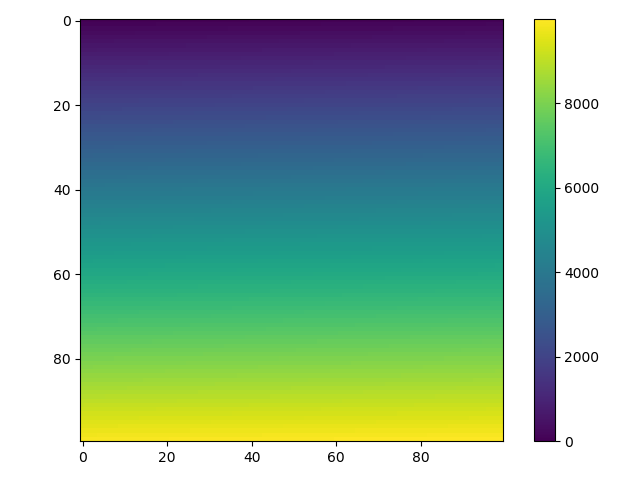
This code produces a continuous heatmap.
You can choose another built-in colormap from here.
Method 5
Here’s how to do it from a csv:
import numpy as np
import matplotlib.pyplot as plt
from scipy.interpolate import griddata

# Load data from CSV
dat = np.genfromtxt('dat.xyz', delimiter=' ',skip_header=0)
X_dat = dat[:,0]
Y_dat = dat[:,1]
Z_dat = dat[:,2]

# Convert from pandas dataframes to numpy arrays
X, Y, Z, = np.array([]), np.array([]), np.array([])
for i in range(len(X_dat)):
        X = np.append(X, X_dat[i])
        Y = np.append(Y, Y_dat[i])
        Z = np.append(Z, Z_dat[i])

# create x-y points to be used in heatmap
xi = np.linspace(X.min(), X.max(), 1000)
yi = np.linspace(Y.min(), Y.max(), 1000)

# Interpolate for plotting
zi = griddata((X, Y), Z, (xi[None,:], yi[:,None]), method='cubic')

# I control the range of my colorbar by removing data
# outside of my range of interest
zmin = 3
zmax = 12
zi[(zi<zmin) | (zi>zmax)] = None

# Create the contour plot
CS = plt.contourf(xi, yi, zi, 15, cmap=plt.cm.rainbow,
                  vmax=zmax, vmin=zmin)
plt.colorbar()
plt.show()
where dat.xyz is in the form
x1 y1 z1
x2 y2 z2
...
Method 6
Use matshow() which is a wrapper around imshow to set useful defaults for displaying a matrix.
a = np.diag(range(15))
plt.matshow(a)
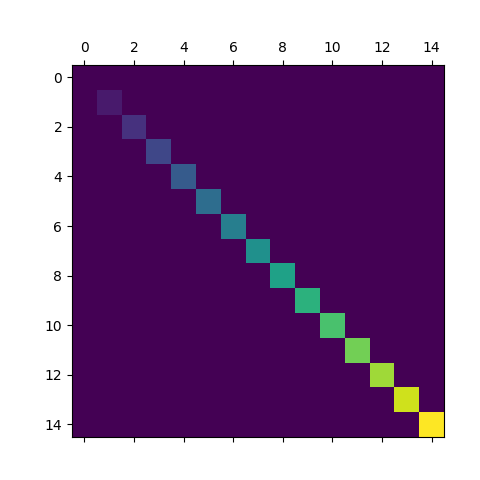
https://matplotlib.org/stable/api/_as_gen/matplotlib.axes.Axes.matshow.html
This is just a convenience function wrapping imshow to set useful defaults for displaying a matrix. In particular:
- Set
origin='upper'.- Set
interpolation='nearest'.- Set
aspect='equal'.- Ticks are placed to the left and above.
- Ticks are formatted to show integer indices.
All methods was sourced from stackoverflow.com or stackexchange.com, is licensed under cc by-sa 2.5, cc by-sa 3.0 and cc by-sa 4.0