Try to link PyQt and Opencv video feed, can’t understand how to apply while loop for continuously streaming video. It just take a still picture.Please can anyone help to solve the problem.
- PtQt=5
- Python=3.6.1
class App(QWidget):
    def __init__(self):
        super().__init__()
        self.title = 'PyQt5 Video'
        self.left = 100
        self.top = 100
        self.width = 640
        self.height = 480
        self.initUI()


    def initUI(self):
        self.setWindowTitle(self.title)
        self.setGeometry(self.left, self.top, self.width, self.height)
        self.resize(1800, 1200)
        #create a label
        label = QLabel(self)
        cap = cv2.VideoCapture(0)
        ret, frame = cap.read()
        rgbImage = cv2.cvtColor(frame, cv2.COLOR_BGR2RGB)
        convertToQtFormat = QtGui.QImage(rgbImage.data, rgbImage.shape[1], rgbImage.shape[0],
                                         QtGui.QImage.Format_RGB888)
        convertToQtFormat = QtGui.QPixmap.fromImage(convertToQtFormat)
        pixmap = QPixmap(convertToQtFormat)
        resizeImage = pixmap.scaled(640, 480, QtCore.Qt.KeepAspectRatio)
        QApplication.processEvents()
        label.setPixmap(resizeImage)
        self.show()

if __name__ == '__main__':
    app = QApplication(sys.argv)
    ex = App()
    sys.exit(app.exec_())
Answers:
Thank you for visiting the Q&A section on Magenaut. Please note that all the answers may not help you solve the issue immediately. So please treat them as advisements. If you found the post helpful (or not), leave a comment & I’ll get back to you as soon as possible.
Method 1
The problem is that the function that obtains the image is executed only once and not updating the label.
The correct way is to place it inside a loop, but it will result in blocking the main window. This blocking of main window can be solved by using the QThread class and send through a signal QImage to update the label. For example:
import cv2
import sys
from PyQt5.QtWidgets import  QWidget, QLabel, QApplication
from PyQt5.QtCore import QThread, Qt, pyqtSignal, pyqtSlot
from PyQt5.QtGui import QImage, QPixmap

class Thread(QThread):
    changePixmap = pyqtSignal(QImage)

    def run(self):
        cap = cv2.VideoCapture(0)
        while True:
            ret, frame = cap.read()
            if ret:
                # https://stackoverflow.com/a/55468544/6622587
                rgbImage = cv2.cvtColor(frame, cv2.COLOR_BGR2RGB)
                h, w, ch = rgbImage.shape
                bytesPerLine = ch * w
                convertToQtFormat = QImage(rgbImage.data, w, h, bytesPerLine, QImage.Format_RGB888)
                p = convertToQtFormat.scaled(640, 480, Qt.KeepAspectRatio)
                self.changePixmap.emit(p)


class App(QWidget):
    def __init__(self):
        super().__init__()
        [...]
        self.initUI()

    @pyqtSlot(QImage)
    def setImage(self, image):
        self.label.setPixmap(QPixmap.fromImage(image))

    def initUI(self):
        self.setWindowTitle(self.title)
        self.setGeometry(self.left, self.top, self.width, self.height)
        self.resize(1800, 1200)
        # create a label
        self.label = QLabel(self)
        self.label.move(280, 120)
        self.label.resize(640, 480)
        th = Thread(self)
        th.changePixmap.connect(self.setImage)
        th.start()
        self.show()
Method 2
Updating this for PySide2 and qimage2ndarray
from PySide2.QtCore import *
from PySide2.QtGui import *
import cv2 # OpenCV
import qimage2ndarray # for a memory leak,see gist
import sys # for exiting

# Minimal implementation...

def displayFrame():
    ret, frame = cap.read()
    frame = cv2.cvtColor(frame, cv2.COLOR_BGR2RGB)
    image = qimage2ndarray.array2qimage(frame)
    label.setPixmap(QPixmap.fromImage(image))

app = QApplication([])
window = QWidget()

# OPENCV

cap = cv2.VideoCapture(0)
cap.set(cv2.CAP_PROP_FRAME_WIDTH, 320)
cap.set(cv2.CAP_PROP_FRAME_HEIGHT, 240)

# timer for getting frames

timer = QTimer()
timer.timeout.connect(displayFrame)
timer.start(60)
label = QLabel('No Camera Feed')
button = QPushButton("Quiter")
button.clicked.connect(sys.exit) # quiter button
layout = QVBoxLayout()
layout.addWidget(button)
layout.addWidget(label)
window.setLayout(layout)
window.show()
app.exec_()

# See also: https://gist.github.com/bsdnoobz/8464000
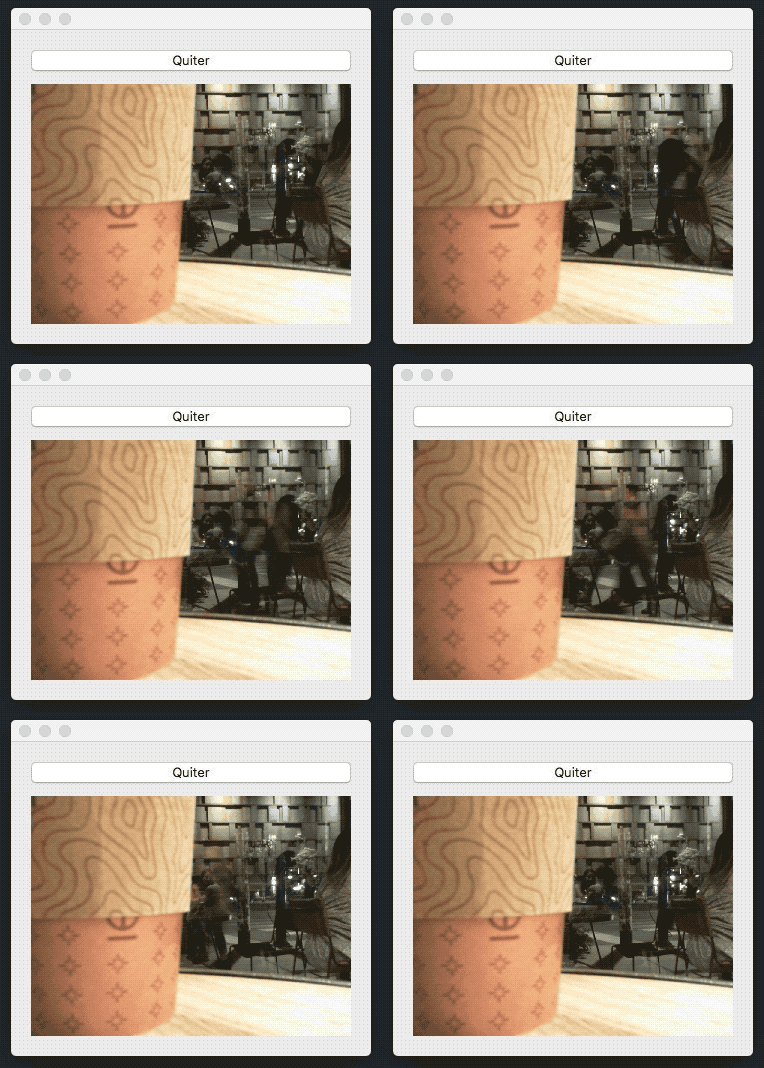
Method 3
Thank you Taimur Islam for the question.
Thank you eyllanesc for wonderful answering and I have modified your code little bit. I used PtQt=4 Python=2.7 and I didn’t use opencv
import sys
import numpy as np
import flycapture2 as fc2

from PyQt4.QtCore import (QThread, Qt, pyqtSignal)
from PyQt4.QtGui import (QPixmap, QImage, QApplication, QWidget, QLabel)

class Thread(QThread):
    changePixmap = pyqtSignal(QImage)

    def __init__(self, parent=None):
        QThread.__init__(self, parent=parent)
        self.cameraSettings()


    def run(self):
        while True:
            im = fc2.Image()
            self.c.retrieve_buffer(im)
            a = np.array(im)

            rawImage = QImage(a.data, a.shape[1], a.shape[0], QImage.Format_Indexed8)

            self.changePixmap.emit(rawImage)

    def cameraSettings(self):
        print(fc2.get_library_version())
        self.c = fc2.Context()
        numberCam = self.c.get_num_of_cameras()
        print(numberCam)
        self.c.connect(*self.c.get_camera_from_index(0))
        print(self.c.get_camera_info())
        m, f = self.c.get_video_mode_and_frame_rate()
        print(m, f)
        print(self.c.get_property_info(fc2.FRAME_RATE))
        p = self.c.get_property(fc2.FRAME_RATE)
        print(p)
        self.c.set_property(**p)
        self.c.start_capture()


class App(QWidget):
    def __init__(self):
            super(App,self).__init__()
            self.title = 'PyQt4 Video'
            self.left = 100
            self.top = 100
            self.width = 640
            self.height = 480
            self.initUI()

    def initUI(self):
            self.setWindowTitle(self.title)
            self.setGeometry(self.left, self.top, self.width, self.height)
            self.resize(800, 600)
            # create a label
            self.label = QLabel(self)
            self.label.move(0, 0)
            self.label.resize(640, 480)
            th = Thread(self)
            th.changePixmap.connect(lambda p: self.setPixMap(p))
            th.start()

    def setPixMap(self, p):
        p = QPixmap.fromImage(p)
        p = p.scaled(640, 480, Qt.KeepAspectRatio)
        self.label.setPixmap(p)


if __name__ == '__main__':
    app = QApplication(sys.argv)
    ex = App()
    ex.show()
    sys.exit(app.exec_())
All methods was sourced from stackoverflow.com or stackexchange.com, is licensed under cc by-sa 2.5, cc by-sa 3.0 and cc by-sa 4.0