I am trying to consume a Web API service from another ASP.NET classic project (actually it is a native JS and Html Web application).
How can I configure these these two separated projects to talk with each other, on VS2012?
The final result would be:
http://localhost:8080/api/products
will return a list of products (JSON) by routing to ProductsController located on the WebAPI project,
And
http://localhost:8080/index.html
will be routed to this page on the Second project – The native HTML/JS project.
How can I configure the logical to physical Directories in these two project?
Thanks!
Answers:
Thank you for visiting the Q&A section on Magenaut. Please note that all the answers may not help you solve the issue immediately. So please treat them as advisements. If you found the post helpful (or not), leave a comment & I’ll get back to you as soon as possible.
Method 1
As it turned out it’s pretty simple.
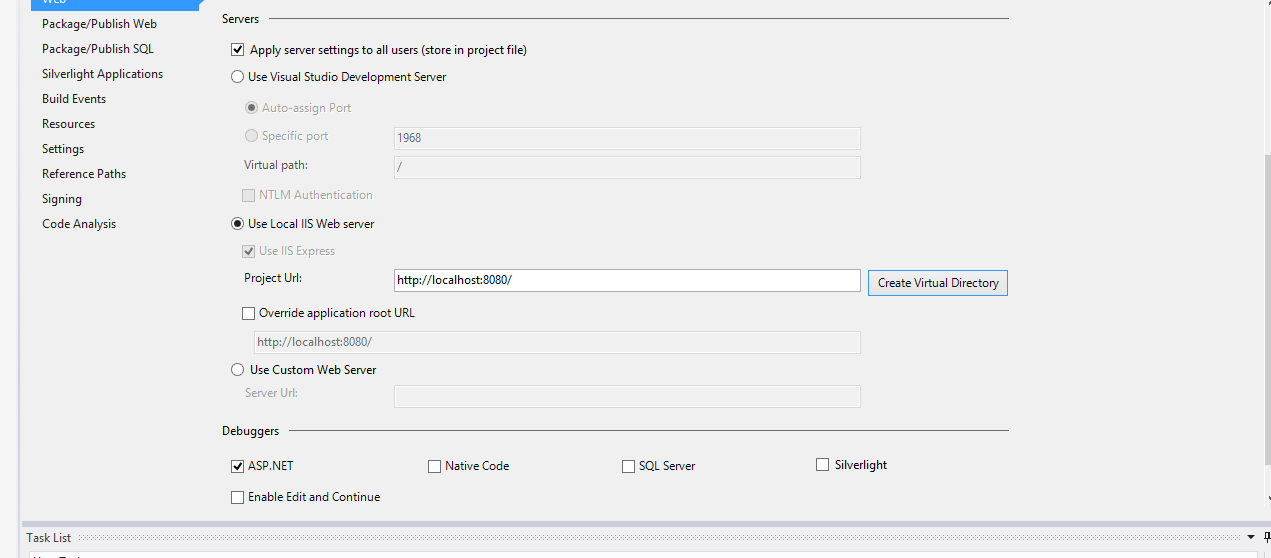
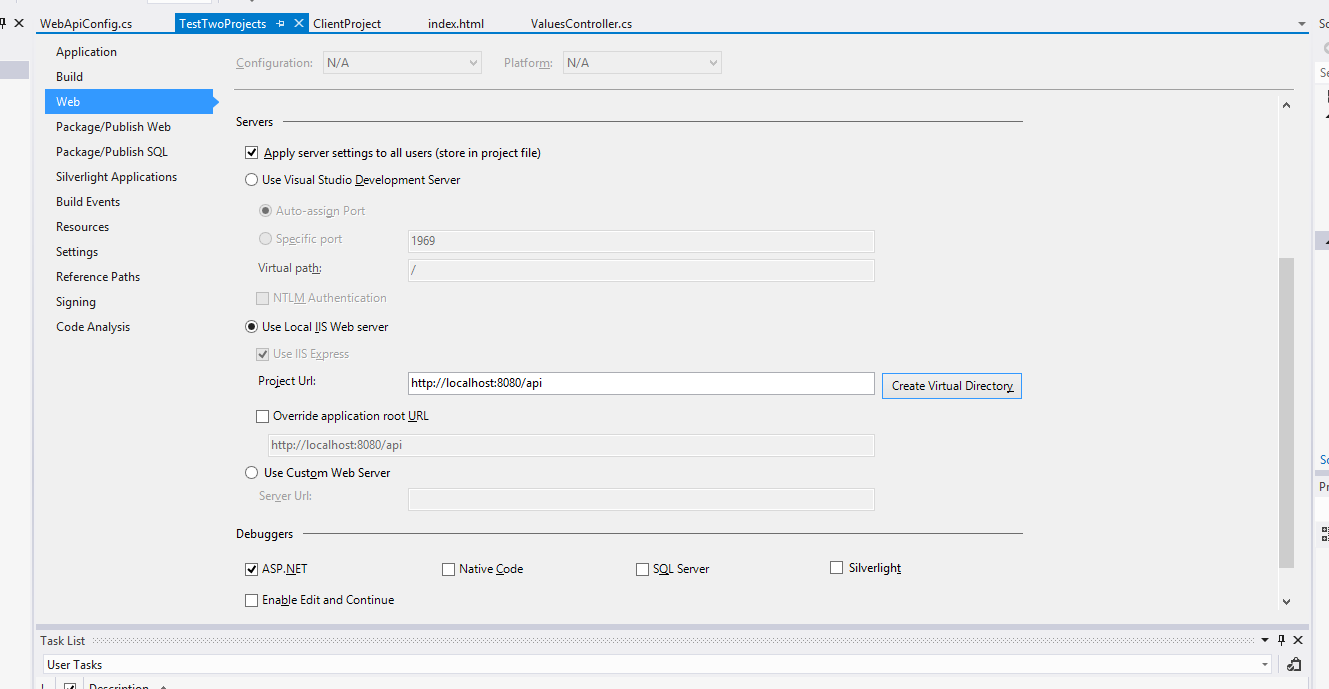
All I had to do is configure these both projects to share the same port on the local IIS:
So for the native JS/HTML (my second project) I use:
And the second project (WEB-API project):
That is it!
Now the js can consume the Web-Api!
Method 2
You just need a single project: ASP.NET Web API. I would put the index.html in the root and javascript files under scripts or js folder.
Normally static content such as js and html can be served directly by IIS in your ASP.NET Web API project. You need to make sure you add them to ignore rules in the startup:
RouteTable.Routes.IgnoreRoute("*.js");
RouteTable.Routes.IgnoreRoute("*.html");
All methods was sourced from stackoverflow.com or stackexchange.com, is licensed under cc by-sa 2.5, cc by-sa 3.0 and cc by-sa 4.0