First post on here.
I am a developer for the company I work for and we have a word press site that is public (we host it). For this query lets say the url is http://mywordpresssite
We have just copied the site internally to our DEV server so we can perform development on it. The mySQL database has been copied as well and if I browse to the internal URL I can view the page. Lets say the url is http://mywpsite.
The problem comes when I try to access the admin console on the dev site. On the public site I would use http://mywordpresssite/wp-login.php and this works fine. If I use http://mywpsite/wp-login.php I get the following web page.
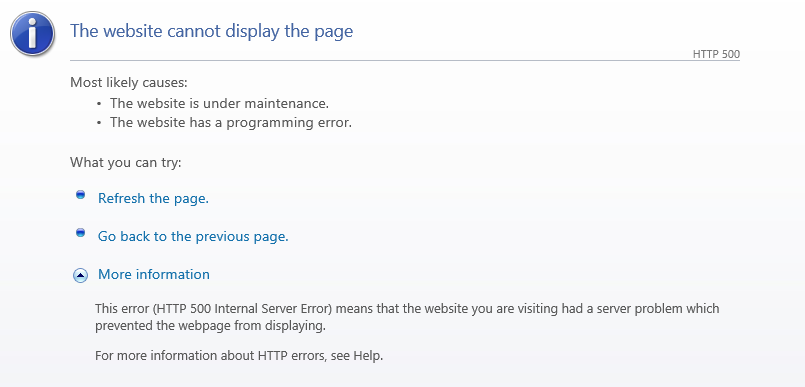
I am not that familiar with word press, does anyone have any tips on how to resolve this or where I should be looking to change files etc.
Thanks
UPDATE
I am still having an issue with this but I am a bit further through identifying the issue.
I enabled error logging on the site and when I try to navigate to the admin page the error log displays the following:
[04-Apr-2017 07:31:22 UTC] PHP Warning: Illegal string offset
‘remember’ in D:mywordpressstiewp-includesuser.php on line 39
[04-Apr-2017 07:31:22 UTC] PHP Warning: Cannot assign an empty string
to a string offset in D:mywordpressstiewp-includesuser.php on line
39 [04-Apr-2017 07:31:22 UTC] PHP Warning: Illegal string offset
‘user_login’ in D:mywordpressstiewp-includesuser.php on line 54
[04-Apr-2017 07:31:22 UTC] PHP Fatal error: Uncaught Error: Cannot
create references to/from string offsets in
D:mywordpressstiewp-includesuser.php:54 Stack trace:0 D:mywordpressstiewp-login.php(775): wp_signon(”, ”)
1 {main} thrown in D:mywordpressstiewp-includesuser.php on line 54
I have been googling it but my php/wordpress knowledge is limited. I found the following URL link to patch, bit no idea how to use this.
Can anyone help?
Answers:
Thank you for visiting the Q&A section on Magenaut. Please note that all the answers may not help you solve the issue immediately. So please treat them as advisements. If you found the post helpful (or not), leave a comment & I’ll get back to you as soon as possible.
Method 1
I fixed it!!! Woohoo.
Using this link – link to patch
I edited the line it advises and it works fine.
Method 2
There seems to be an issue with the WordPress version.
https://core.trac.wordpress.org/attachment/ticket/37071/fix-wp-login-error.patch
I fixed this by patching the wp-login.php file.
Line 793:
    - $user = wp_signon( '', $secure_cookie );
    + $user = wp_signon( array(), $secure_cookie );
Method 3
If you copy everything from the actual site, you probably need to check the following:
- Check wp-config.php to make sure that the host, database credential is consistent to the local database setup;
- Make sure the wordpress directories are belong to the correct owner. Try
sudo chown -R www-data:, replacewww-datawith whoever owner that have the access for web page; - Make sure the directories have the correct access permissions, you can find further information here
If you still have problem, edit your post and provide update.
Method 4
It seems that your site migration might have missed some steps. Since you mention that you are able to access the home page that means that you have changed the wp-config.php with your local db details.
Did you update the wp-options table ? The table contains two important rows which specify the site and home URL.
You can find more about Moving WordPress site : https://codex.wordpress.org/Moving_WordPress. You can cross check to see if you missed any steps while migrating.
If you are using a mac for your local dev site – you find detailed explanation : http://egalo.com/2012/05/15/clone-live-wordpress-to-local-env/
Also please check if you have copied live site’s .htaccess over to dev – they might contain some re-write rules – which will not work on dev. You might want to rename the file to see if it is the cause of this problem.
Method 5
I got this error after installing wordpress with composer 
Edited the user.php in plugin-wordpresswpwp-includesuser.php
Changed the following lines from
function wp_signon( $credentials = array(), $secure_cookie = '' ) {
}
to:
This solved the error and a wordpress login form entry shows up.
function wp_signon() {
     $credentials = array(); $secure_cookie = '' ;
}
All methods was sourced from stackoverflow.com or stackexchange.com, is licensed under cc by-sa 2.5, cc by-sa 3.0 and cc by-sa 4.0