Currently unable to install Pygame via pip:
pip install pygame
Getting this message:
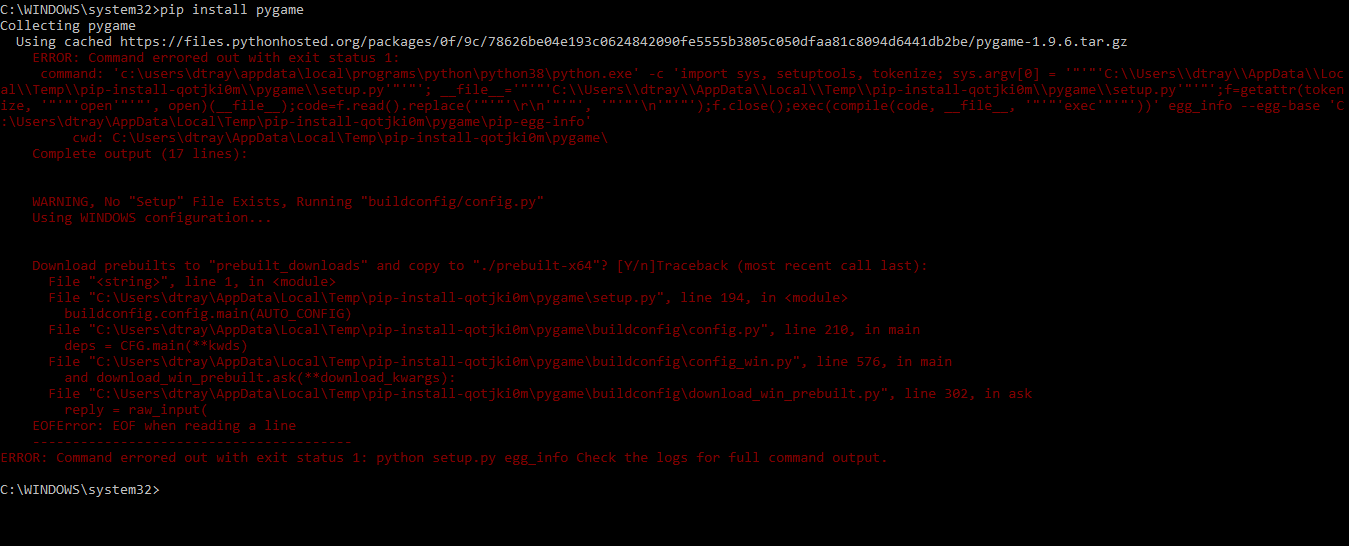
Concerned by it being termed an EOF error, is this an error in the module itself?
Answers:
Thank you for visiting the Q&A section on Magenaut. Please note that all the answers may not help you solve the issue immediately. So please treat them as advisements. If you found the post helpful (or not), leave a comment & I’ll get back to you as soon as possible.
Method 1
There’s dev versions available as of now. Get them via
pip install pygame==2.0.0.dev6
Method 2
Pygame is not compatible with Python 3.8 at the moment. I would recommend you to downgrade back to 3.7 and installing with pip there.
Method 3
pip is doesn’t have pygame up.
But there is a alternative that worked for me. https://www.pygame.org/wiki/CompileWindows
Read and follow the steps correctly and it should install.
you also need to update your code to pygame 2.0.0 code because it’s only for 3.8
BTW you have to follow the SDL2 instructions since pygame 2.0.0 uses that.
Method 4
the above commands worked for me today 3-15-20 with Python-3-8-0 on Linux Mint 19
to get IDLE to recognize pygame.
sudo pip3 install pygame==2.0.0.dev6
I also had to update pip first with
sudo pip3 install –upgrade pip
Method 5
Pygame requires visual studio C++ build tools to install. Ensure you have these downloaded from here.
Method 6
Open power shell window and make sure your internet is on
Then type the following command
pip install pygame
It will automatically download it for you and also install it
Again make sure your internet is on
I have python 3.8.2 and it worked on my pc
All methods was sourced from stackoverflow.com or stackexchange.com, is licensed under cc by-sa 2.5, cc by-sa 3.0 and cc by-sa 4.0