Imagine a razor page with a Form that have many inputs that user fills them.
with post method when it wants to validate the posted model like this :
public IActionResult OnPost()
{
     if (!ModelState.IsValid)
     {
        return Page(model);
     }
}
If for example 3 property of that model (with names : a,b,c) are not valid, it turns back to the razor view and shows the error (because of asp-validation-for for each property) like this :
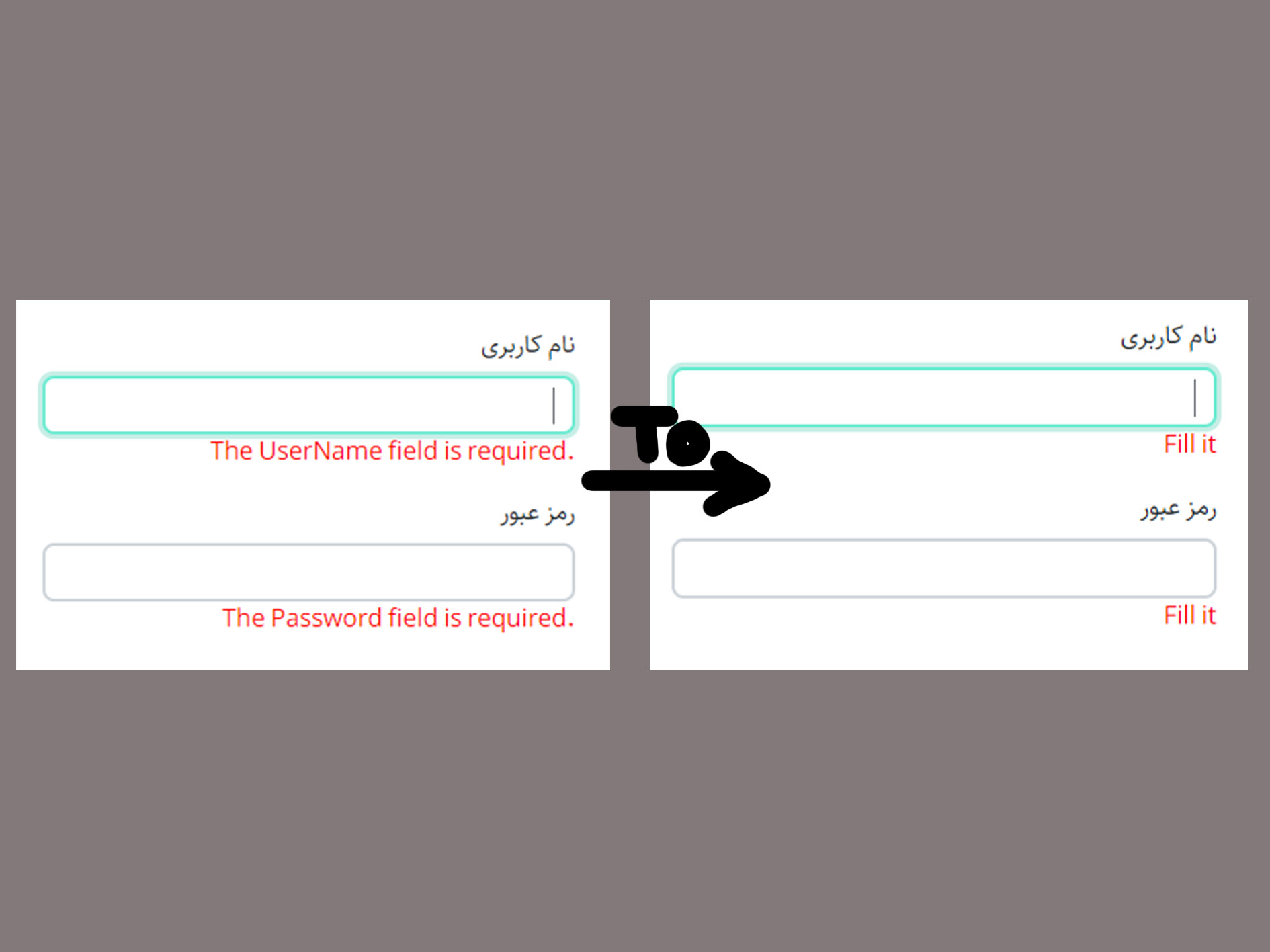
The a field is required.
The b field is not a valid e-mail address.
The c field is required.
I want to show a specific error for all of them like this :
This Input is not valid.
This Input is not valid.
This Input is not valid.
I know I can use (ErrorMessage ="") for each of them separately, but its not logical in big size! is there any way to show a specific massage for all of invalid ModelStates?
Edit:
For example before showing errors in View, change their error message like this :
@foreach (var error in modelStateErrors)
{
    error.text = "Fill it";
}
Answers:
Thank you for visiting the Q&A section on Magenaut. Please note that all the answers may not help you solve the issue immediately. So please treat them as advisements. If you found the post helpful (or not), leave a comment & I’ll get back to you as soon as possible.
Method 1
I created a solution with an extension method for ModelState.
It basically removes any errors from the state and adds them back with the desired message.
Create a ModelStateExtensions.cs in your namespace:
public static class ModelStateExtensions
{
    public static void SetAllErrorMessages(this ModelStateDictionary modelState, string errorMessage)
    {
        foreach (var state in modelState)
        {
            if (state.Value.Errors.Count > 0)
            {
                modelState.Remove(state.Key);
                modelState.AddModelError(state.Key, errorMessage);
            }
        }
    }
}
Then if your ModelState is invalid you can transform the message before returning the page:
public IActionResult OnPost()
{
     if (!ModelState.IsValid)
     {
        ModelState.SetAllErrorMessages("Your message here");
        return Page(model);
     }
}
Method 2
I know I can use ErrorMessage for each of them separately, but its not
logical! is there any short way to show a specific massage for all of
invalid ModelStates?
As for this issue, I think the easiest way to display the error message is using the ErrorMessage, If you want to display them at together, you could use the asp-validation-summary attribute, like this:
<div asp-validation-summary="All" class="text-danger"></div>
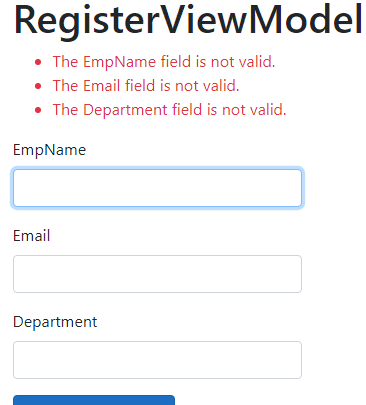
If you don’t want to use the above method, you could also get the invalid fields from the ModelState dictionary, then, re-generate the error message. code like this:
    public IActionResult OnPostAsync()
    {
        if (!ModelState.IsValid)
        {
            //get the new error message, you could also get all inValid fields.
            var messages = ModelState.Keys
                    .SelectMany(key => ModelState[key].Errors.Select(x => string.Format("The {0} is invalid", key)))
                    .ToList();
            ViewData["message"] = messages; //transfer the error message to the view

            return Page();
        }
         return  RedirectToPage("./Index");
      }
View code (display the error message(without using asp-validation-for and asp-validation-summary)):
        <div class="form-group">
            @if (ViewData["message"] != null)
            {
                foreach (var item in (List<string>)ViewData["message"])
                {
                    <span class="text-danger">@item</span><br/>
                }
            }
            <div id="debug">

            </div>
        </div>
The output as below:
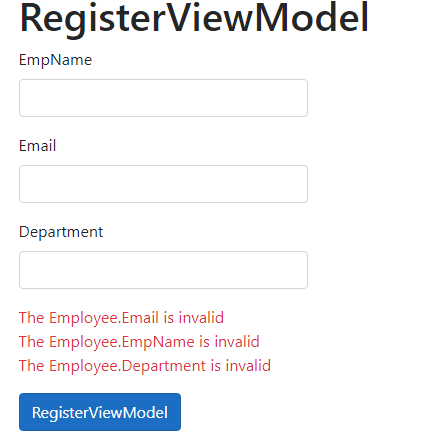
[Note] The above method is the server side validation. If you want to achieve the same behavior using Client validation, you have to get the client side validation result using JavaScript, and then generate the new error message.
So, in my opinion, I suggest you could try to use the first method (using Error Message and asp-validation-summary) to display the error message, and by using the Error Message for each of properties separators, user could easier to understand the validation rules.
Method 3
If you don’t want to make changes to each and every Razor Page, you can use a Page Filter to clear and rename the error messages automatically.
Here’s an example Page Filter:
public class ModelStatePageFilter : IPageFilter
{
    public void OnPageHandlerExecuted(PageHandlerExecutedContext ctx) { }

    public void OnPageHandlerExecuting(PageHandlerExecutingContext ctx)
    {
        foreach (var (k, v) in ctx.ModelState
            .Where(x => x.Value.ValidationState == ModelValidationState.Invalid))
        {
            v.Errors.Clear();
            v.Errors.Add("This Input is not valid.");
        }
    }

    public void OnPageHandlerSelected(PageHandlerSelectedContext ctx) { }
}
You’ll need to register this Page Filter in Startup.ConfigureServices. Here’s an example of how to do that:
services.AddRazorPages()
    .AddMvcOptions(o => o.Filters.Add(new ModelStatePageFilter()));
Method 4
You can use the Validation Summary (see : https://docs.microsoft.com/en-us/aspnet/core/mvc/views/working-with-forms?view=aspnetcore-3.1#the-validation-tag-helpers).
@model RegisterViewModel

<form asp-controller="Demo" asp-action="RegisterValidation" method="post">
    <div asp-validation-summary="ModelOnly"></div>
    Email:  <input asp-for="Email" /> <br />
    <span asp-validation-for="Email"></span><br />
    Password: <input asp-for="Password" /><br />
    <span asp-validation-for="Password"></span><br />
    <button type="submit">Register</button>
</form>
If you want to change the displayed error message, you can do it in your ViewModel:
[Required(ErrorMessage = "This Input is invalid")]
public string Email { get; set; }

[Required(ErrorMessage = "This Input is invalid")]
public string Password{ get; set; }
All methods was sourced from stackoverflow.com or stackexchange.com, is licensed under cc by-sa 2.5, cc by-sa 3.0 and cc by-sa 4.0