I saw on another question that I could use Counter() to count the number of occurrences in a set of strings. So if I have ['A','B','A','C','A','A'] I get Counter({'A':3,'B':1,'C':1}). But now, how can I use that information to build a histogram for example?
Answers:
Thank you for visiting the Q&A section on Magenaut. Please note that all the answers may not help you solve the issue immediately. So please treat them as advisements. If you found the post helpful (or not), leave a comment & I’ll get back to you as soon as possible.
Method 1
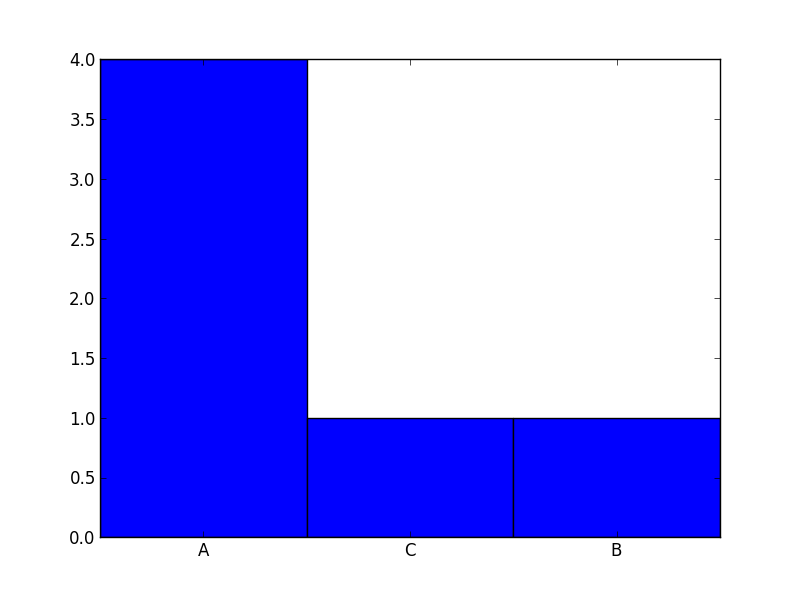
For your data it is probably better to use a barchart instead of a histogram. Check out this code:
from collections import Counter
import numpy as np
import matplotlib.pyplot as plt


labels, values = zip(*Counter(['A','B','A','C','A','A']).items())

indexes = np.arange(len(labels))
width = 1

plt.bar(indexes, values, width)
plt.xticks(indexes + width * 0.5, labels)
plt.show()
Result:
Method 2
You can write some really concise code to do this using pandas:
    import numpy as np

    from pandas import Series

    sample = np.random.choice(['a', 'b'], size=10)

    s = Series(sample)

    In [29]: s
    Out[29]:
    0    a
    1    b
    2    b
    3    b
    4    a
    5    b
    6    b
    7    b
    8    b
    9    a
    dtype: object

    vc = s.value_counts()

    In [31]: vc
    Out[31]:
    b    7
    a    3
    dtype: int64

    vc = vc.sort_index()

    In [33]: vc
    Out[33]:
    a    3
    b    7
    dtype: int64

    c.plot(kind='bar')
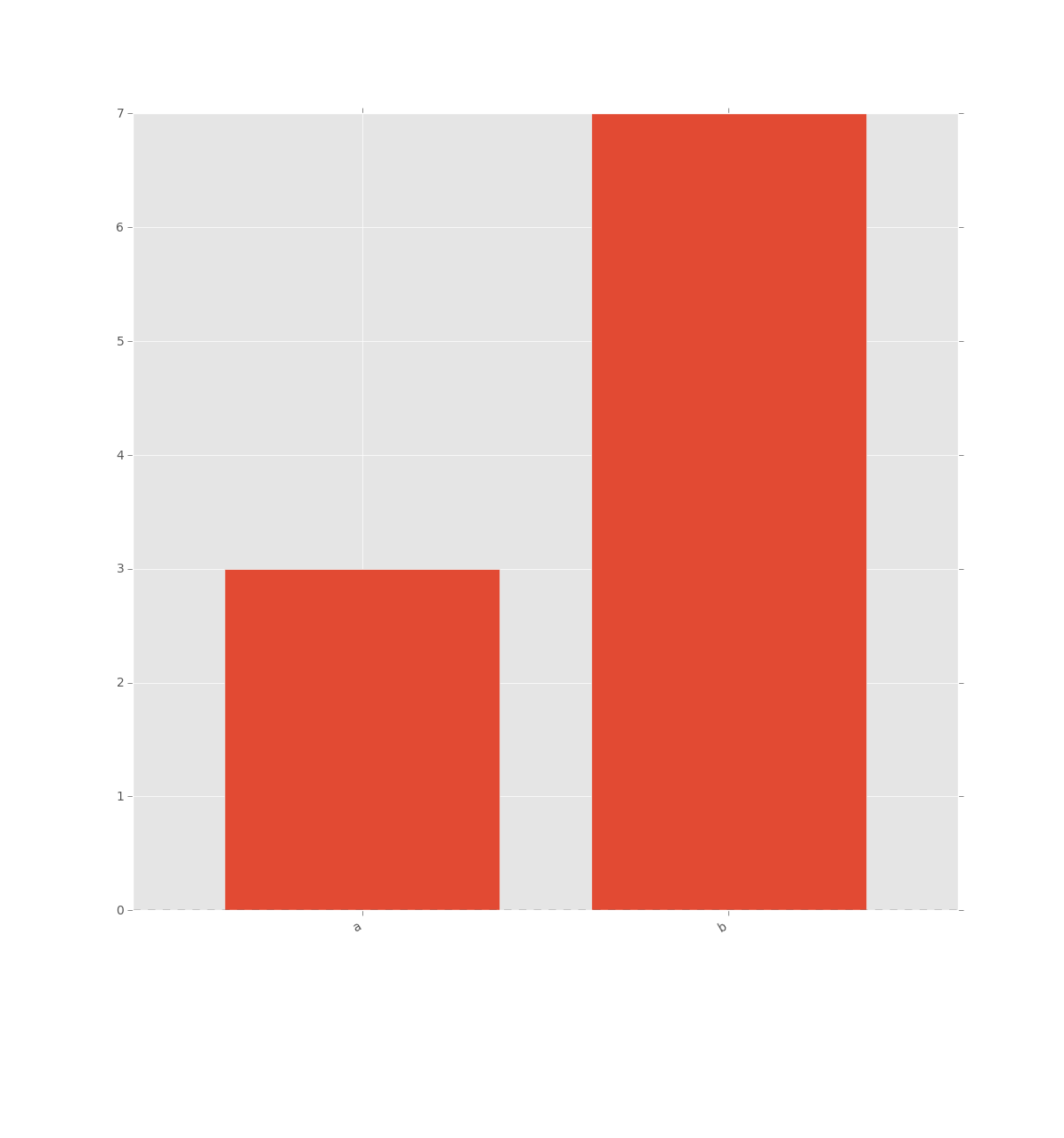
Resulting in:
Method 3
Based on Igonato’s answer I created a helper module ‘plot’ with a class ‘Plot’.
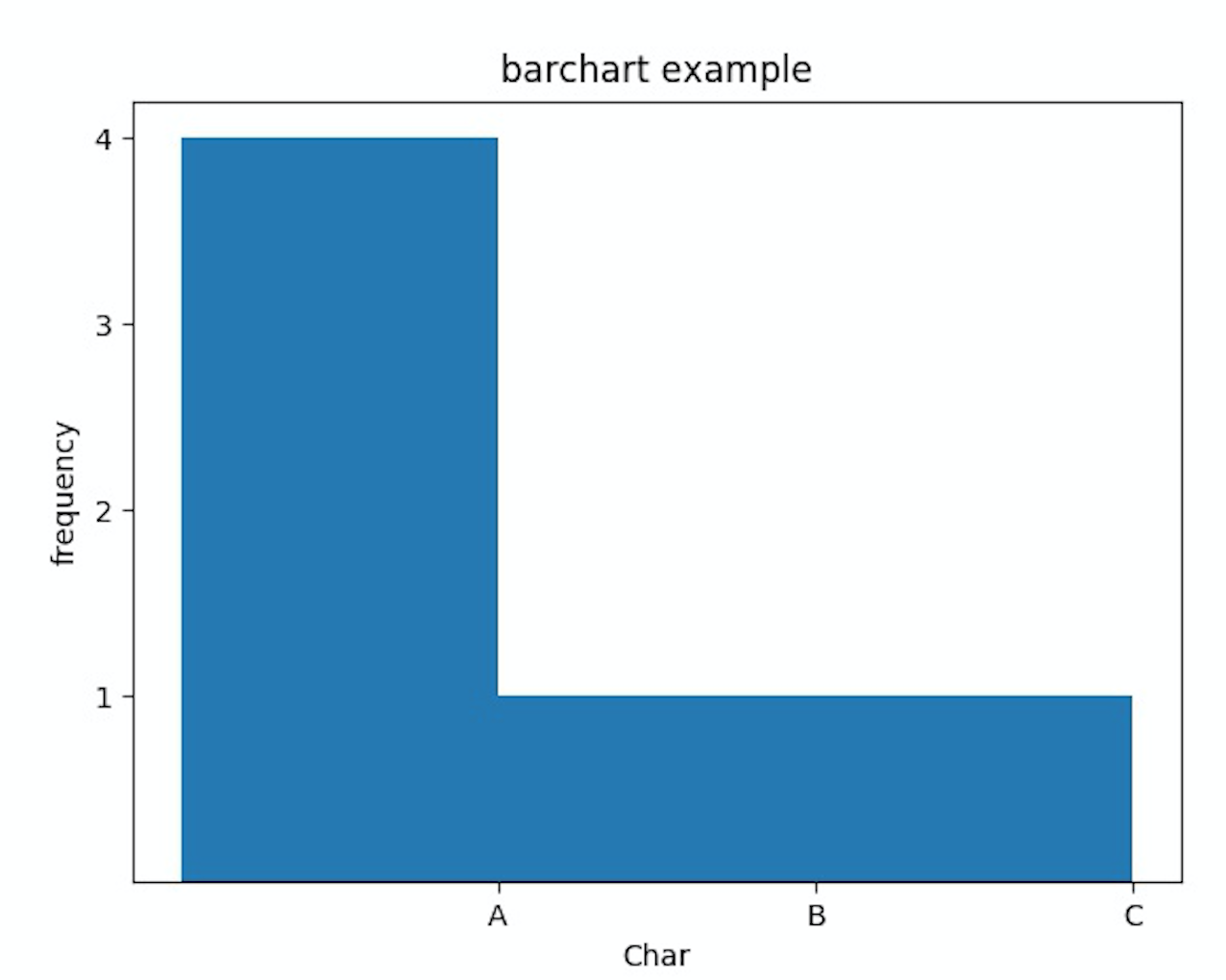
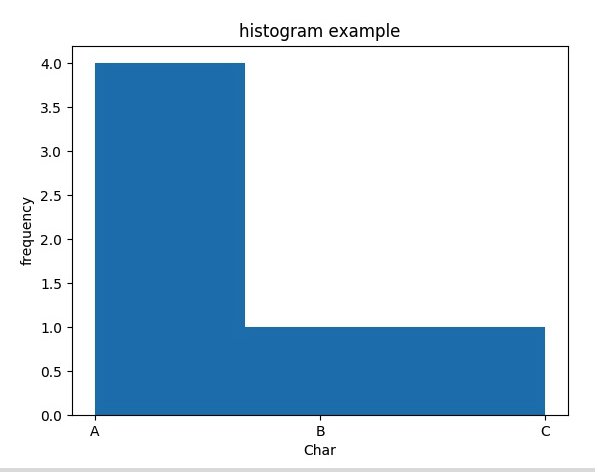
It has two functions hist() and barchart() two show Igonato’s approach as well as using the matplotlib hist functionality directly as might haven been originally intended in the question.
The approach allows adding a title and lables with a given fontsize and displays the y-axis with a tick frequency of 1. You can also change the mode so that it will save the chart with the given title. There are close and debug options for convenience.
python unit test test_Plot.py
'''
Created on 2020-07-05

@author: wf
'''
import unittest


from ptp.plot import Plot

class TestPlot(unittest.TestCase):


    def setUp(self):
        pass


    def tearDown(self):
        pass


    def testPlot(self):
        ''' test a plot based on a Counter '''
        valueList=['A','B','A','C','A','A'];
        plot=Plot(valueList,"barchart example",xlabel="Char",ylabel="frequency")
        plot.barchart(mode='save')
        plot.title="histogram example"
        plot.debug=True
        plot.hist(mode='save')
        pass


if __name__ == "__main__":
    #import sys;sys.argv = ['', 'Test.testName']
    unittest.main()
Results:
debug output:
   value  list:  ['A', 'B', 'A', 'C', 'A', 'A']
counter  items:  dict_items([('A', 4), ('B', 1), ('C', 1)])
counter values:  dict_values([4, 1, 1])
counter   keys:  dict_keys(['A', 'B', 'C'])
plot.py
    '''
Created on 2020-07-05

@author: wf
'''
import matplotlib.pyplot as plt
from collections import Counter
import numpy as np
import os

class Plot(object):
    '''
    create Plot based on counters
    see https://stackoverflow.com/questions/19198920/using-counter-in-python-to-build-histogram
    '''
    def __init__(self, valueList,title,xlabel=None,ylabel=None,fontsize=12,plotdir=None,debug=False):
        '''
        Constructor
        '''
        self.counter=Counter(valueList)
        self.valueList=valueList
        self.title=title
        self.xlabel=xlabel
        self.ylabel=ylabel
        self.fontsize=fontsize
        self.debug=debug
        path=os.path.dirname(__file__)
        if plotdir is not None:
            self.plotdir=plotdir
        else:
            self.plotdir=path+"/../plots/"
            os.makedirs(self.plotdir,exist_ok=True)

    def titleMe(self):
        plt.title(self.title, fontsize=self.fontsize)
        if self.xlabel is not None:
            plt.xlabel(self.xlabel)
        if self.ylabel is not None:
            plt.ylabel(self.ylabel)

    def showMe(self,mode='show',close=True):
        ''' show me in the given mode '''
        if mode=="show":
            plt.show()
        else:
            plt.savefig(self.plotdir+self.title+".jpg")
        if close:
            plt.close()

    def barchart(self,mode='show'):
        ''' barchart based histogram for the given counter '''
        labels, values = zip(*self.counter.items())
        indexes = np.arange(len(labels))
        width = 1
        self.titleMe()
        plt.bar(indexes, values, width)
        plt.xticks(indexes + width * 0.5, labels)
        plt.yticks(np.arange(1,max(values)+1,step=1))
        self.showMe(mode)

    def showDebug(self):
        print("   value  list: ",self.valueList)
        print("counter  items: ",self.counter.items())
        print("counter values: ",self.counter.values())
        print("counter   keys: ",self.counter.keys())

    def hist(self,mode="show"):
        ''' create histogram for the given counter '''
        if self.debug:
            self.showDebug()
        self.titleMe()
        # see https://stackoverflow.com/a/2162045/1497139
        plt.hist(self.valueList,bins=len(self.counter.keys()))
        self.showMe(mode)
        pass
Method 4
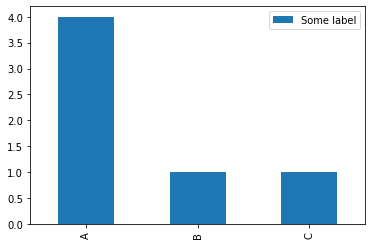
I would like to point an almost one-liner alternative: Convert to Dataframe and plot…
from collections import Counter
import numpy as np
import pandas as pd

df = pd.DataFrame.from_dict(Counter(['A','B','A','C','A','A']), orient='index', columns=['Some label'])
df.plot.bar()
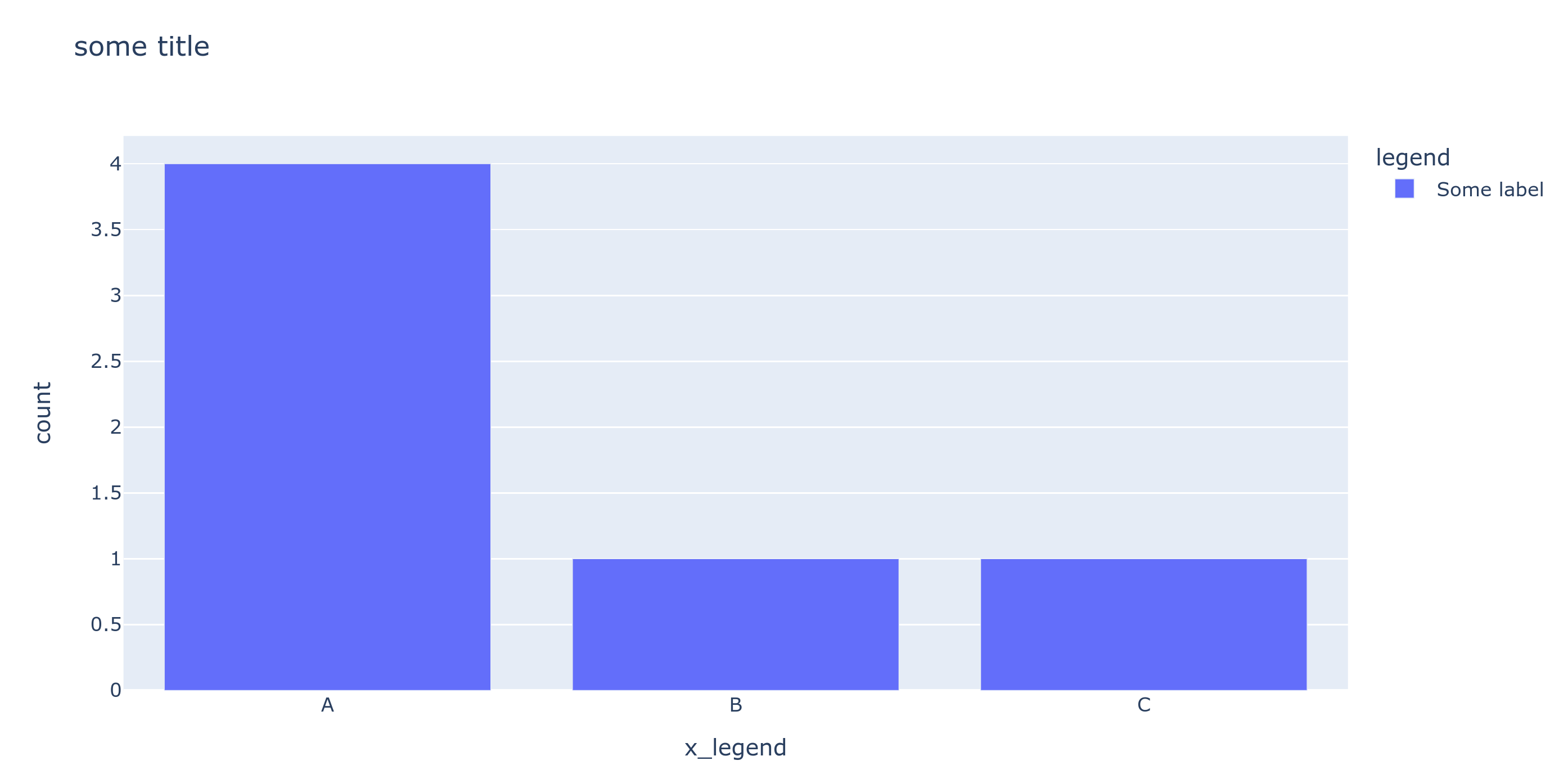
We can further use plotly the same way:
px.bar(df,title='some title',labels={'value':'count','index':'x_legend','variable':'legend'})
Method 5
If it’s not convenient to use external packages like numpy, matplotlib, and pandas, you could build a quick-and-dirty ascii bar chart (or really a unit chart) for data in a Counter object with something like the following:
data = ['A','B','A','C','A','A']
for category, count in sorted(Counter(data).items()):
    print(f"{category} ┤{''.join(['*'] * count)}")
output:
A ┤****
B ┤*
C ┤*
All methods was sourced from stackoverflow.com or stackexchange.com, is licensed under cc by-sa 2.5, cc by-sa 3.0 and cc by-sa 4.0