Currently, I created a ASP.NET Core Web app using VS2019, came across that ‘Add Areas’ option is missing from Context menu.
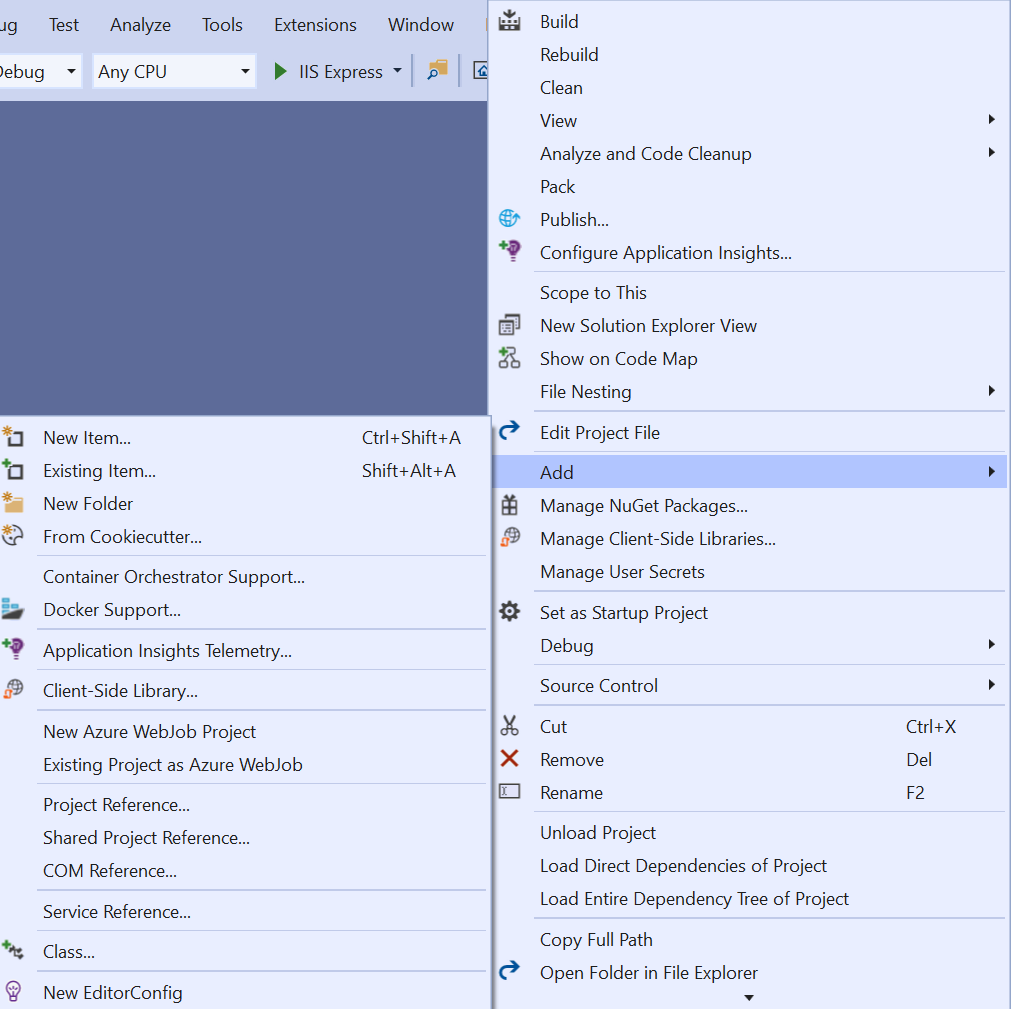
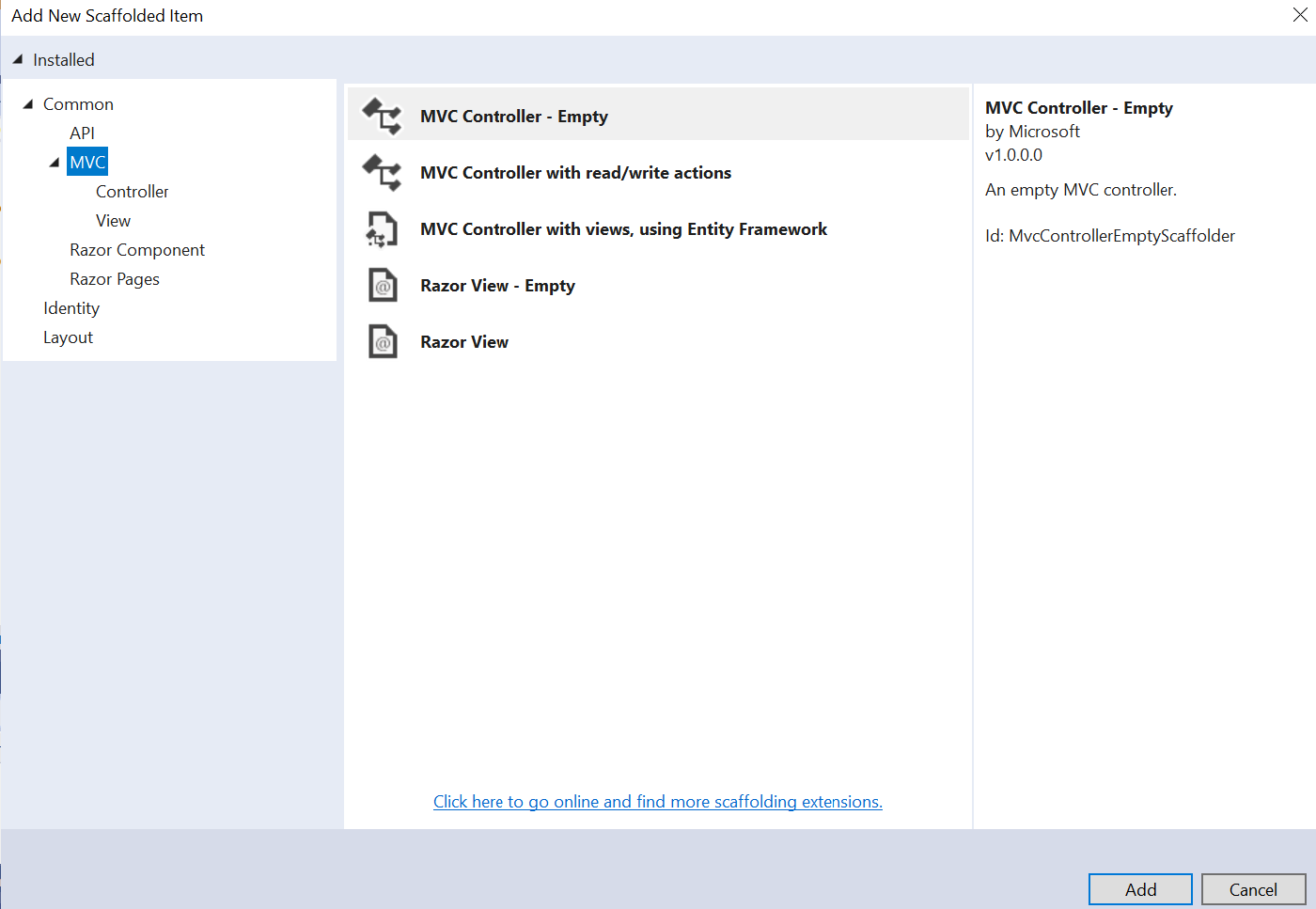
I tried this solution and Add New Scaffolded Item but there is no MVC Area option in below window:
Answers:
Thank you for visiting the Q&A section on Magenaut. Please note that all the answers may not help you solve the issue immediately. So please treat them as advisements. If you found the post helpful (or not), leave a comment & I’ll get back to you as soon as possible.
Method 1
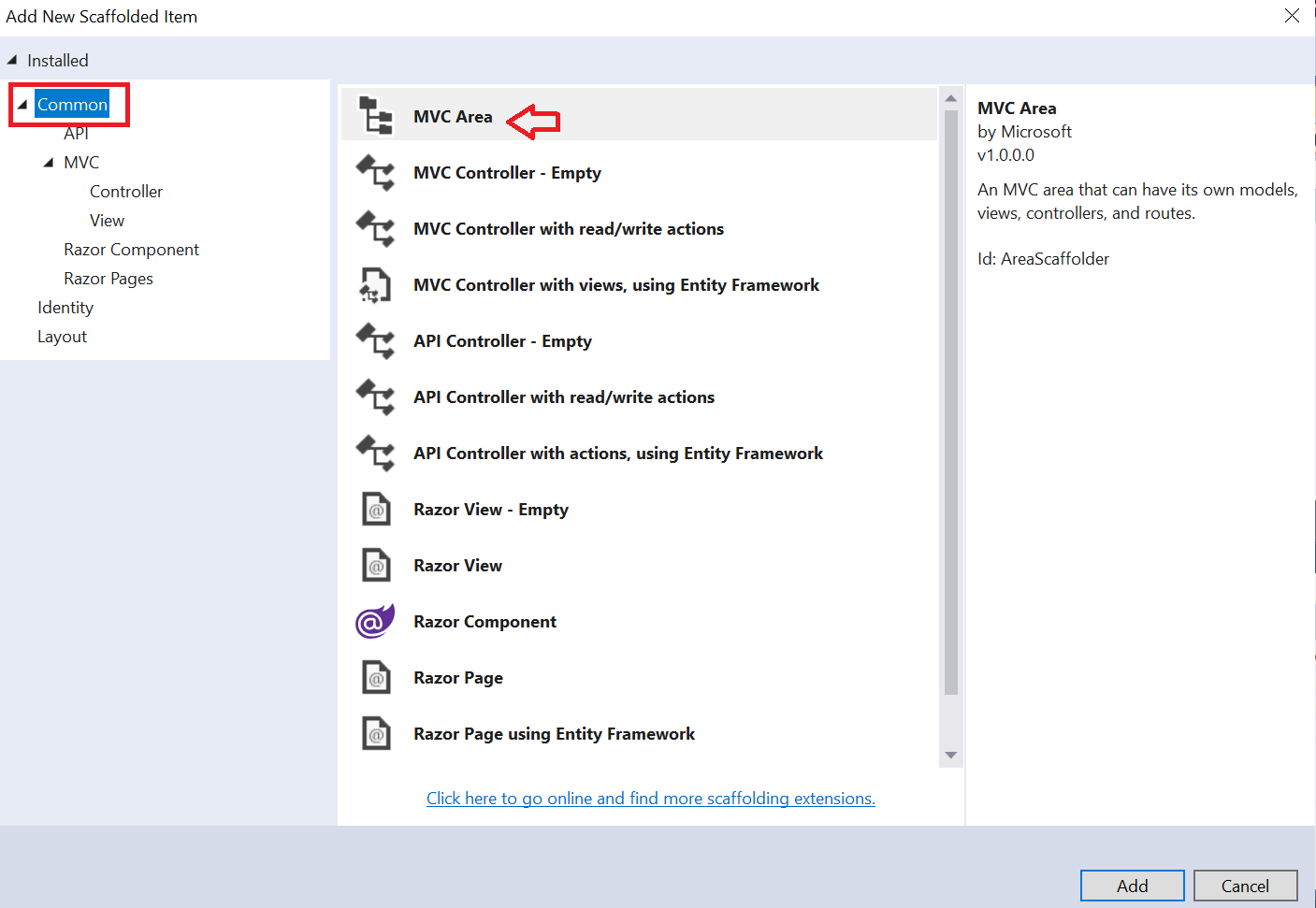
Apparently this option has not been deleted and has only been moved to the Common section
Method 2
Just right click on the project name and add a New Folder named Areas. Be sure that the name is exactly Areas. After that, you can right click on area Folder and add a new area.
Good luck
Method 3
To add a new Area, Right Click on application name from solution explorer -> Select Add -> Select New Scaffolded Item -> select MVC Area from middle pane of dialog box -> Enter Name -> Click Ok.
All methods was sourced from stackoverflow.com or stackexchange.com, is licensed under cc by-sa 2.5, cc by-sa 3.0 and cc by-sa 4.0