I’m using Angular 6+ for a small website presenting a CRUD to a SQL Database. I know Angular is a client-side framework so I have created a web service using Visual Studio 2017 the project I used is a web application ASP.NET Core and since I’m testing it in a localhost, Angular runs over 4200 port and my service is currently on port 53819
Due this, I have (or at last try) enabling Cross-Origin Resource Sharing (CORS) by installing the CORS NUGget Package on my webservice and enabling it at controller level as shown:
...
namespace CIE_webservice.Controllers
    {
        [Produces("application/json")]
        [Route("api/CIE")]
        [EnableCors(origins: "http://localhost:4200/", headers: "*", methods: "*")]
        public class CIEController : Controller
        {
            [HttpGet]
            public IEnumerable<string> Get()
            {
                return new string[] { "value1", "value2" };
            }
...
on my Angular App I’m using a simple ajax request as follows:
$.ajax({
      url: 'http://localhost:53819/api/CIE/',
      success: function() {  console.log(" OK "); },
      error: function() {  console.log(" Error "); }
  });
As far as I can get the tutorials my code is OK but still getting the error:
Failed to load http://localhost:53819/api/CIE/: No 'Access-Control-Allow-Origin' header is present on the requested resource. Origin 'http://localhost:4200' is therefore not allowed access.
Even tho the Ajax request has a response 200 OK and the preview shows me the response json:
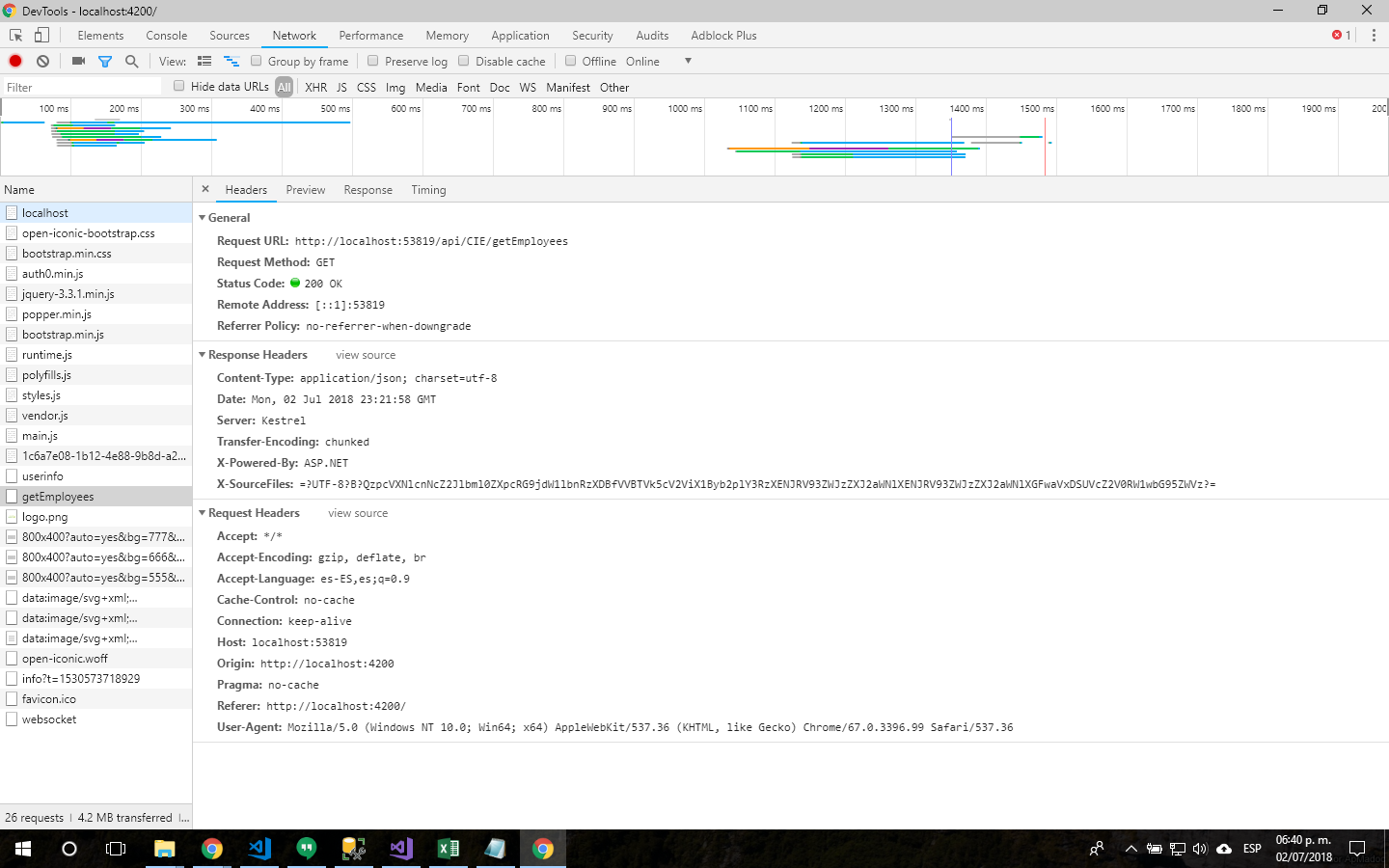
Maybe I missed something or I’m not getting the concept well… If need more info to resolve my case feel free to ask.
Thanks in advance.
Answers:
Thank you for visiting the Q&A section on Magenaut. Please note that all the answers may not help you solve the issue immediately. So please treat them as advisements. If you found the post helpful (or not), leave a comment & I’ll get back to you as soon as possible.
Method 1
I have similar working in a hobby project, so I can show you what I did to get it working…
I did this in my Startup.cs
app.UseCors(options => options.WithOrigins(Configuration["trustedCors"].Split(' ')).AllowAnyMethod().AllowAnyHeader());
with this in my config file …
“trustedCors”: “http://localhost:60000 https://localhost:60000 http://glendesktop:60000 https://glendesktop:60000“
I also remember from my testing that case in important for CORS.
Method 2
Based on Glen’s answer and this “tutorial” I have managed to get the thing working.
On my Startup.cs file
...
public void ConfigureServices(IServiceCollection services) {
  services.AddCors();       /* <----- Added this line before de MVC */
  services.AddMvc();
}
...
public void Configure(IApplicationBuilder app, IHostingEnvironment env) {
  if (env.IsDevelopment()) {
    app.UseDeveloperExceptionPage();
  }
  app.UseCors(builder => builder.WithOrigins("http://localhost:4200")); /* <----- Added this line before de MVC */
  app.UseMvc();
}
And in my controller file CIEController.cs
...
namespace CIE_webservice.Controllers {
  [Produces("application/json")]
  [Route("api/CIE")]
  [EnableCors(origins: "http://localhost:4200/", headers: "*", methods: "*")] /* <--- This line remains here or can be added at the action level*/
  public class CIEController : Controller {
    [HttpGet]
    public IEnumerable<string> Get() {
      return new string[] { "value1", "value2" };
    }
...
All methods was sourced from stackoverflow.com or stackexchange.com, is licensed under cc by-sa 2.5, cc by-sa 3.0 and cc by-sa 4.0