If i use Response.Cookies["test"].Value ="Hi"; where are cookie stored in system?
Can i check Cookies["test"] value in my pc because cookies are stored in text format.
I am using VS 2008. Operating system is Windows 7.
I have tried to find in Google but not getting the exact answer. Please help to sort out this problem.
Answers:
Thank you for visiting the Q&A section on Magenaut. Please note that all the answers may not help you solve the issue immediately. So please treat them as advisements. If you found the post helpful (or not), leave a comment & I’ll get back to you as soon as possible.
Method 1
IE and Windows keeps cookies here:
%AppData%MicrosoftWindowsCookies
Points to the same directory as @Sohnee’s does under Windows Visa and newer, but his doesn’t under Windows XP and earlier, my – does.
also Temporary Internet Files can contain some cookies.
Meanwhile Firefox keeps cookies into SQLite database under profile root:
%AppData%MozillaFirefoxProfiles%FirefoxProfile%cookies.sqlite
To read the data you need to connect to that database using any SQLite client and execute next query:
select value
from moz_cookies
where name = 'test'
I did it just now using trial SQLite Maestro. And don’t forget to close all running Firefoxes before connection attempt.
Method 2
Cookies are stored in the cookies folder on Windows 7. To open the cookies folder, open run in Windows and type shell:cookies. Also, as suggested above, they might be in Temporary internet files. However, I see that your cookies are not persistent. This means you are not setting any expiration on them. Therefore, they won’t be stored on your machine and they will only be part of the browser’s memory.
Method 3
C:Users<user_name>AppDataLocalGoogleChromeUser DataDefault
Also note, “Local” is a hidden folder.
Method 4
For Windows :
C:UsersYour User NameAppDataLocalGoogleChromeUser
DataDefault.
For Mac:
~Library/Application Support/Google/Chrome/Default/Cookies
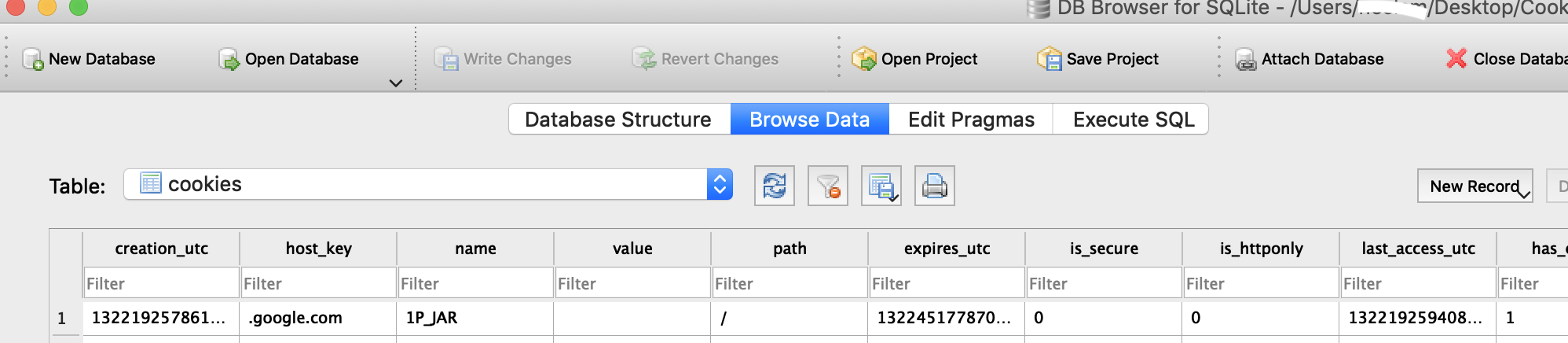
You can use SQLite Browser for access it .
Method 5
Your cookies are stored in your user folder:
%userprofile%AppDataRoamingMicrosoftWindowsCookies
You will need to “show” hidden / system files to see them.
Method 6
On Windows 10, I press Win+R and type shell:Cookies to open the cookies folder.
it’s a hidden folder, the path is
C:UsersadminAppDataLocalMicrosoftWindowsINetCookies
All methods was sourced from stackoverflow.com or stackexchange.com, is licensed under cc by-sa 2.5, cc by-sa 3.0 and cc by-sa 4.0