In ZedGraph, how do I show text labels for each point and in the XAxis all together?
If I do
myPane.XAxis.Type = AxisType.Text;
myPane.XAxis.Scale.TextLabels = array_of_string;
I get labels on the XAxis like this
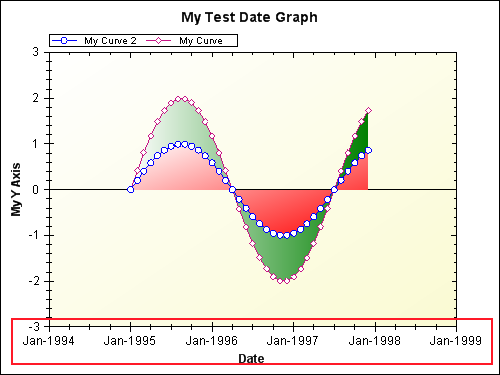
And if I do
for (int i = 0; i < myCurve.Points.Count; i++)
{
    PointPair pt = myCurve.Points[i];
    // Create a text label from the Y data value
    TextObj text = new TextObj(
        pt.Y.ToString("f0"), pt.X, pt.Y + 0.1,
        CoordType.AxisXYScale, AlignH.Left, AlignV.Center);
    text.ZOrder = ZOrder.A_InFront;
    text.FontSpec.Angle = 0;
    myPane.GraphObjList.Add(text);
}
I get labels on the curve, like this
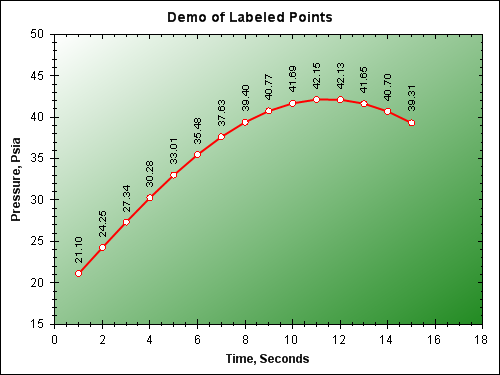
But if I do both at the same time, labels on the curve disappear.
Is there a way to combine both kind of labels?
Answers:
Thank you for visiting the Q&A section on Magenaut. Please note that all the answers may not help you solve the issue immediately. So please treat them as advisements. If you found the post helpful (or not), leave a comment & I’ll get back to you as soon as possible.
Method 1
I’ve changed my answer after you clarified the question.
You just have to remember to position the labels correctly:
<%
  System.Collections.Generic.List<ZedGraphWebPointPair> points = new System.Collections.Generic.List<ZedGraphWebPointPair>();
  for (int i = 0; i < 15; i++)
  {
    // Let's have some fun with maths
    points.Add(new ZedGraphWebPointPair
    {
      X = i,
      Y = Math.Pow(i - 10, 2) * -1 + 120
    });
  }

  System.Collections.Generic.List<string> XAxisLabels = new System.Collections.Generic.List<string>();

  TestGraph.CurveList.Add(new ZedGraphWebLineItem { Color = System.Drawing.Color.Red });
  TestGraph.XAxis.Scale.FontSpec.Size = 9;

  int j = 1;
  foreach (ZedGraphWebPointPair point in points)
  {
    // Add the points we calculated
    TestGraph.CurveList[0].Points.Add(point);

    // Add the labels for the points
    TestGraph.GraphObjList.Add(new ZedGraphWebTextObj
    {
      Location =
      {
        CoordinateFrame = ZedGraph.CoordType.XChartFractionYScale,
        // Make sure we position them according to the CoordinateFrame
        X = Convert.ToSingle(j) / points.Count - 0.05f,
        Y = Convert.ToSingle(point.Y) + 3f,
        AlignV = ZedGraph.AlignV.Top
      },
      Text = point.Y.ToString(),
      FontSpec = { Angle = 90, Size = 9, Border = { IsVisible = false } }
    });

    // Add the labels for the XAxis
    XAxisLabels.Add(String.Format("P{0}", j));

    j++;
  }

  TestGraph.RenderGraph += delegate(ZedGraphWeb zgw, System.Drawing.Graphics g, ZedGraph.MasterPane mp)
  {
    ZedGraph.GraphPane gp = mp[0];
    gp.XAxis.Type = ZedGraph.AxisType.Text;
    gp.XAxis.Scale.TextLabels = XAxisLabels.ToArray();
  };

%>
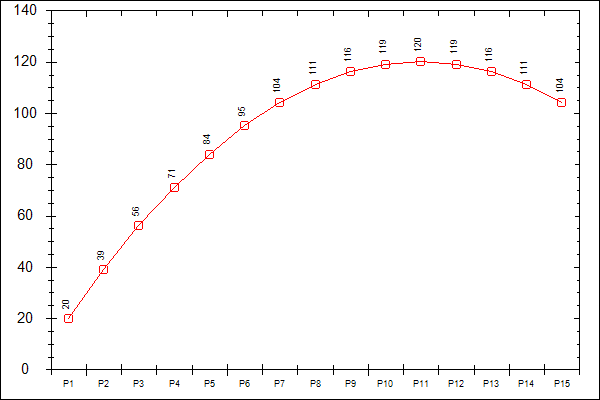
That code will produce this graph:
Method 2
If the axis type is text, the code below is easier to get x-coordinates of the points 😉
for (int tPoint = 0; tPoint < curve.Points.Count; tPoint++)
{
    TextObj text = new TextObj(curve.Points[tPoint].Y.ToString(), curve.Points[tPoint].X, curve.Points[tPoint].Y + 10);
}
All methods was sourced from stackoverflow.com or stackexchange.com, is licensed under cc by-sa 2.5, cc by-sa 3.0 and cc by-sa 4.0