Is there a utility that allows to graphically display the current keyboard layout?
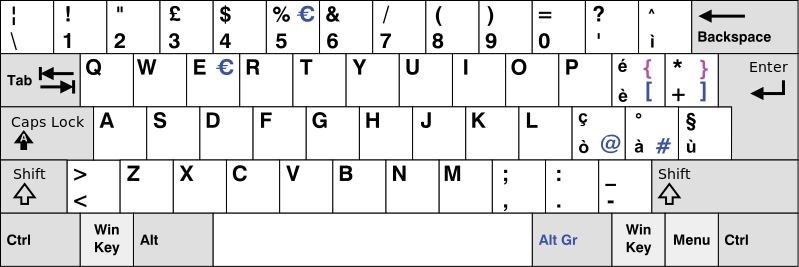
This can be useful, for example, when writing in a foreign language and having the physical keyboard only indicating the local language (positioning of symbols, etc.). I would like to get a display similar to the following:
Answers:
Thank you for visiting the Q&A section on Magenaut. Please note that all the answers may not help you solve the issue immediately. So please treat them as advisements. If you found the post helpful (or not), leave a comment & I’ll get back to you as soon as possible.
Method 1
From the command line: gkbd-keyboard-display -l <layout>.
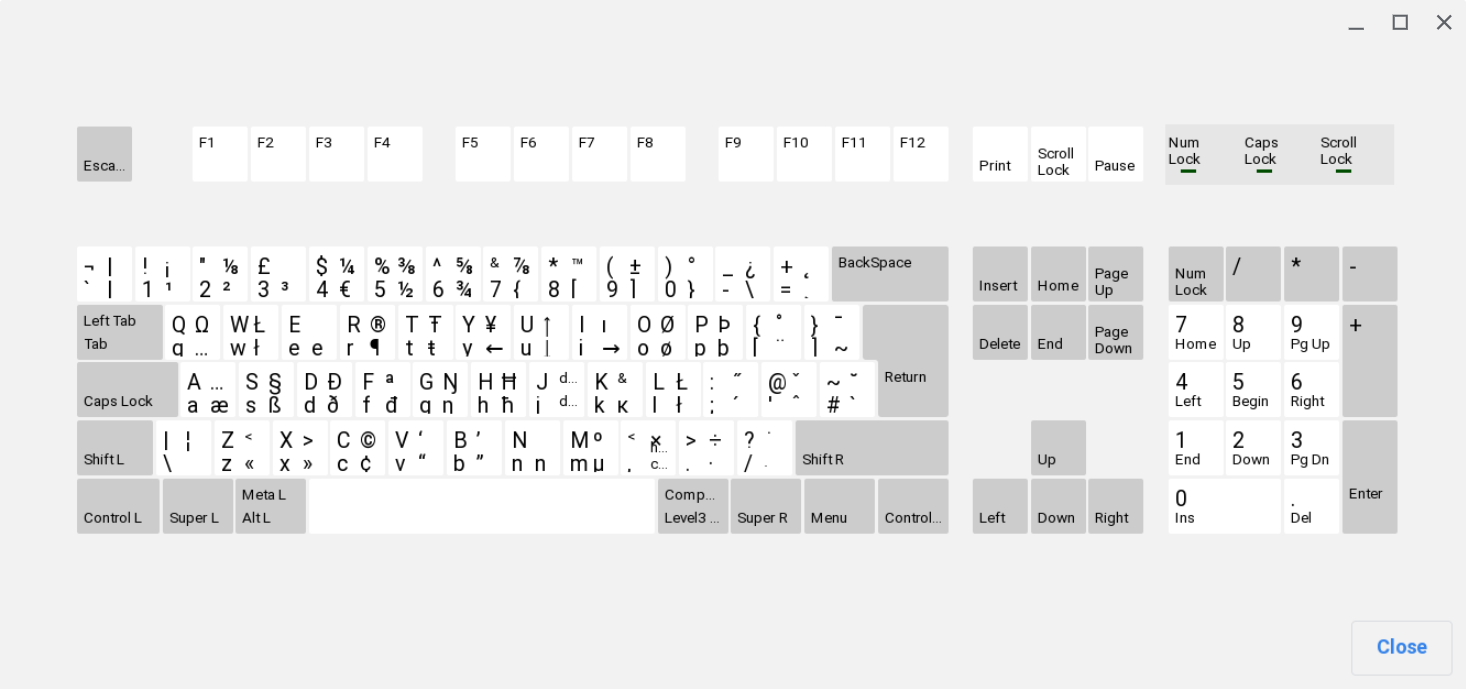
To see what your installed keyboards are (for example to find the layout code to use in the command above) use setxkbmap -query.
Method 2
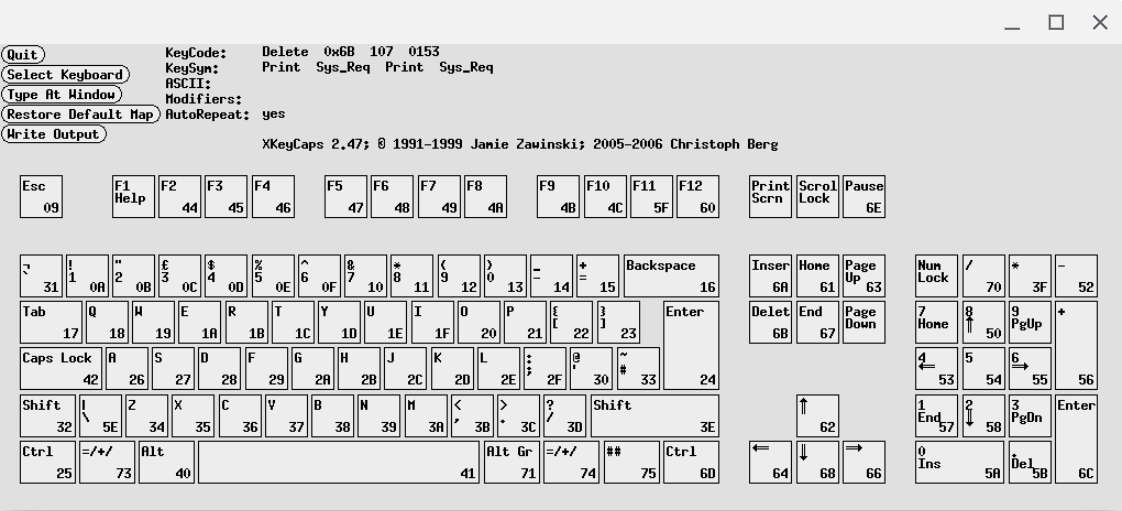
xkeycaps seems to do what you want, if I understand you correctly.
Method 3
Selecting the current layout with gkbd-keyboard-display is possible like so:
#! /usr/bin/env fish
set layout (setxkbmap -query | grep layout | tr -s ' ' | cut -d ' ' -f2)
set variant (setxkbmap -query | grep variant | tr -s ' ' | cut -d ' ' -f2)
gkbd-keyboard-display -l $layoutt$variant
Or, similarly:
#! /bin/bash
layout=`setxkbmap -query | grep layout | tr -s ' ' | cut -d ' ' -f2`
variant=`setxkbmap -query | grep variant | tr -s ' ' | cut -d ' ' -f2`
gkbd-keyboard-display -l ${layout}$'t'${variant}
Method 4
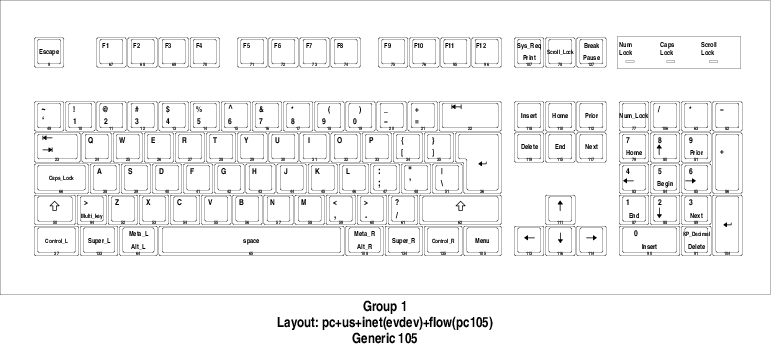
You can use xkbprint to print the current layout.
For example to print the current layout as PDF use
xkbprint -color "${DISPLAY}" - |
    ps2pdf - > current_keyboard_layout.pdf
which produces:
Method 5
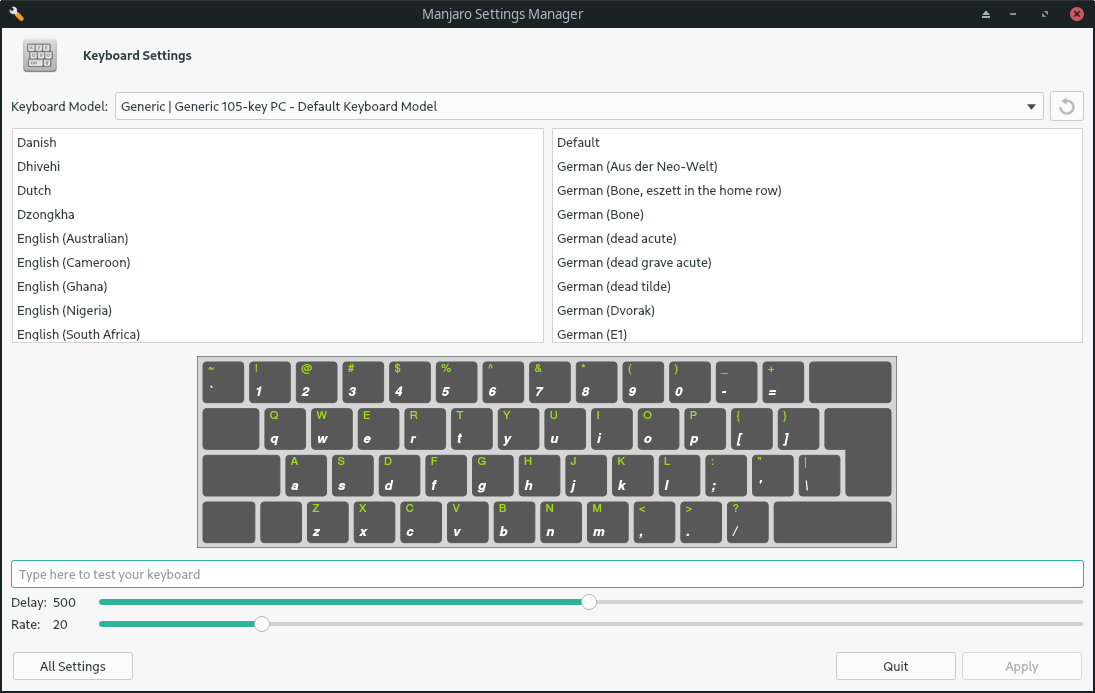
Manjaro Settings Manager > Keyboard Settings
It looks like this:
Method 6
To integrate this feature nicely in the Gnome environment, create the following file:
~/.local/share/applications/show-keyboard-layout.desktop
With the following content:
[Desktop Entry]
Type=Application
Name=Show keyboard layout
Comment=
Icon=/usr/share/icons/Yaru/256x256/devices/input-keyboard.png
Exec=gkbd-keyboard-display -l "us(altgr-intl)"
Terminal=false
Categories=Utility
Press ALT-F2, and enter ‘r’ to restart the Gnome desktop if you use X11, or restart the session if you use Wayland.
To open the layout window, press the Super key (e.g. Windows key), and then enter the first letters of “Show keyboard layout” until the proper entry is shown. Finally, press enter.
The layout shown is hard coded. You can query the keyboard currently used with the following command and adapt the .desktop file accordingly using the following command line:
setxkbmap -query
Method 7
Current keyboard layout chart onliner (based on Raphael’s answer but using awk and localectl):
gkbd-keyboard-display -l $(localectl status | awk '/X11 Layout/ {print $3}')$'t'$(localectl status | awk '/X11 Variant/ {print $3}')
On an alias, using string literal syntax:
alias current_keyboard_layout_chart=$'gkbd-keyboard-display -l $(localectl status | awk '/X11 Layout/ {print $3}')$'t'$(localectl status | awk '/X11 Variant/ {print $3}')'
Method 8
In Gnome that is available already, although not for the currently selected keyboard (that simple feature seams universally absent). As shown here:

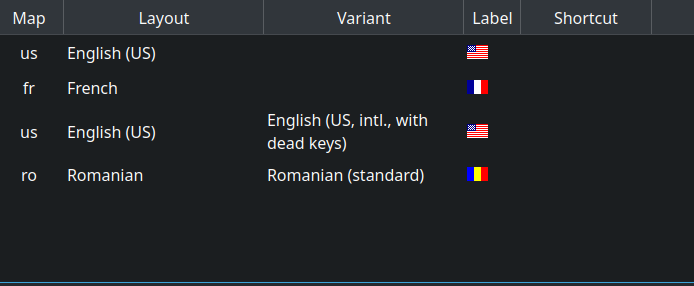
In Plasma and other desktops that seem to lack this feature, based on the previous answers, we can create desktop launchers for each keyboard in our keyboard layouts list. I use 4 layouts, so I have a list like so in Plasma:
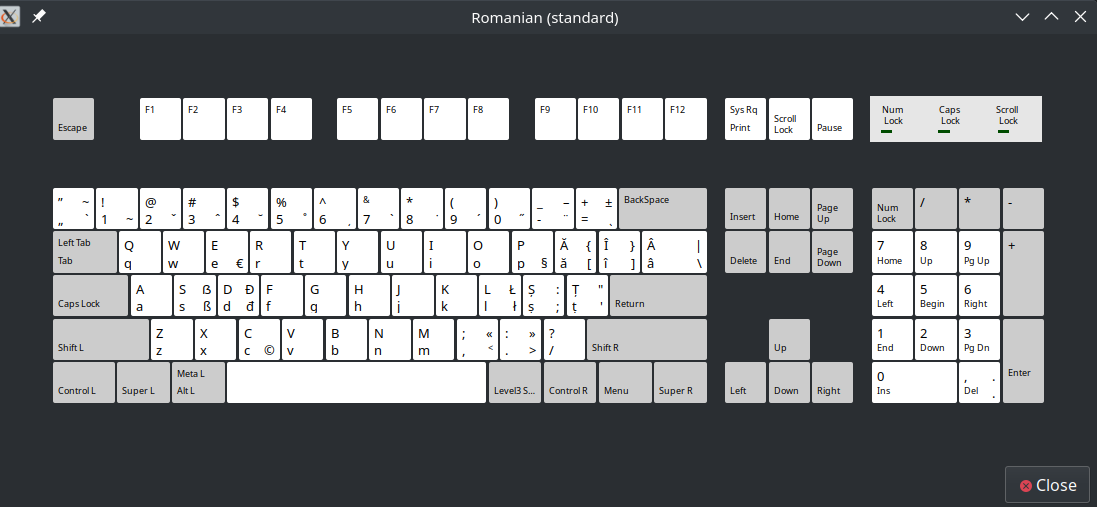
In order to show my Romanian layout, I have created the file ~/.local/share/applications/show-keyboard-layout_ro.desktop with these contents:
[Desktop Entry]
Type=Application
Name=Show keyboard layout ROMANIAN
Comment=
Icon=/home/cip/.icons/RO-Romania-Flag-icon.png
Exec=gkbd-keyboard-display -g 4
Terminal=false
Categories=Utility
4 stands for the fact that Romanian is 4th in that list. Different ones can be created.
To launch it I type in the applications launcher:

And it pops up:
All methods was sourced from stackoverflow.com or stackexchange.com, is licensed under cc by-sa 2.5, cc by-sa 3.0 and cc by-sa 4.0