I would like to open a terminal, split it to lets say 9 parts (3×3) and execute some bash script. But for each terminal part different script.
Can this be done using perl, python or even bash?
How can I switch between those little terminals without using keyboard shortcuts?
Oh, by the way, I’m using terminator. And if there is some other terminal emulator that enables such a functionality, which is it?
Answers:
Thank you for visiting the Q&A section on Magenaut. Please note that all the answers may not help you solve the issue immediately. So please treat them as advisements. If you found the post helpful (or not), leave a comment & I’ll get back to you as soon as possible.
Method 1
To plagiarize myself, you can set up a profile with your desired settings (instructions adapted from here):
-
Run
terminatorand set up the layout you want. You can use Ctrl+Shift+E to split windows vertically and Ctrl+Shift+O (that’s O as in oodles, not zero) to split horizontally. For this example, I have created a layout with 6 panes: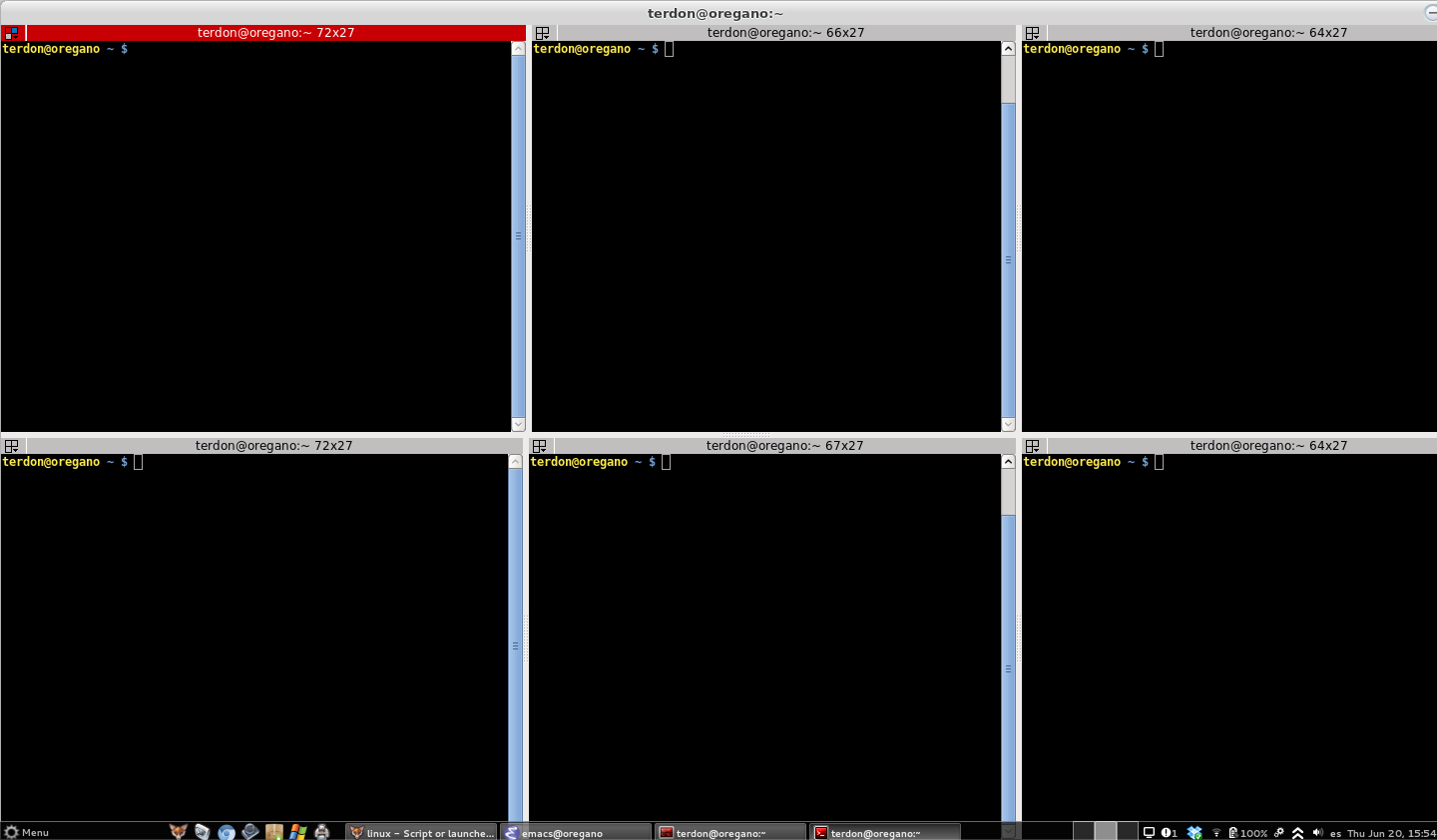
-
Right click on the
terminatorwindow and choose Preferences. Once the Preferences window is open, go to Layouts and click Add: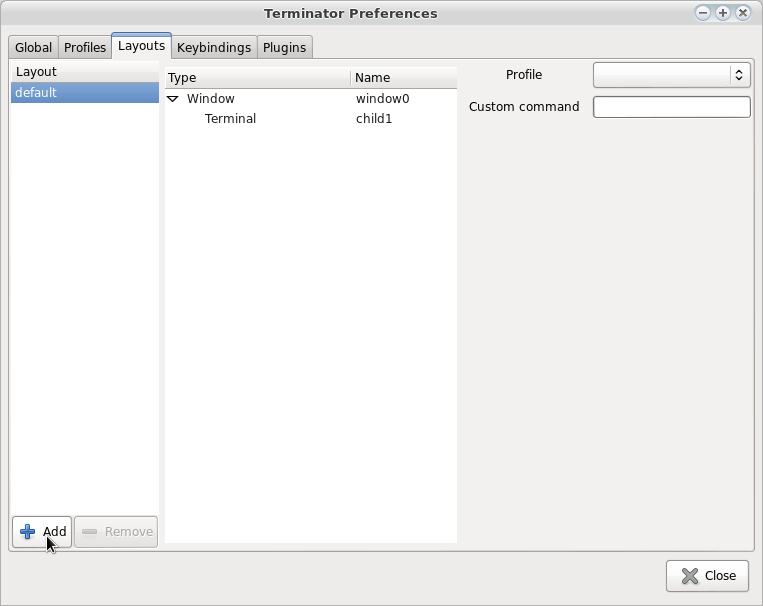
-
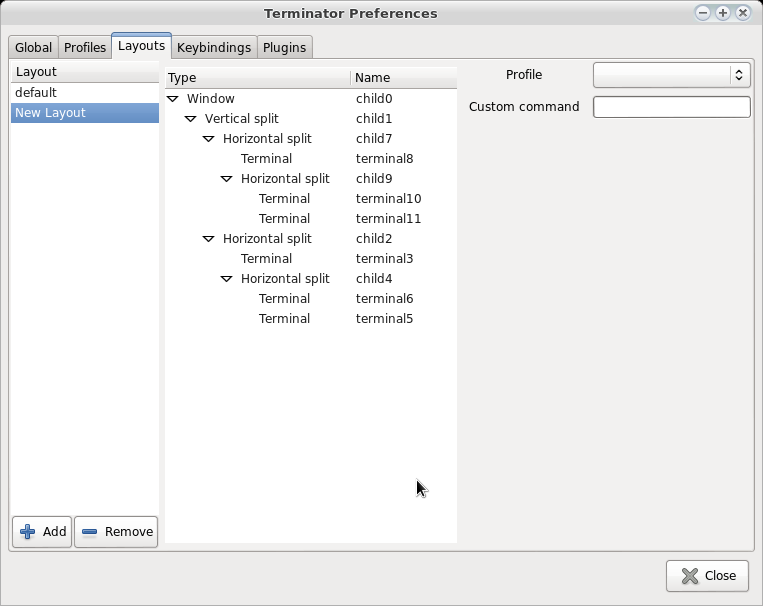
That will populate the Layouts list with your new layout:
-
Find each of the terminals you have created in the layout and click on them. Then on the right, enter the command you want to run in them on startup:
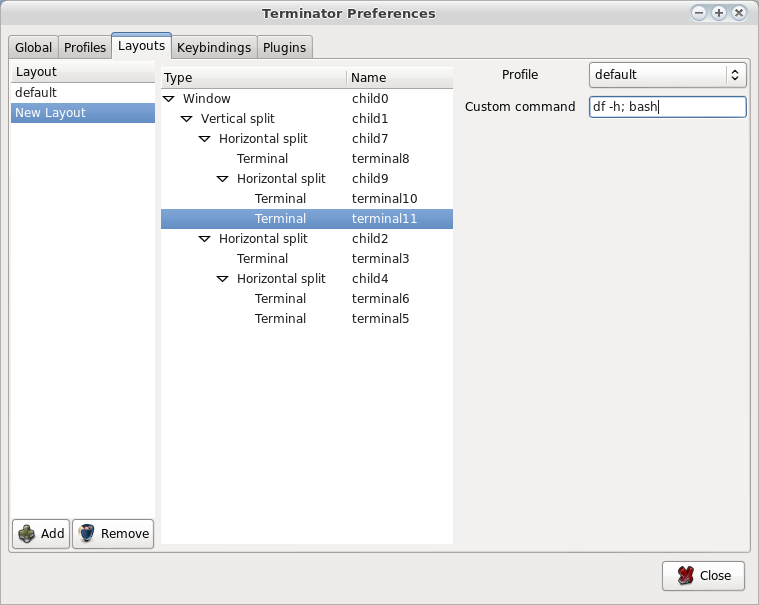
IMPORTANT: Note that the command is followed by
; bash. If you don’t do that, the terminals will not be accessible, since they will run the command you give and exit. You need to launch a shell after each command to be able to use the terminals.Once you have set all the commands, click Close and then exit
terminator. -
Open the
terminatorconfig file~/.config/terminator/configand delete the section under layouts for the default config. Then change the name of the layout you created to default. It should look something like this:[global_config] [keybindings] [profiles] [[default]] [layouts] [[default]] [[[child0]]] position = 446:100 type = Window order = 0 parent = "" size = 885, 550 [[[child1]]] position = 444 type = HPaned order = 0 parent = child0 [[[child2]]] position = 275 type = VPaned order = 0 parent = child1 [[[child5]]] position = 219 type = HPaned order = 1 parent = child1 [[[child6]]] position = 275 type = VPaned order = 0 parent = child5 [[[child9]]] position = 275 type = VPaned order = 1 parent = child5 [[[terminal11]]] profile = default command = 'df -h; bash' type = Terminal order = 1 parent = child9 [[[terminal10]]] profile = default command = 'export foo="bar" && cd /var/www/; bash' type = Terminal order = 0 parent = child9 [[[terminal3]]] profile = default command = 'ssh -Yp 24222 <a href="https://getridbug.com/cdn-cgi/l/email-protection" class="__cf_email__" data-cfemail="c2a1a1aaa3b2b2aea782f3f1fbecf3f0f6ecf4f4ecf6f1">[email protected]</a>' type = Terminal order = 0 parent = child2 [[[terminal4]]] profile = default command = 'top; bash' type = Terminal order = 1 parent = child2 [[[terminal7]]] profile = default command = 'cd /etc; bash' type = Terminal order = 0 parent = child6 [[[terminal8]]] profile = default command = 'cd ~/dev; bash' type = Terminal order = 1 parent = child6 [plugins]
The final result is that when you run terminator it will open with 6 panes, each of which has run or is running the commands you have specified:
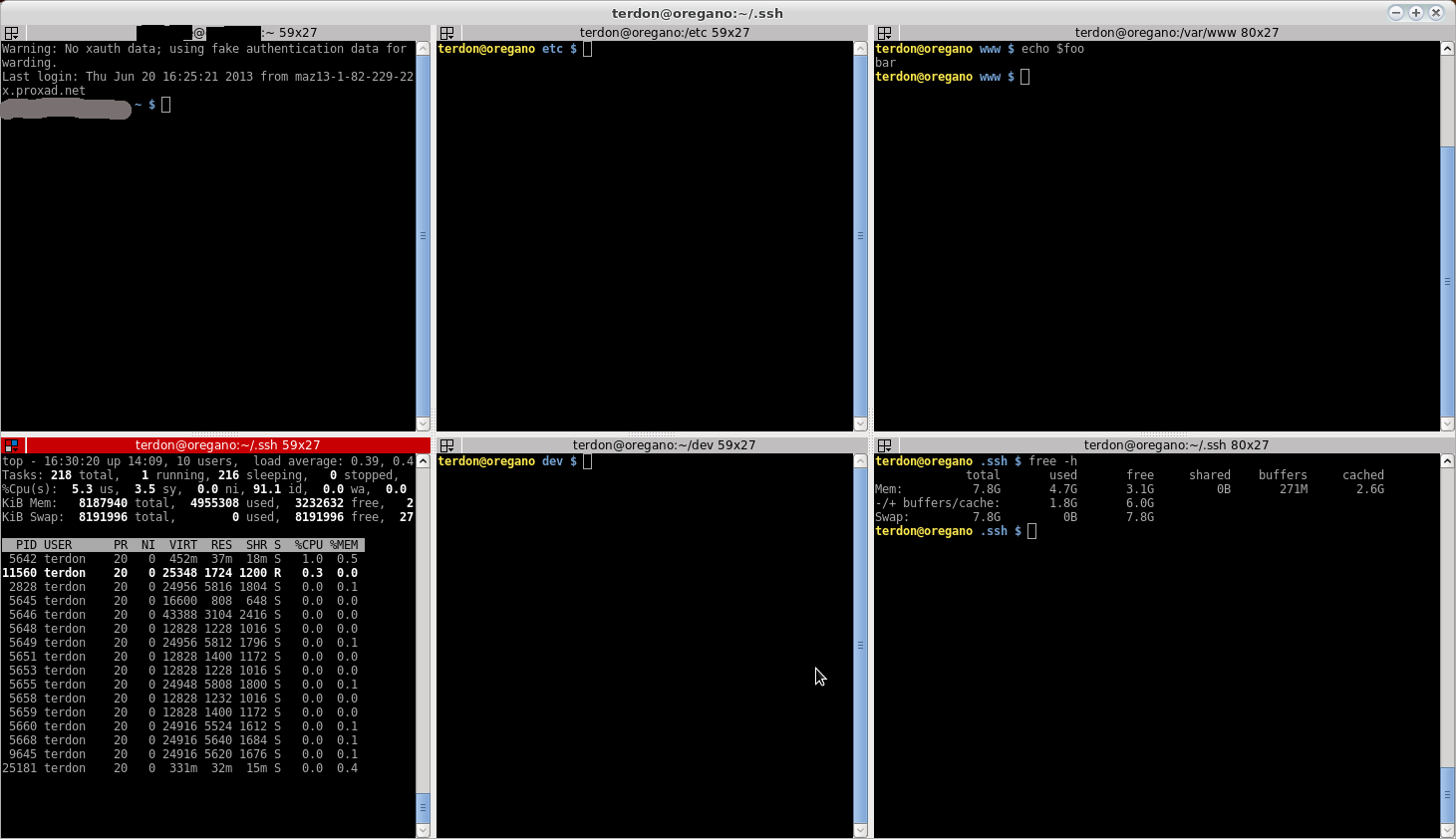
Also, you can set up as many different profiles as you wish and either launch terminator with the -p switch giving a profile name, or manually switch to whichever profile you want after launching.
Method 2
Are you searching for terminal multiplexer tmux.
Method 3
Back when I was using terminator this is the rc file that I used to open a bunch of terminals and run applications. Save it to .config/terminator/config.
[global_config]
  title_hide_sizetext = True
  enabled_plugins = LaunchpadCodeURLHandler, APTURLHandler, LaunchpadBugURLHandler
[keybindings]
[profiles]
  [[default]]
    font = DejaVu Sans Mono 9
    cursor_blink = False
    scrollback_infinite = True
[layouts]
  [[default]]

    [[[root]]]
      position = -4:0
      type = Window
      order = 0
      parent = ""
      size = 1072, 1884

    [[[grand]]]
      position = 536
      type = HPaned
      order = 0
      parent = root
    [[[left]]]
      position = 942
      type = VPaned
      order = 0
      parent = grand
    [[[right]]]
      position = 942
      type = VPaned
      order = 1
      parent = grand


    [[[terminal1]]]
      profile = default
      type = Terminal
      order = 0
      parent = left
      command = "cd ~/code/foo; bash"
    [[[terminal2]]]
      profile = default
      type = Terminal
      order = 1
      parent = left
      command = "cd ~/bar/baz; bash"


    [[[terminal3]]]
      profile = default
      type = Terminal
      order = 1
      parent = right
      command = ""
    [[[terminal4]]]
      profile = default
      type = Terminal
      order = 0
      parent = right
      command = "cmus; bash"


[plugins]
EDIT: Note that this information probably came from Terdon’s post on a much earlier thread. I’ve been using this setup for a few months, but Terdon’s post here looks very familiar!
Method 4
Wrapper script for splitting Terminator terminal emulator
https://github.com/AlekseyChudov/terminator-split
All methods was sourced from stackoverflow.com or stackexchange.com, is licensed under cc by-sa 2.5, cc by-sa 3.0 and cc by-sa 4.0