Unable to use send_keys() for an iframe. How to select this iframe and which element inside this should be use for send_key()?
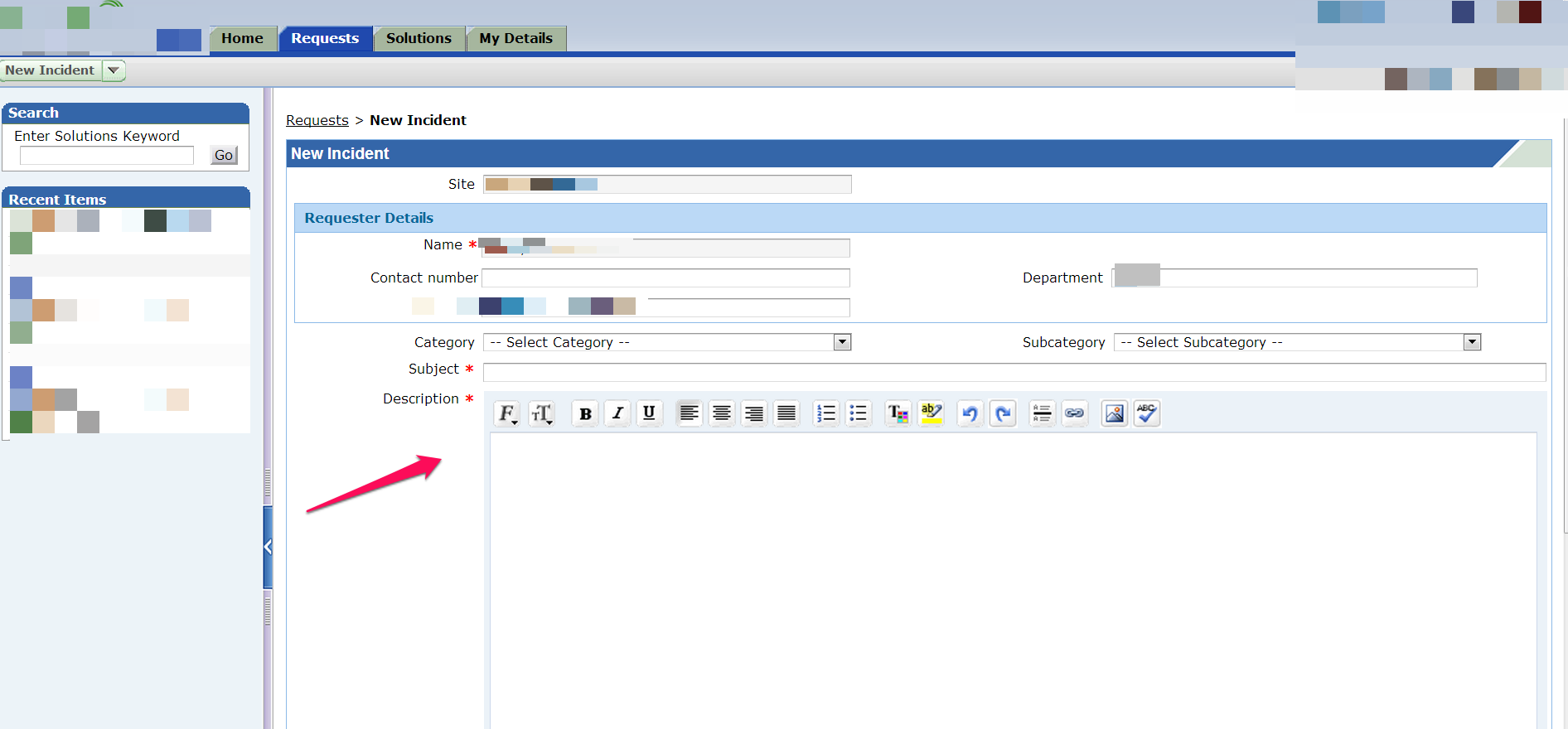
and iframe html code
<iframe class="textarea" src="/framework/html/blank.html" style="width: 99%; border-width: 1px; height: 332px;">
#document
<html webdriver="true">
<head>
</head>
<body> … </body>
</html>
</iframe>
How to send the value to description?
One more thing i want to know that this code of frame is not coming when i go for “view page source ” in browser?
Answers:
Thank you for visiting the Q&A section on Magenaut. Please note that all the answers may not help you solve the issue immediately. So please treat them as advisements. If you found the post helpful (or not), leave a comment & I’ll get back to you as soon as possible.
Method 1
driver.switch_to.frame(driver.find_element_by_tag_name("iframe")) assuming that driver is a healthy instance of webdriver. To continue with the default content do driver.switch_to.default_content()
EDIT: When you have switched to needed frame, locate your webelement as you always do. I guess (but not sure) in your case this will be a html/body, so
el = driver.find_element_by_xpath('html/body')
should be fine. And perform
el.send_keys('keys_to_send')
EDIT2: Before sending keys you may have to focus on the element (click should do the thing, a child element should appear). Or you can just place the needed text via JS.
driver.execute_script('document.body.innerHTML = "%s"' % text_var)
Method 2
The Accepted answer works very well for the given question. However I have two reasons for adding one more answer and hope this answer might help someone landing this question with different ask.
Reason 1:
Accepted answer has one way of handling iframes inside a web page. However there are different ways to handle iframes.
- By using index position of the frame
- By using name of the frame
- By using id of the frame
Reason 2:
It uses driver.find_element_by_tag_name(“iframe”) statement to find iframe element which may not work or return expected iframe web element when there are multiple iframe elements in the same page.
There are many articles out there to explain handling iframes in detail.
Method 3
In order to handle iframes on a web page you need to switch to the iframes first that are present on the page using this command:
driver.switch_to.frame(frame_id)
This tutorial has a working example of handling iframe using selenium with python which will made you able to get through this issue.
Method 4
You can switch to the iframe using multiple approaches as per the prevailing condition of the HTML DOM.
-
If the
<iframe>is the only iframe within the DOM Tree you can use the following line of code:-
Using TAG_NAME:
driver.switch_to.frame(driver.find_element(By.TAG_NAME, "iframe"))
-
Using TAG_NAME:
-
Locating the
<iframe>element with a unique Locator Strategy:-
Using css_selector:
driver.switch_to.frame(driver.find_element(By.CSS_SELECTOR, "iframe.textarea[src='/framework/html/blank.html']"))
-
Using xpath:
driver.switch_to.frame(driver.find_element(By.XPATH, "//iframe[@class='textarea' and @src='/framework/html/blank.html']"))
-
Using css_selector:
Ideally to switch to an <iframe> so you have to:
- Induce WebDriverWait for the desired frame to be available and switch to it.
- Induce WebDriverWait for the desired element to be clickable.
-
You can use either of the following Locator Strategies:
-
Using TAG_NAME (only iframe present):
WebDriverWait(driver, 20).until(EC.element_to_be_clickable((By.TAG_NAME, "iframe"))).click()
-
Using CSS_SELECTOR:
WebDriverWait(driver, 20).until(EC.frame_to_be_available_and_switch_to_it((By.CSS_SELECTOR,"iframe.textarea[src='/framework/html/blank.html']"))) WebDriverWait(driver, 20).until(EC.element_to_be_clickable((By.CSS_SELECTOR, "element_css_selecor"))).send_keys("character_sequence") -
Using XPATH:
WebDriverWait(driver, 20).until(EC.frame_to_be_available_and_switch_to_it((By.XPATH,"//iframe[@class='textarea' and @src='/framework/html/blank.html']")))
WebDriverWait(driver, 20).until(EC.element_to_be_clickable((By.XPATH, "//a[@class='TlogBtn']/span[@class='mailicn']/img"))).send_keys("character_sequence")
-
Using TAG_NAME (only iframe present):
-
Note : You have to add the following imports :
from selenium.webdriver.support.ui import WebDriverWait
from selenium.webdriver.common.by import By
from selenium.webdriver.support import expected_conditions as EC
Reference
You can find a couple of relevant discussions in:
- Switch to an iframe through Selenium and python
- selenium.common.exceptions.NoSuchElementException: Message: no such element: Unable to locate element while trying to click Next button with selenium
- selenium in python : NoSuchElementException: Message: no such element: Unable to locate element
All methods was sourced from stackoverflow.com or stackexchange.com, is licensed under cc by-sa 2.5, cc by-sa 3.0 and cc by-sa 4.0